10
Vu :
Your Smart Linux TV Player
+
Vu User Manual
+
Insertion of CAM (Conditional Access Module)
There are several Conditional Access Systems (CAS), other than Xcrypt that Vu+ supports. To be able
to watch channels that are encrypted in such CAS as Nagravision, NDS, Irdeto, Viaccess, etc, users
need to purchase a CAM that is corresponding to each CAS, as well as Smartcard to decrypt those
encrypted channels.
1
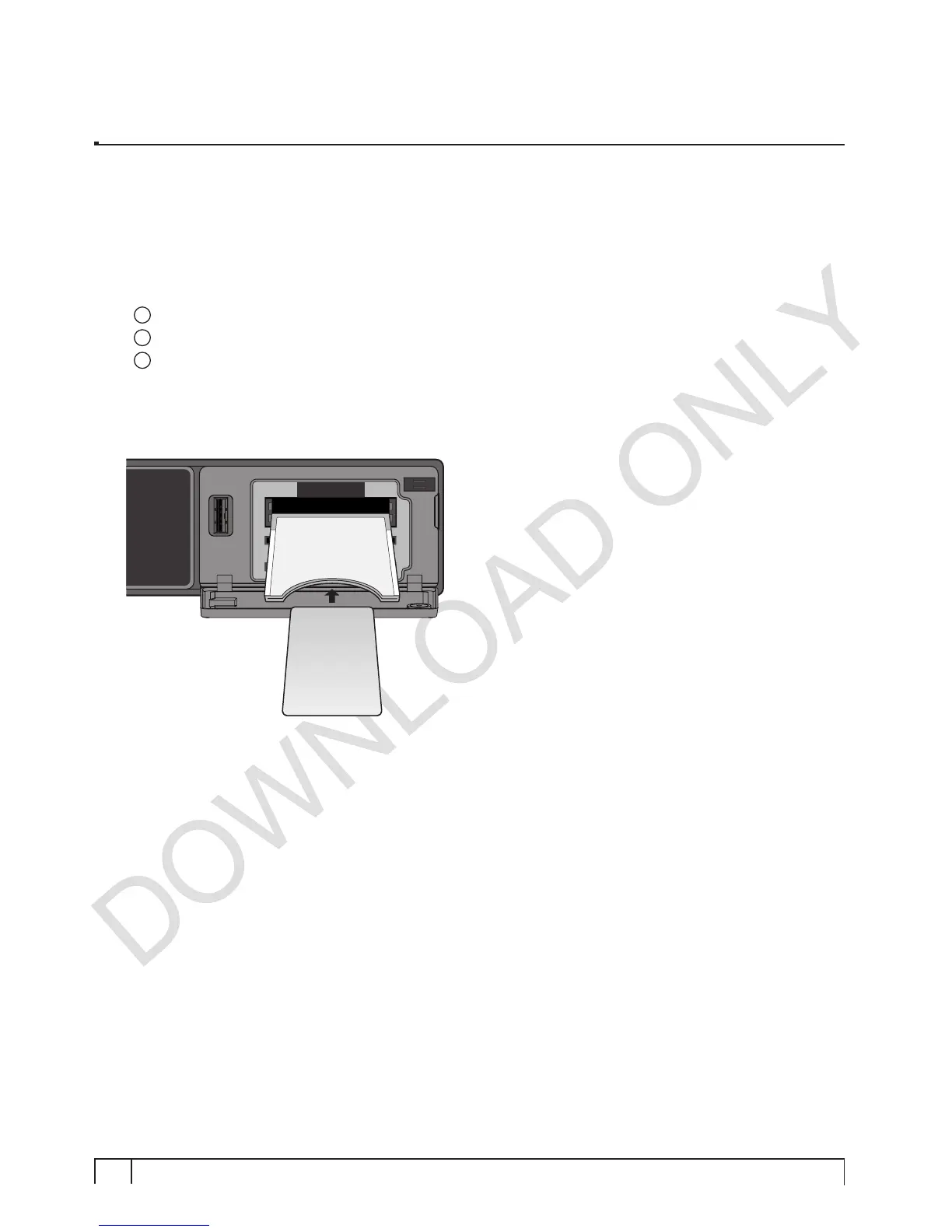
Insert a Smartcard into the CAM as in the below picture.
2
Once the Smartcard inserted into the CAM, insert the CAM into the CI slot.
3
Make sure that the CAM remains inserted while viewing.
Insertion
Smartcard
CI-Module


 To Next Page