49
Vu User Manual
+
Press
OK
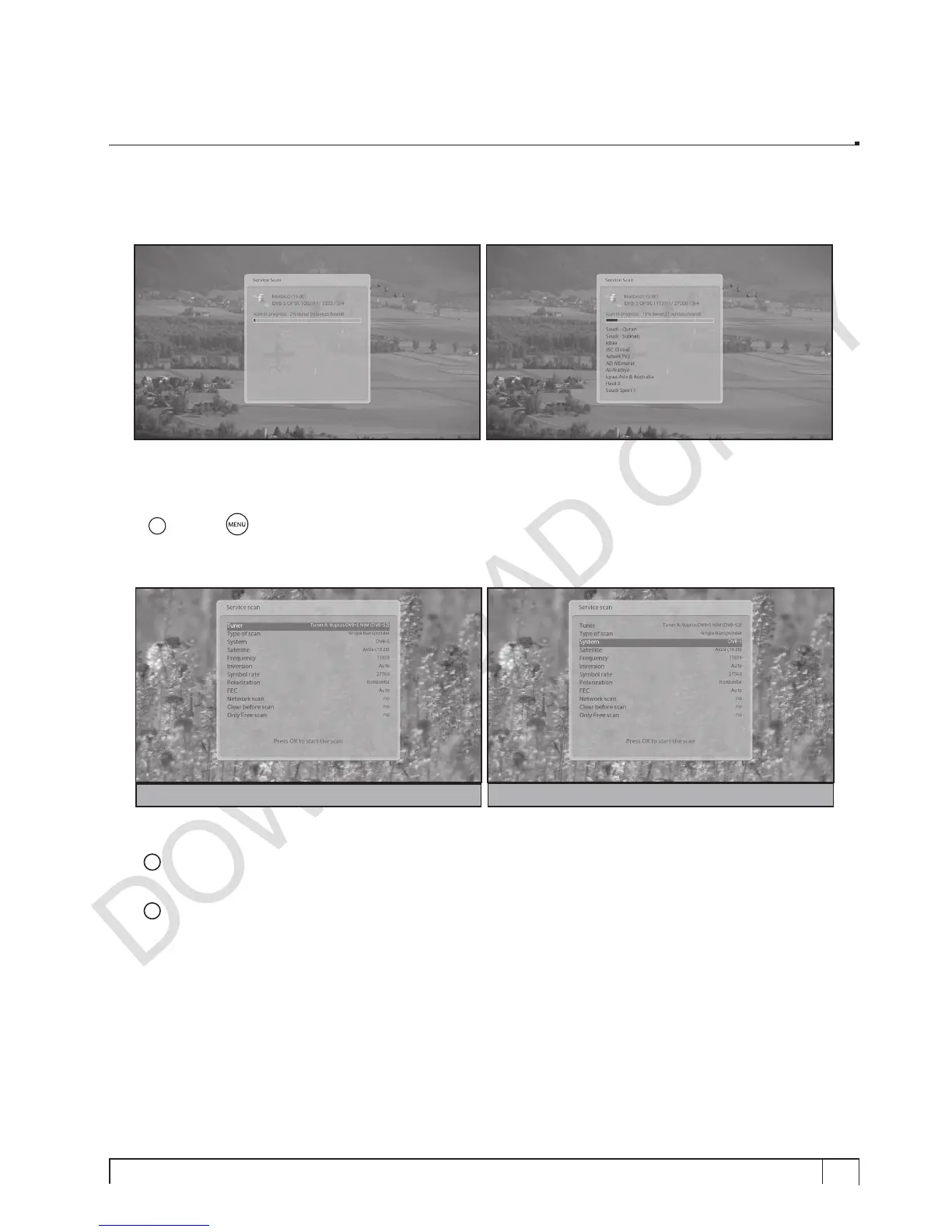
to activate the automatic scan. This will take some minutes. As the scan proceeds, you will see
the progressive bar and the newly found services underneath.
D. Manual Scan of Services
[
i
: MENU
> Setup > Service Searching > Manual Scan]
If you know well enough to configure each exact setting required for manual search of services, you can
do manual scan as well. There are many parameter values that you need to decide as below.
Amongst other things, the below parameters are what you need to decide prior to manual scan.
1
Tuner
You need to decide which tuner you want to use for manual scan.
2
System
Here you have two options between DVB-S (SD) and DVB-S2 (HD), if DVB-S2 tuner is mounted.
For DVB-S2 (High Definition)
For DVB-S (Standard Definition)


 To Next Page