43
Vu User Manual
+
13. Media Player
[
i
: MENU > Media Player]
Vu+ is truly a multimedia receiver capable of playing media contents. Using Media Player, you can enjoy
Music, Photo and Video contents stored on the internal HDD and/or an USB memory stick plugged into
Vu+.
If you play
Media Player
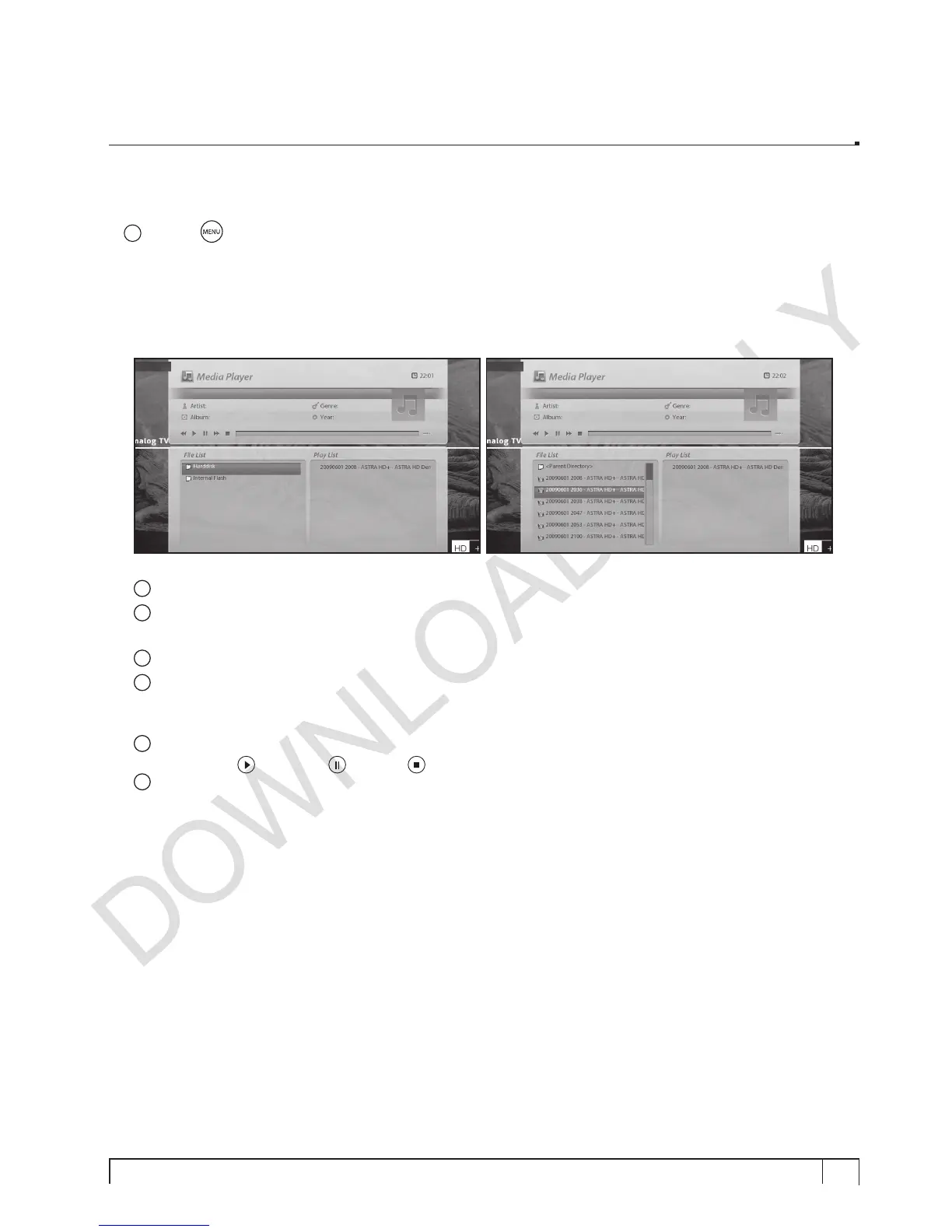
, the following player will appear.
1
Go into any directory of the HDD or plugged USB.
2
Select a file in the
File List
to play and press
OK.
The selected file will be displayed in the
PlayList
.
* Supported formats are mainly JPG, MP3, AVI, etc.
3
In the same way, you can play the recording files stored on the HDD.
4
To move between
File List
and
Paly List
- Press
CH-
to go into
Play List
- Press
CH+
to go into
File List
5
To call up
Media Player
window
- Press
Play
(
),or
Pause
( ) or
Stop
( )
6
To play
- Select a file in the
Play List
and press
OK
.


 To Next Page