48
Vu :
Your Smart Linux TV Player
+
Vu User Manual
+
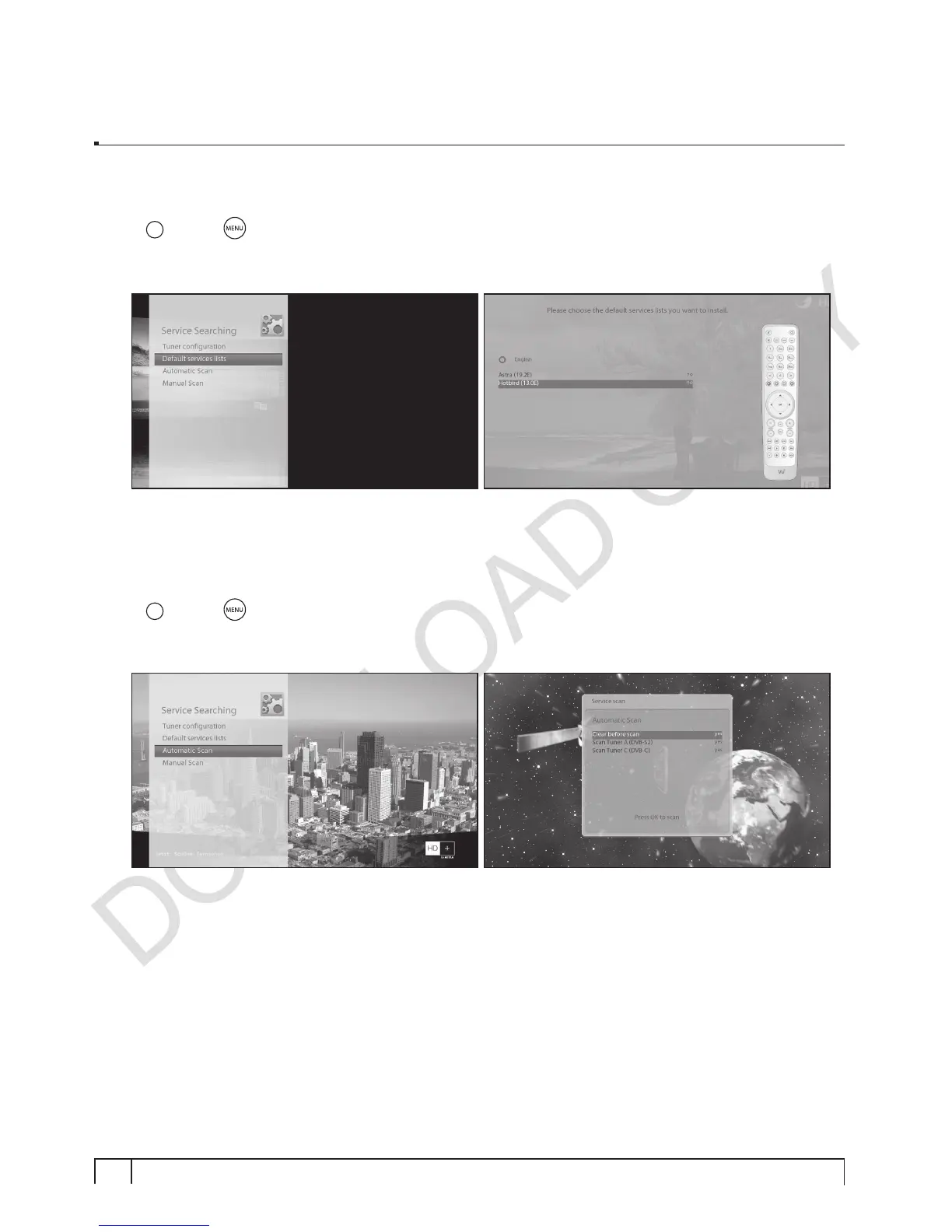
B. Loading Default Service Lists
[
i
: MENU
> Setup > Service Searching > Default Service List]
In case there are service lists available for certain satellites, for example, Astra or Hotbird, you can
install the lists in the channel list of your Vu+.
If default service lists are not available, you can run the service scan automatically or manually to add TV
and radio channels into the channel list of your Vu+.
C. Automatic Scan of Services
[
i
: MENU
> Setup > Service Searching > Automatic Scan]
The easiest way to scan services is to use
Automatic Scan
. In the
Automatic Scan
menu, there are two
options to choose from as below.
•
Clear Before Scan
YES
is used when you want to delete the existing channel list before you start the automatic scan.
If you want to keep the existing list, select
NO
.


 To Next Page