58
Vu :
Your Smart Linux TV Player
+
Vu User Manual
+
E. Hard Disk Set Up
[
i
: MENU
> Setup > System > Harddisk > Harddisk setup]
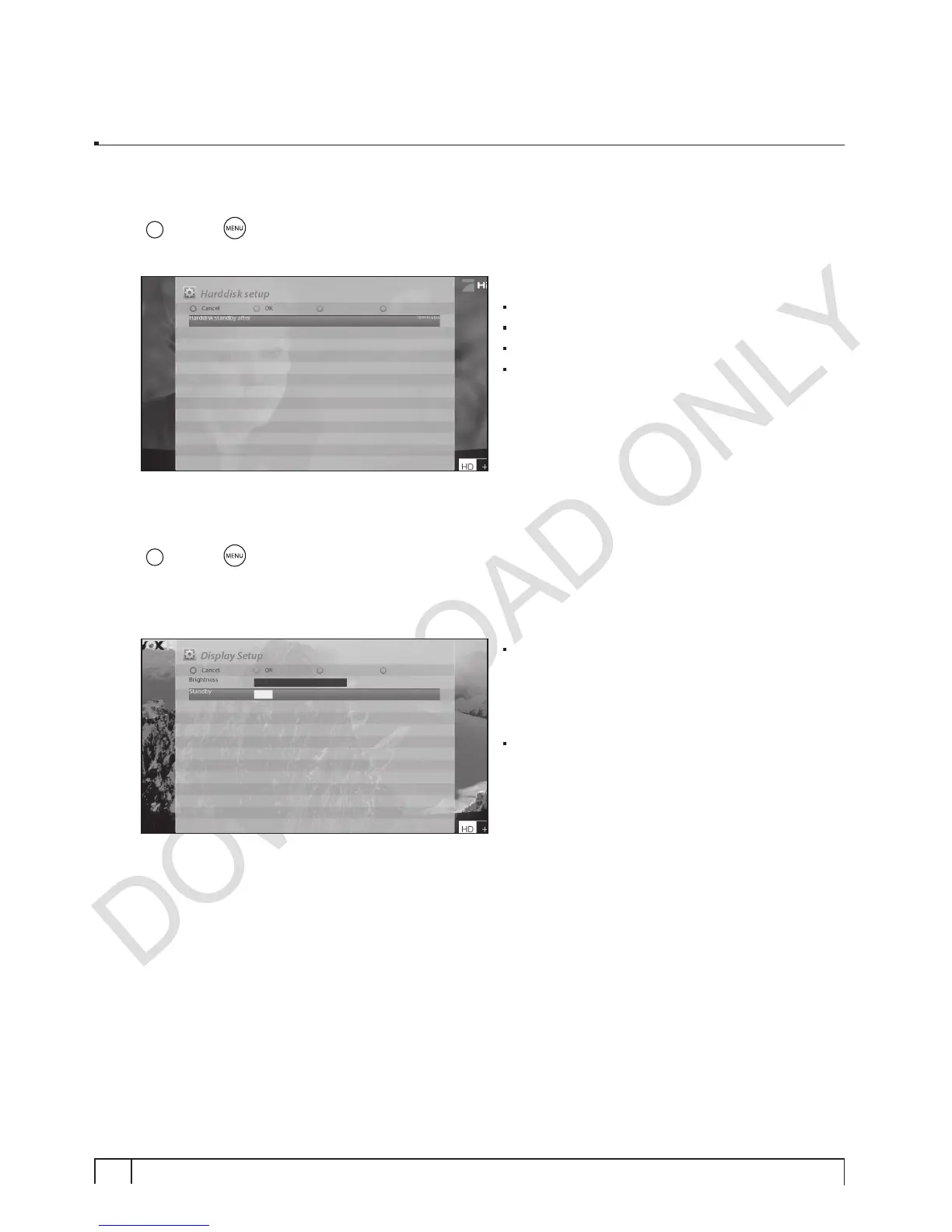
You can set the duration of time after which HDD is to be put into standby mode.
Here, you can choose from
No standby
10 or 30 seconds
1, 2, 5,10, 20, 30 minutes
1, 2, 4 hours.
Once you set this option, press
GREEN
key to
confirm the change.
F. Front Display Setup
[
i
: MENU
> Setup > System > Display Setup]
There is a Large graphicVFD display on the front panel of Vu+. This display shows various information
like the current menu, channel, HD icon, and so on. You can adjust the brightness of this display using
this menu.
Brightness
You can change the brightness of the front VFD
display using
LEFT/RIGHT
key when Vu+ is in
use.
Standby
You can change the brightness of the front VFD
display using
LEFT/RIGHT
key when Vu+ is in
standby mode.
Once you completed this option, press
GREEN
key to confirm the change.


 To Next Page