47
Vu User Manual
+
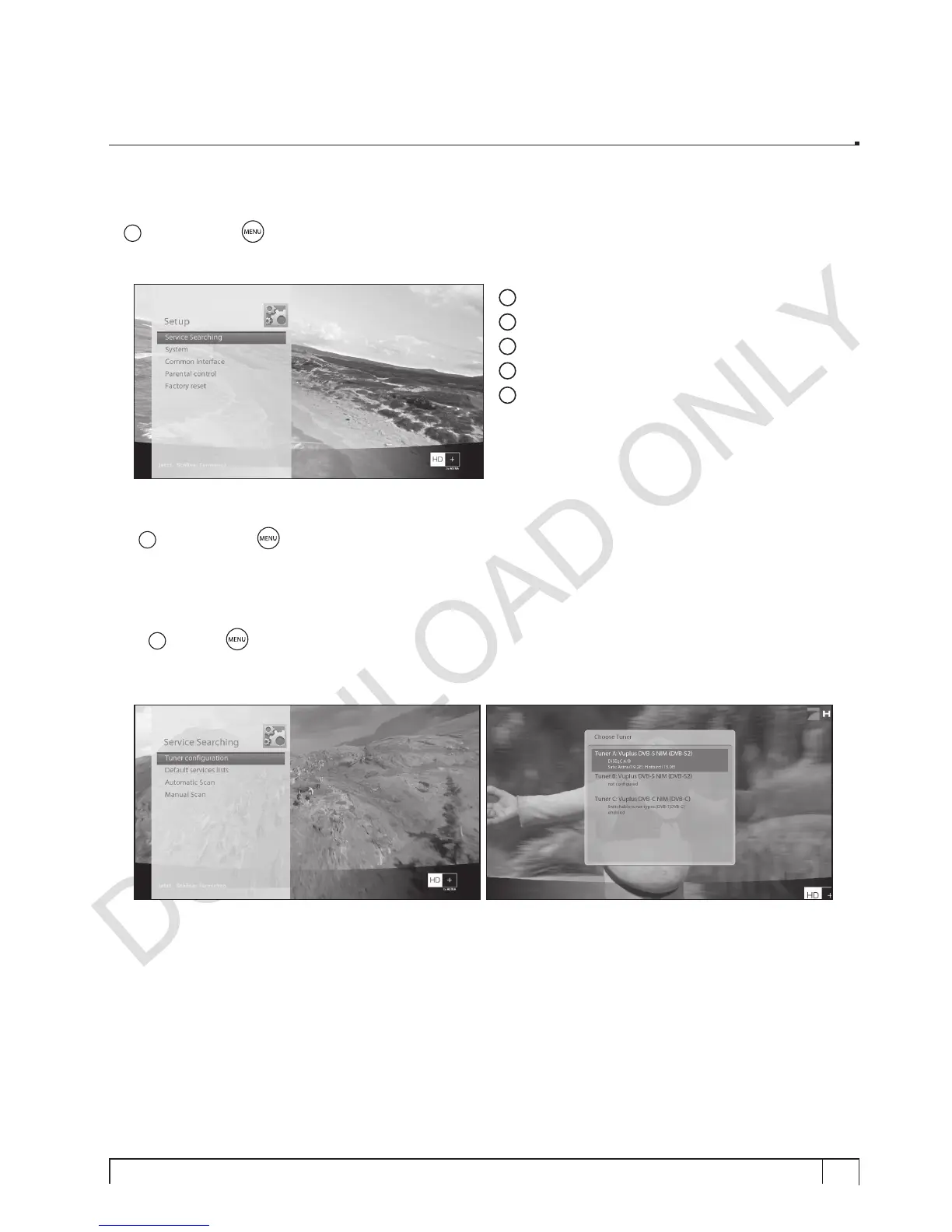
2. System Setup
[
i
: Press MENU > Select Setup]
The Setup menu consists of the following sub-menus.
1
Service Searching
2
System
3
Common Interface
4
Parental Control
5
Factory reset
2-1. Service Searching
[
i
: Press MENU
> Setup > Service Searching]
Here you set up the tuners of your Vu+ and run channel scanning automatically or manually.
A. Tuner Conguration
[
i
: MENU
> Setup > Service Searching > Tuner Configuration]
If you run the First Time Installation process, the Tuner A is already configured. You can check the
information of Tuner A and which satellites are scanned, as follows.


 To Next Page