51
Vu User Manual
+
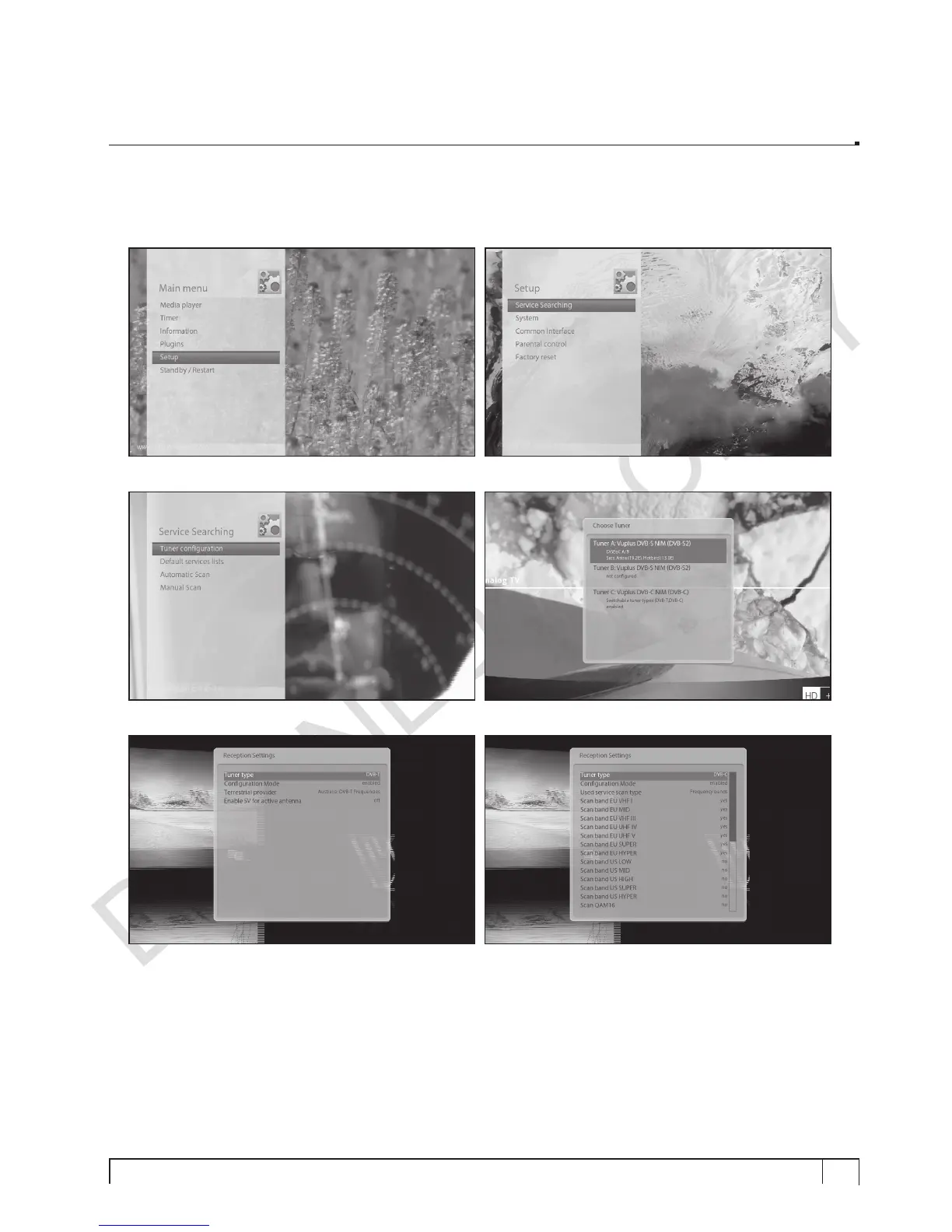
E. Selecting Tuner Type (for DVB-C/T Tuner)
If you have installed DVB-C/T Tuner of Vu+, you need to configure it as follows:
1. Go to Setup => Service Searching => Tuner Configuration
2. Press
OK
to activate Tuner A window 3. Press
OK
again Reception Setting window
4. You can select DVB-C or DVB-T tuner by using
LEFT/RIGHT
button. Now the tuner configuration is
done.


 To Next Page