52
Vu :
Your Smart Linux TV Player
+
Vu User Manual
+
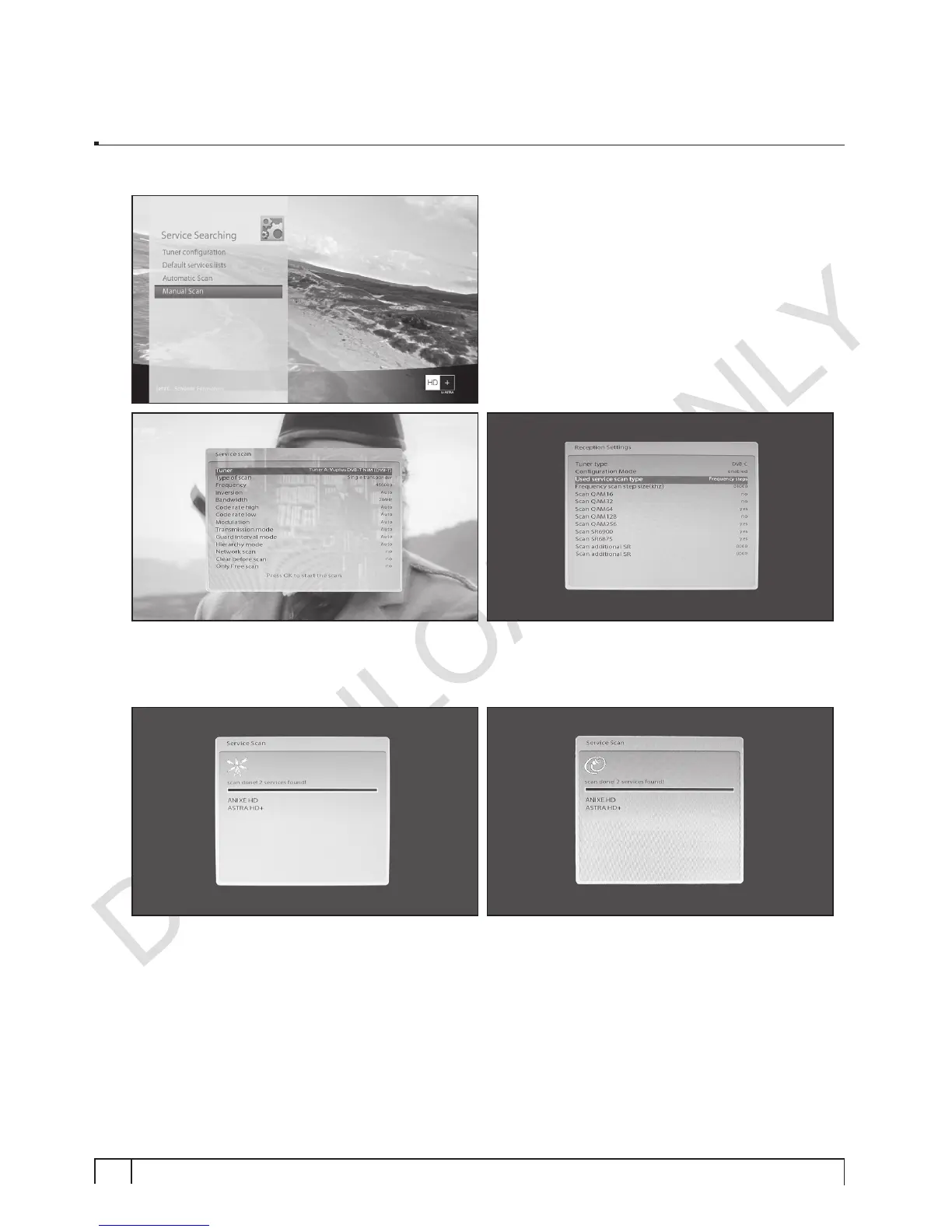
5. Go to Setup => Service Searching
For the channel scan, you can select between
Automatic Scan and Manual Scan.
6. Press
OK
to call up Service Scan window.
If the tuner is configured for DVB-T, channel scanning will be done in DVB-T mode.
If the tuner is configured for DVB-C, channel scanning will be done in DVB-C mode.
7. Press
OK
to begin the channel scan.
Once the scan is done, the scan results will be displayed.


 To Next Page