30
Vu :
Your Smart Linux TV Player
+
Vu User Manual
+
• VOLUME -
If you want to reduce the page size, press
VOLUME –
key.
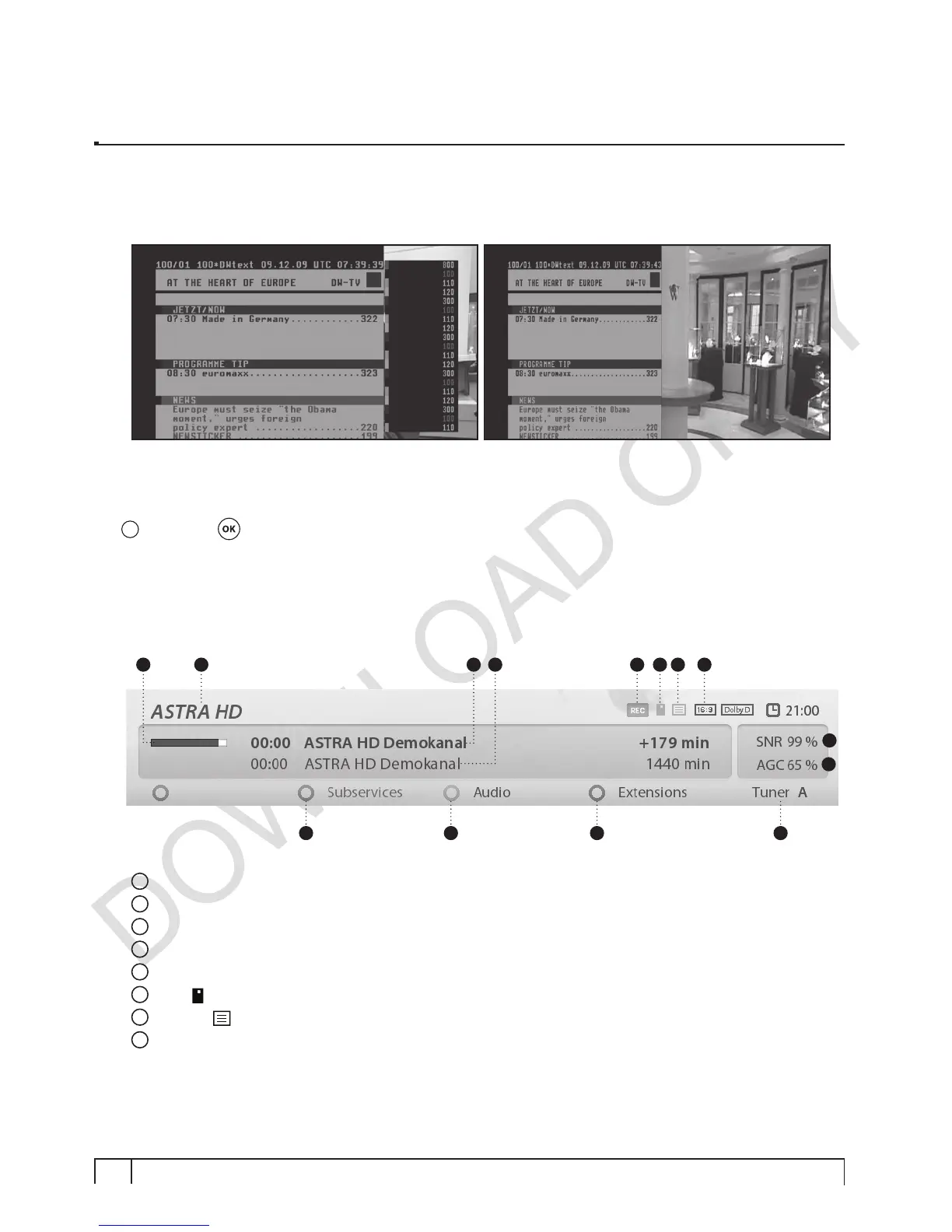
6. Program Information (Infobar)
[
i
: Press OK key]
Whenever you change the channel, infobar is always displayed for 5 seconds (default setting). Infobar is
designed to provide you comprehensive information of the channel that you are currently watching.
• Press
OK
to call up infobar.
1
Remaining time of the current program
2
The name of the current channel
3
The current program
4
The next program
5
REC
: Highlighted in red when recording is in progress.
6
CAS
(
) : Encrypted program
7
Teletext
(
) : Highlighted when the program provides Teletext.
8
16:9
: Screen ratio
3 42 5 6 7 8
9
10
1
11 12 13 14


 To Next Page