68
Vu :
Your Smart Linux TV Player
+
Vu User Manual
+
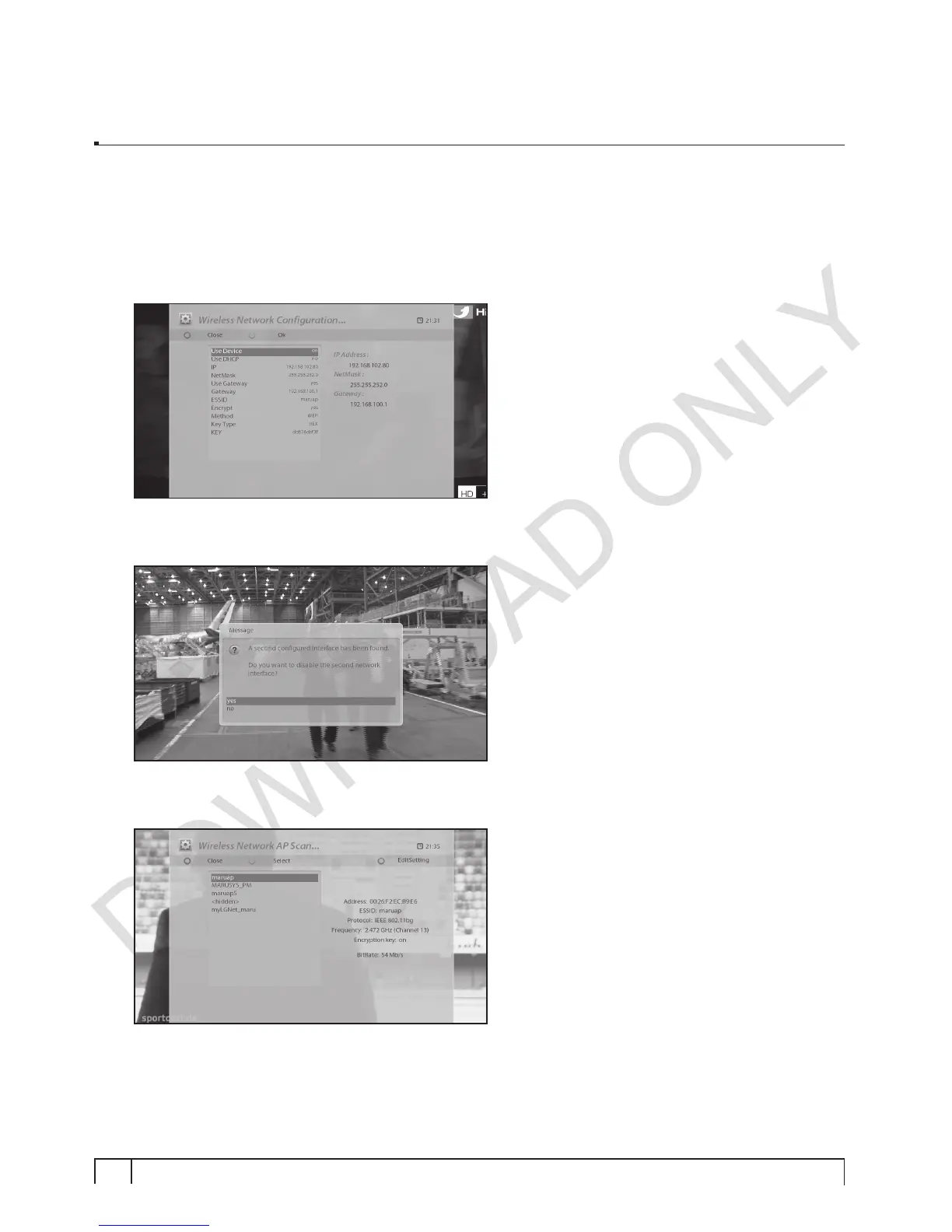
7. Encrypt: If the chosen AP requires wireless security configuration, select “Yes”.
(a) Configuration
• Wireless security method – WEP, WPA, WPA2, WPA-WPA2.
• Key Type – ASCII, HEX
• Network Key
8. If the ethernet is activated, decide whether to deactivate it or not. In order to avoid conflicts between
network devices, deactivation is recommended.
9. Select “Scan Wireless AP” to check accessible AP.
(a) Place the highlight bar on the AP to connect, and press “Blue” button to move to “Adapter Setting” menu.
10. You can change the settings of name server in “Nameserver settings”.
(a) It is possible to add up to 4 name servers by using “Add”(Green) button.
(b) And it is also possible to delete name server by using “Delete” (Yellow) button.


 To Next Page