© Cesab 13 – 18 T Code(s): 841, 842, 843
Repair manual: Tiller arm 4000 Model(s): S210, S212, S212S, S212L, S214, S214L, S220D
Publication Number: 7588857-040 Date: 2018-05-01 Applies from serial number: 6384351-
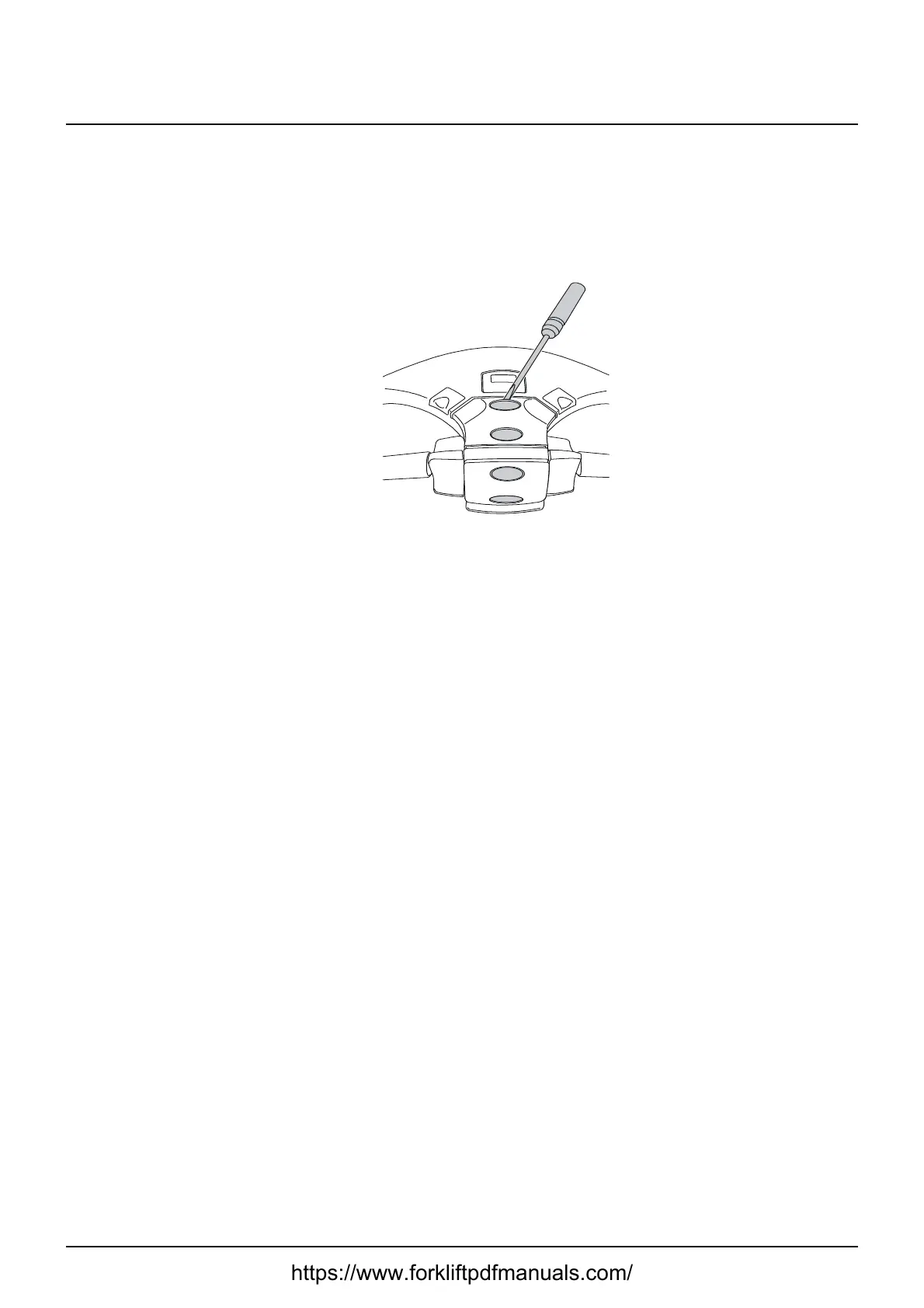
13.5.13 Changing the position of the controls - support arm lift/
fork lift
1. Pry off the lift control buttons using a thin screwdriver and switch the
positions with the rear buttons.
2. Make sure the lips catch when the new buttons are inserted.
3. Connect a PDA or PC and use TruckCom to change parameter 1023 to 2.
4. Start the truck and make sure the change is correct.
https://www.forkliftpdfmanuals.com/



 To Next Page