Moving Gate C
an Cause
Injury or Death
KEEP CLEAR! Gate may move at any
time witho
ut pri
or warning.
Do n
ot let chi
ld
ren op
erate the gate or
play in th
e
gate area.
This entrance is for
vehicles on
ly
Pedestrians must use separate en
trance
GATE 1
GRN
WHT
YEL
BLU
RED
BRN
F2
F6
U4
MAX
FUSE
OPEN
C13
C4
Z1
10A 32V
D1Ø
Z12
ACCESSORY
POWER
GATE 1
NC
GRN
WHT
YEL
BLU
RED
BRN
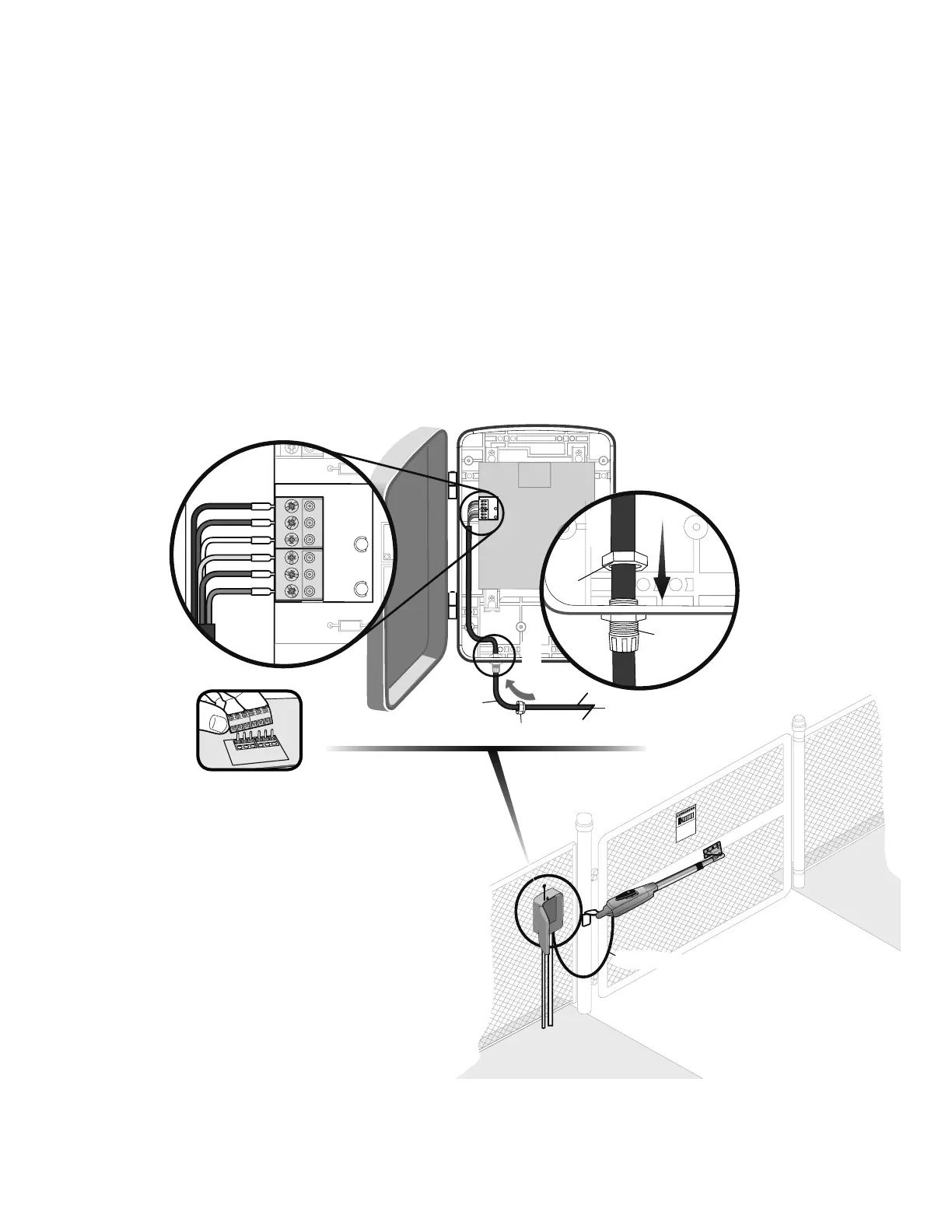
Insert the operator cable through the watertight connector mounted in the
bottom of the control box.
Select hole in bottom of the control box to be used for the operator cable.
CONNECT THE GATE OPERATOR (GATE 1) TO THE
CONTROL BOX
Insert the watertight connector into the bottom of the control box and tighten
with nut.
1
2
3
WIRING
» CONNECT THE GATE OPERATOR (GATE 1) TO THE CONTROL BOX
Operator Cable
Watertight Connector Nut
If installing one operator, proceed to page 27.
If installing two operators, continue to the next page.
Extend the operator cable and wires to the Gate 1 connector and connect as
shown.
Tighten watertight connector nut.
4
5
Terminal blocks can be
removed to simplify wiring.
22
Watertight
Connector
Nut
Operator Cable
1
2
3
4
5













 To Next Page