29
ADJUSTMENT » SET DIP SWITCH
OFF
OFF
SINGLE
NO
NO
ON
ON
DUAL MODE
NC
NC
1 2 3 4 5
O
N
1 2 3 4 5
O
N
OFF
OFF
SINGLE
NO
NO
ON
ON
DUAL MODE
NC
NC
S1
SAVE
MAGLOCK
MODE
EDGE
PHOTO
OFF
OFF
SINGLE
NO
NO
ON
ON
DUAL
NC
NC
1 2 3 4 5
O
N
S1
SAVE
MAGLOCK
MODE
EDGE
PHOTO
OFF
OFF
SINGLE
NO
NO
ON
ON
DUAL
NC
NC
GATE 1
GATE 1 AND GATE 2
1 2 3 4 5
O
N
OFF
OFF
SINGLE
NO
NO
ON SAVE
ON
DUAL MODE
NC
NC
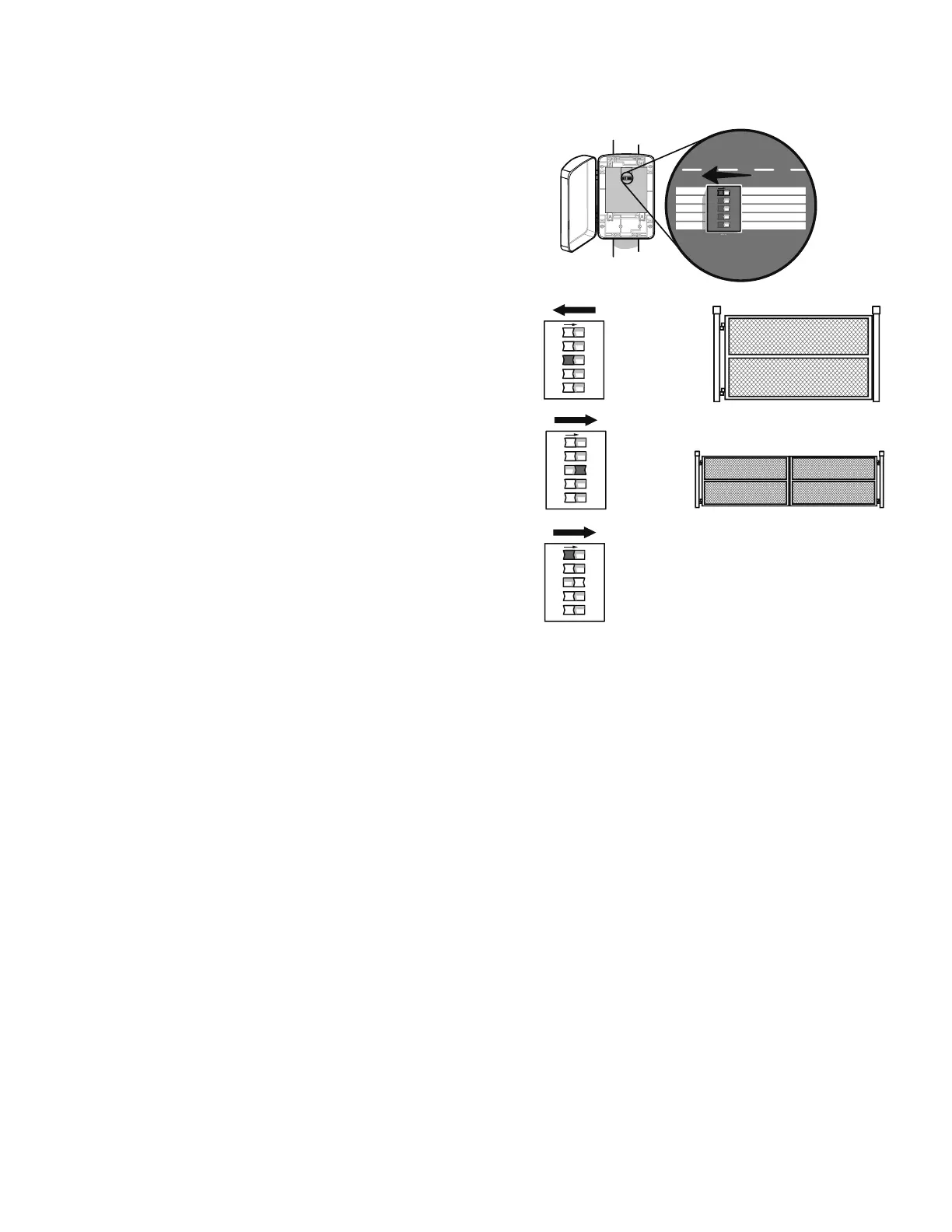
SET DIP SWITCH
The Save switch must be in the OFF position prior to adjusting the switches. After the
adjustments are made the Save switch must be in the ON position in order for the
changes to be saved.
Set the Save switch to the OFF position.
Set switch to Single for single gate installation. For Dual (Gate 1 and 2)
installation set switch on Dual Mode.
Set the Save switch to the ON position.
1
2
3
1
2
3













 To Next Page