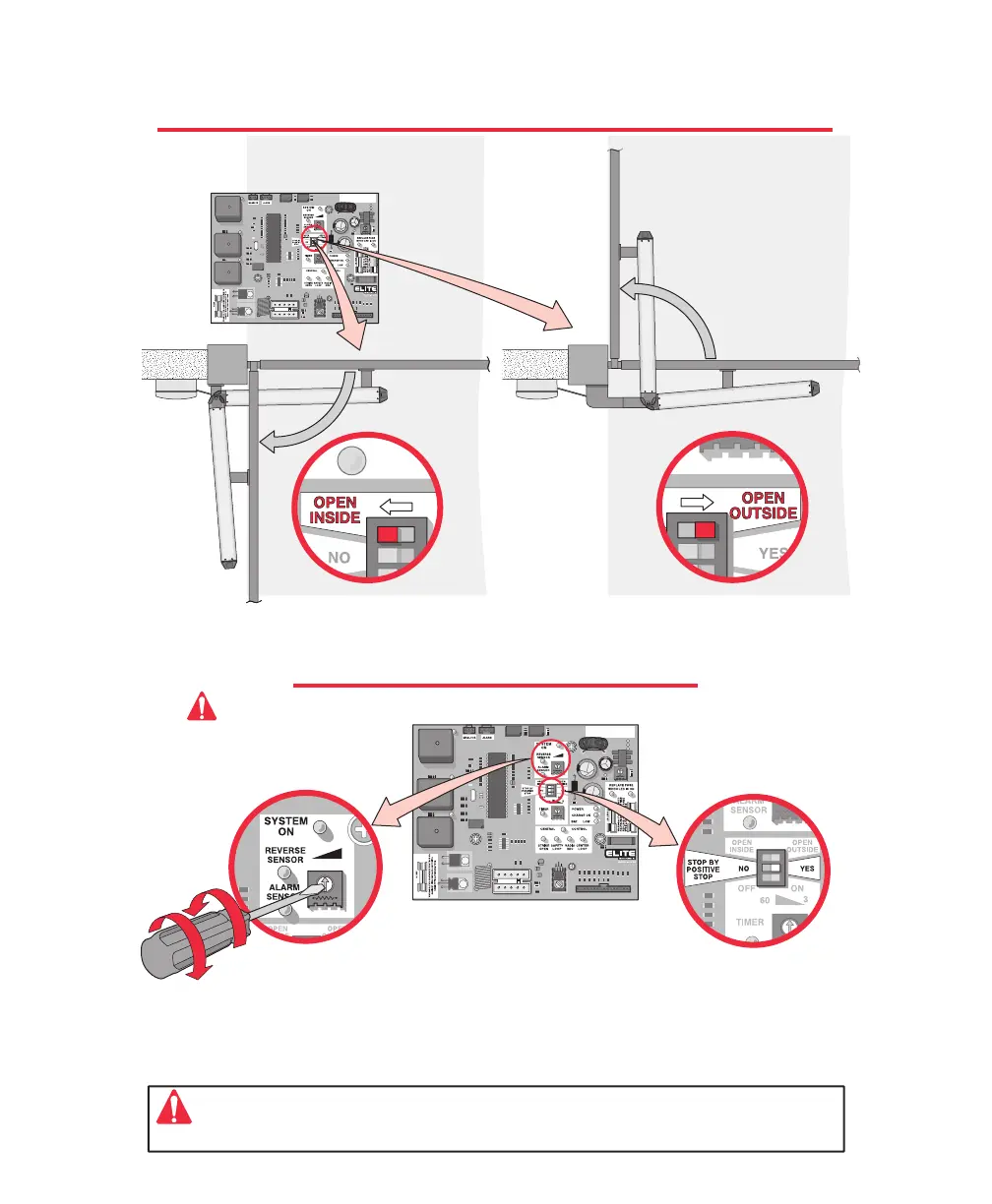
CHOOSING GATE MOVEMENT DIRECTION
SENSOR ADJUSTMENT
Switch the “Open Inside / Open Outside” switch on the control board
to the corresponding position for the proper direction.
Important: It is necessary to still adjust your limit switch at the close position.
The controller will look for the limit close first and then it will look for the positive stop.
Set the sensor adjustment so when the gate hits any object while opening,
it will stop and when the gate hits any object while closing, it will reverse.
Note: If you activate the operator and the gate stops in the middle of the
driveway, the sensor is set too sensitive.
The gate opens outward.
Adjusted by Qualified
Service Personnel
Maximum Sensitivity
Minimum
Sensitivity
The gate opens inward.
Caution: The sensors must be adjusted while the gate is in the opening or closing cycle.
Option –
Stop by Positive - Stop
This option is to be turned to
“yes” if the gate will use
positive stops at the close
position.
8
8
18








 To Next Page