System Settings
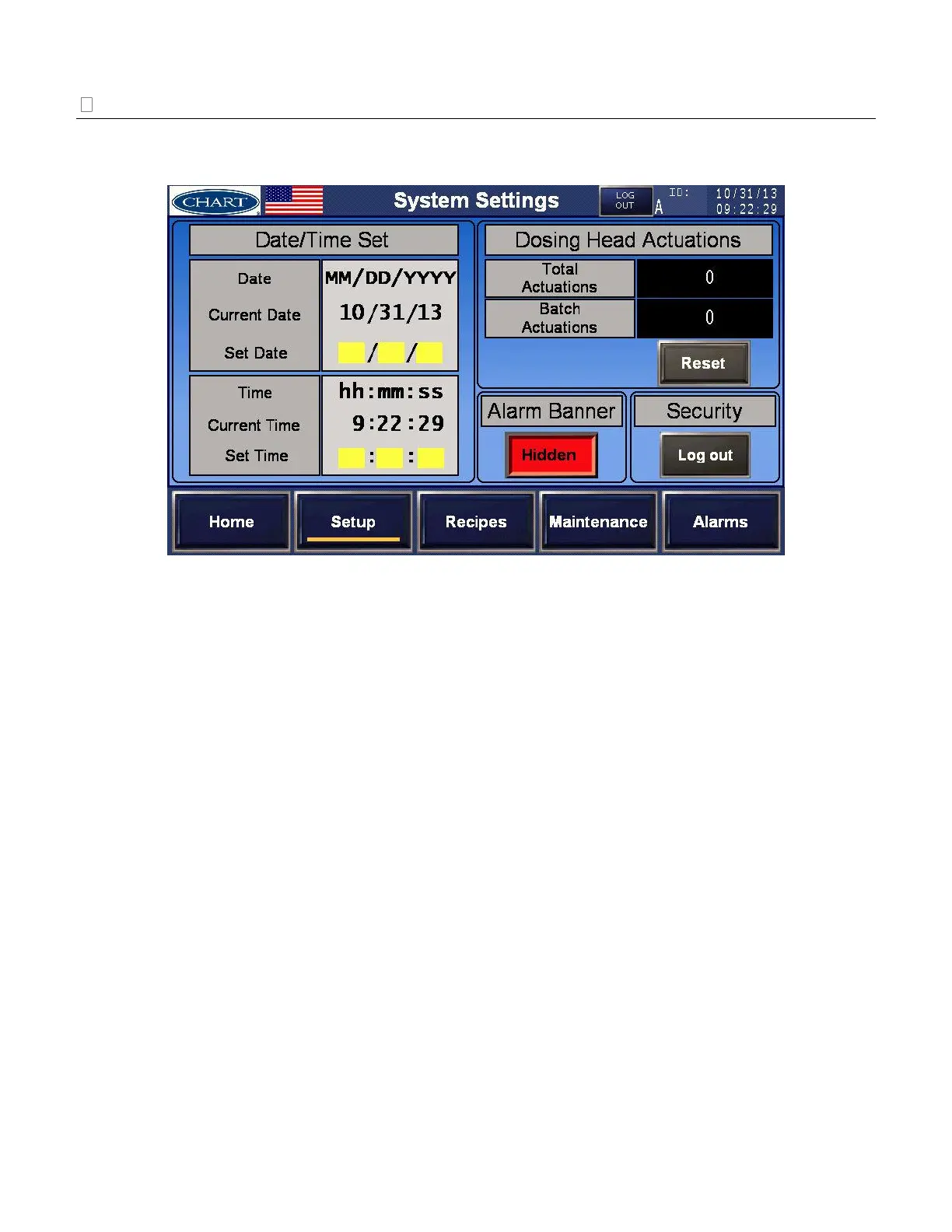
From [Setup], select [System Settings] to change system settings such as date/time, reset batch actuations,
and hide/show the alarm banner.
System Settings overview and meanings:
Date/Time Set – The factory will program and set the current date and time. Any changes
can be made at the ‘Set Date’ or ‘Set Time’ field.
Dosing Head Actuations – Displays the total number of actuations and the batch number of
actuations. Total will show the life of the system while batch can be reset.
Banner Alarm – Hide or show alarm conditions on the [Home] Screen. If the banner is
hidden, a small colored circle will display next to the flag on the [Home] Screen. If the
alarm is shown, the alarm condition will display and cover the first 0.5” (12.7mm) of the
top of each screen.
Security – Another way to log in/out to change user settable parameters.


 To Next Page