Calibration
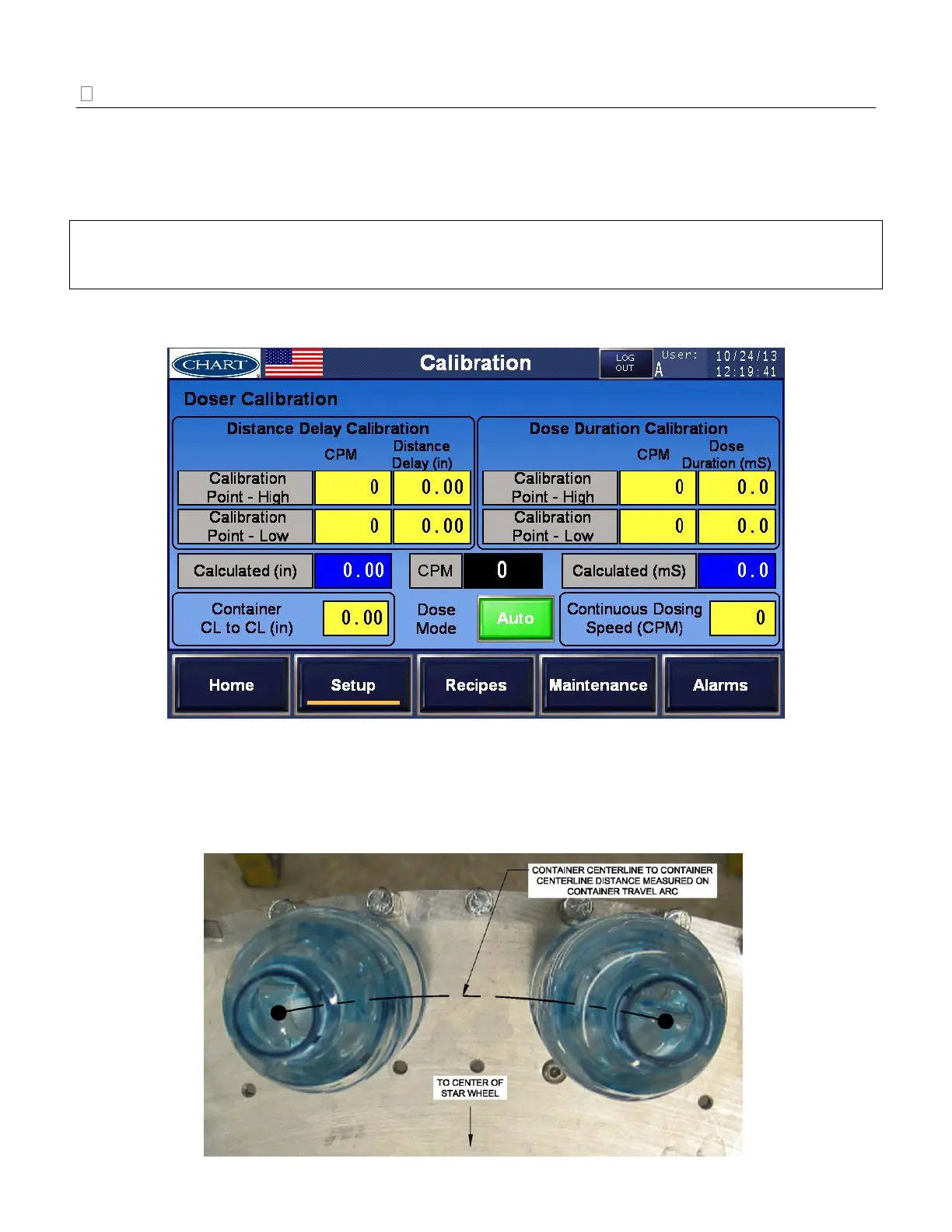
From [Setup], select [Calibration] to set up the dosing parameters. Determine the desired Dose Mode:
Auto or Fixed. Auto Dose Mode compensates for any changes in line speed by auto-adjusting the
distance delay and dose duration. Fixed Dose Mode does not compensate for any changes in line speed.
The distance delay and the dose duration will remain unchanged.
IMPORTANT: Proper set up of the [Calibration] screen is essential to the successful operation of the
UltraDoser 2K system. If after reading this section you are still unsure, please contact Chart’s service
group at +1 408-371-9313.
Auto Dose Mode
Enter Setup Parameters for Auto Dose Mode:
1. Measure and enter the distance between two containers, centerline to centerline in the
‘Container CL to CL’ field. See image below for additional information in determining this
value.


 To Next Page