2. Enter the ‘Continuous Dosing Speed (CPM)’. This is the maximum speed at which the
UltraDoser 2K will dose in discrete (pulse) mode. If the line speed exceeds this user entered
value, the UltraDoser 2K will dose in continuous (stream) mode.
3. Distance Delay Calibration Point High CPM – Enter the CPM of the fastest operating line
speed.
4. Distance Delay Calibration Point High Distance Delay (mm) – Enter 10% of the ‘Container
CL to CL’ value as a starting point and verify with a high speed camera or similar. Adjust
accordingly.
IMPORTANT: Measurement for Distance Delay Calibration Point High is impossible to measure. It will
need to be verified by high speed camera. Dose too early = increase delay, dose too late = decrease
delay
5. Distance Delay Calibration Point Low CPM – Enter the CPM of the slowest operating line
speed.
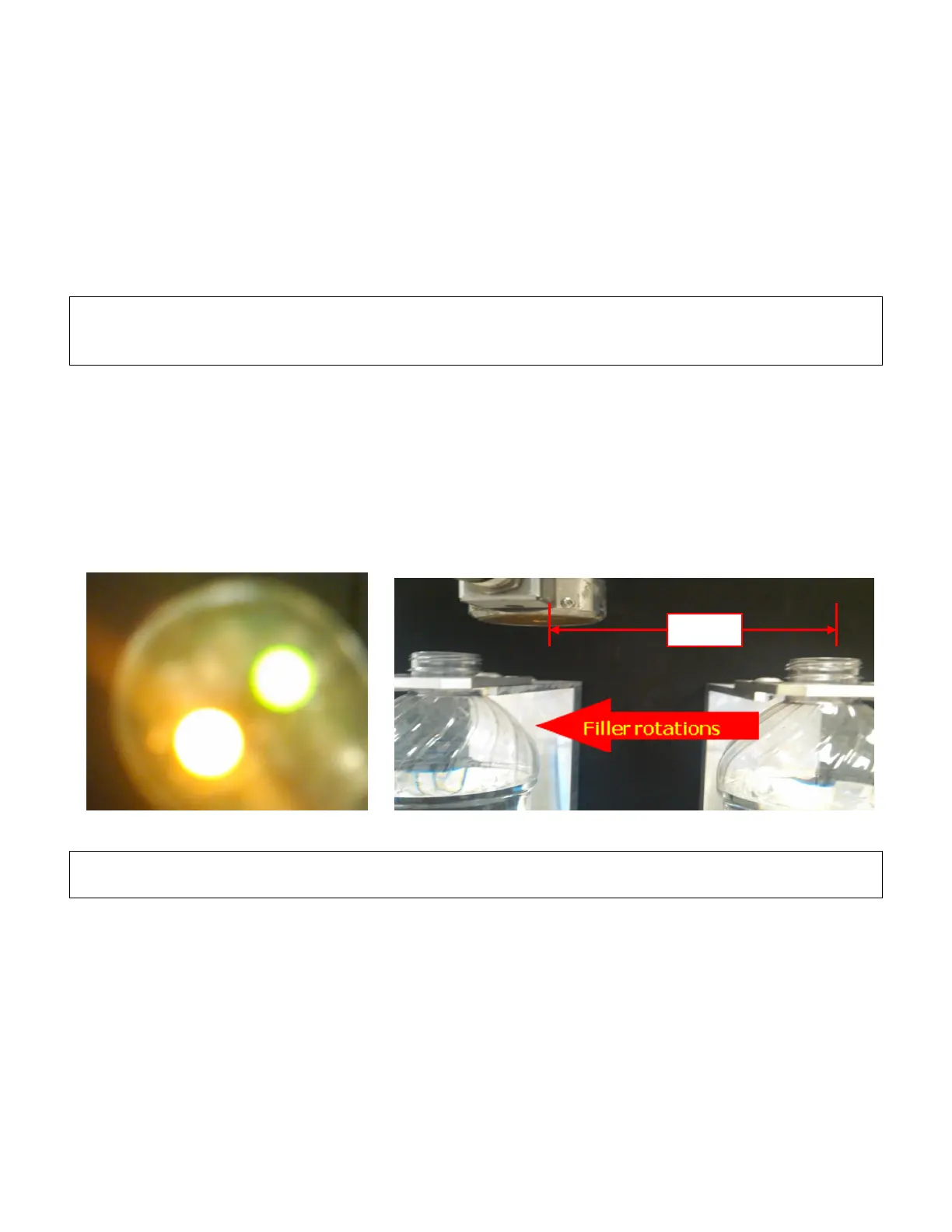
6. Distance Delay Calibration Point Low Distance Delay (mm) – Jog the filler until timing sensor
is activated (distribution block D-3 cable, yellow light). Measure the distance from the center
of the dosing head to the leading edge of the bottle. See images below for additional
information in determining this value. This value is ~75% of the “Container CL to CL’ value.
Verify with a high speed camera or similar. Adjust accordingly.
IMPORTANT: The system will automatically adjust for speed changes within the high/low calibration
points. This system calculated value is shown in the ‘Calculated’ blue field.
7. Dose Duration Calibration Point High CPM – Enter the CPM of the fastest operating line
speed.
8. Dose Duration Calibration Point High Dose Duration (mS) – Enter the distance delay for the
fastest operating line speed.
9. Dose Duration Calibration Point Low CPM – Enter the CPM of the slowest operating line
speed.
10. Dose Duration Calibration Point Low Dose Duration (mS) – Enter the distance delay for the
slowest operating line speed.


 To Next Page