Installing the 2K Controller
Locate the ideal location for the 2K controller. Brackets are supplied to mount the controller on the Chart
prefabricated support stand or 1½”diameter rod or round bar. If Chart’s prefabricated brackets are not
utilized, the controller’s mounting tabs can be utilized.
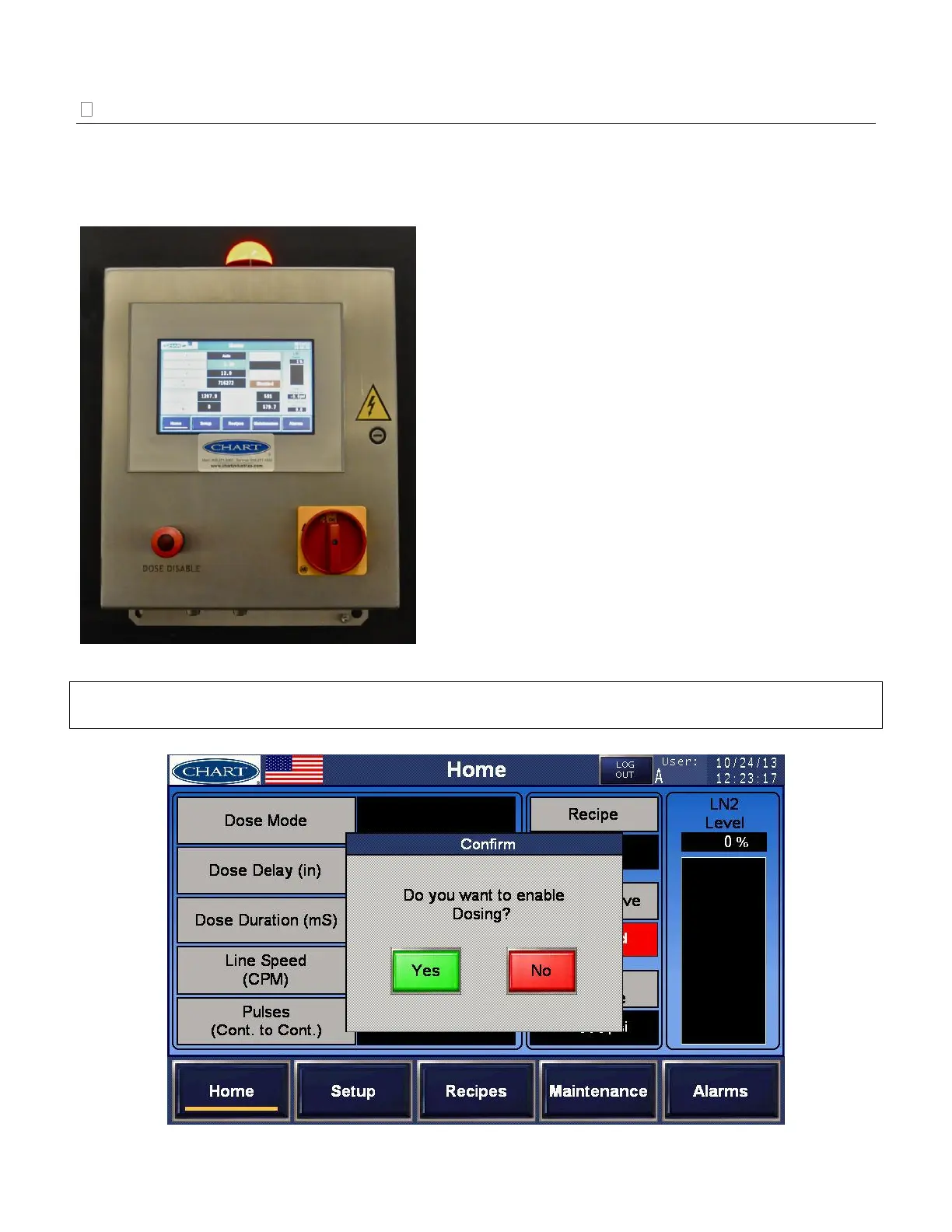
On/Off Switch – Main power switch for the 2K controller
Dose Disable Push Button – Manual dose disable push
button to disable dosing
Light Tower Status:
The indicator light provides a visual display of the
operating status of the UltraDoser 2K.
Green – Normal Operation
Amber (solid) – Warning Condition; see “Alarms” on
page 44 for additional information.
Amber (flashing) – Quick Service Mode
Red – Fault Condition; see “Alarms” on page 44 for
additional information.
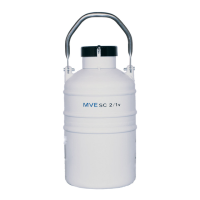
IMPORTANT: Upon manual dose enabling via the push button, a pop up confirm window will display
on the Home screen (below). Push Yes/No to confirm.


 To Next Page