2K Controller Adjustments
IMPORTANT: In general, the color of the field’s backfill dictates the functionality. Black = Read only,
Blue = PLC calculated value, Yellow = User entered value, Red/Green = Toggle feature.
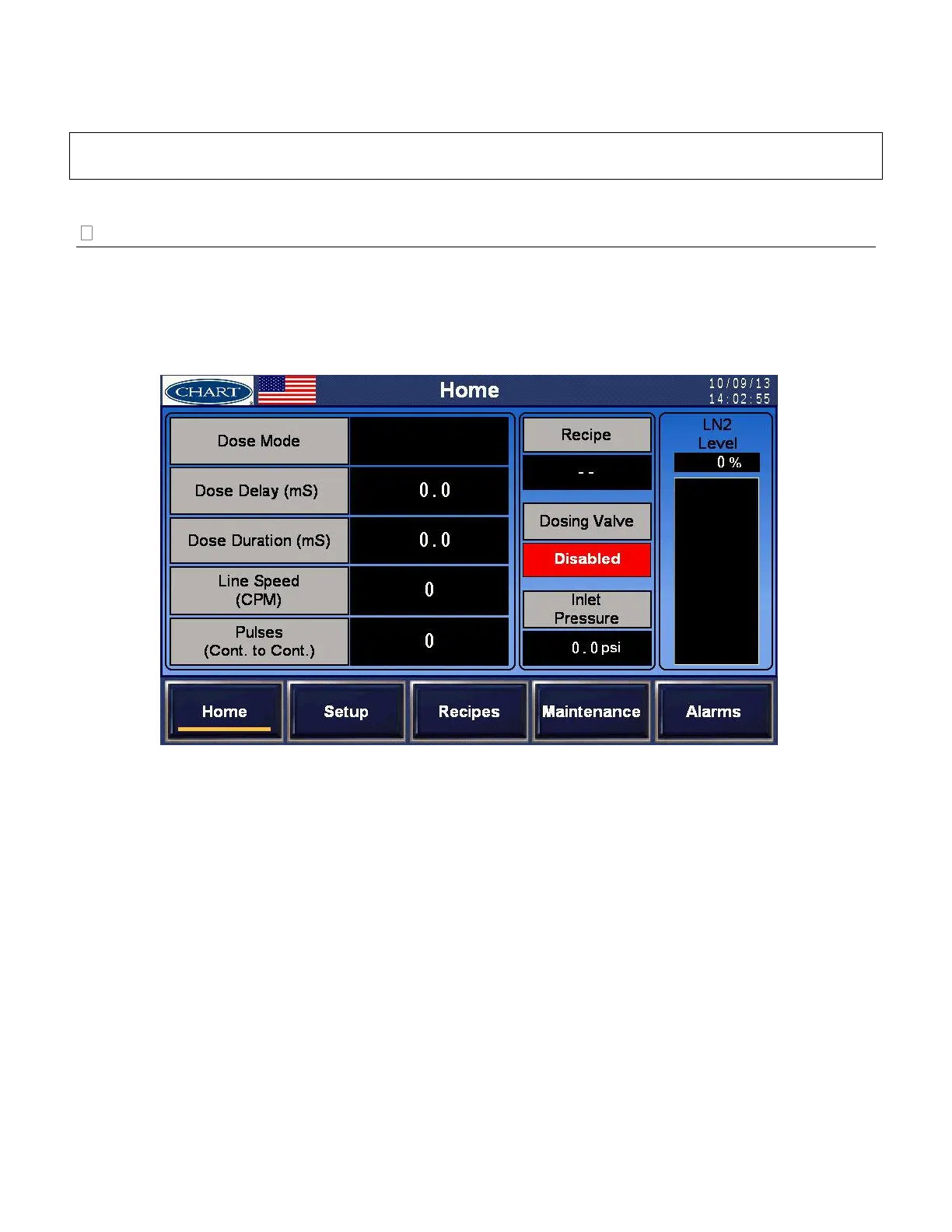
Home Screen
The Home Screen displays pertinent information and actual parameters currently running. The Home
Screen is a “read-only” screen; any changes need to be made on the respective screens. The only active
buttons are located in the top left portion of the screen: the Chart logo and the country flag (see page 25
for additional information). From the “Home” Screen, the operator can navigate to other screens and
functions using the navigation buttons on the bottom of the screen.
Home Screen overview and meanings:
Dose Mode – This is the Dose Delay Mode, either ‘Fixed’ or ‘Auto’.
Dose Delay (mS) – The Dose Delay should be a steady number proportionally between
‘Distance Delay Calibration’ Points High and Low.
Dose Duration (mS) – The Dose Duration should be a steady number proportionally
between ‘Dose Duration Calibration’ Points High and Low.
Pulses (container to container) – This is the pulse count between timing sensors. A low
number indicates a low resolution and a high number indicates the possibility of exceeding
20,000 pulses per second.
Line Speed (CPM) – This number indicates the bottles per minute (or per hour) and should
be steady.
LN2 Level – This is the calculated liquid nitrogen level from the level sensor.
Inlet Pressure – This is the calculated inlet pressure from the inlet pressure sensor.


 To Next Page