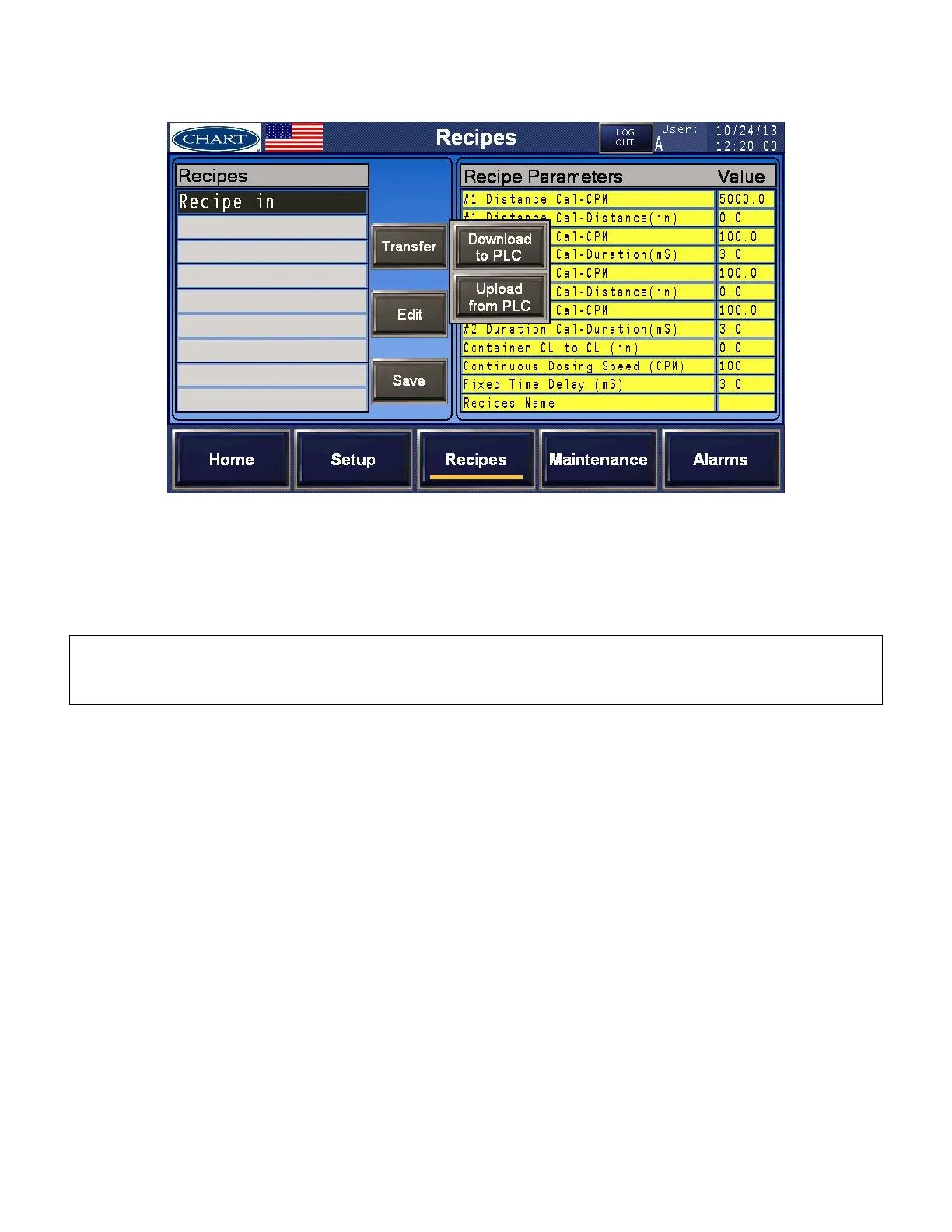
Activating a Recipe
1. Select and highlight the recipe you would like to use.
2. Press [Transfer] [Download to PLC] to activate the recipe.
3. Verify that the recipe has been activated. The “Recipes Name Value” should appear on the
[Home] screen.
IMPORTANT: If any changes are made to the [Calibration] settings of an activated recipe, the recipe will
become deactivated and the current settings will take precedence. Verification of this can be seen on the
[Home] screen at the Recipe field; a – will appear instead of the recipe name.


 To Next Page