3.3 Working with the Tilt Compensation
The auto-IMU need to be calibrated at the first time when users get a new i76 GNSS
receiver. After initializing the sensor successfully, the i76 GNSS receiver will record the
calibration parameters, and the user do not need to calibrate it manually any more.
After enable the tilt survey, the i76 IMU can be ready after a few steps walk or a bit
movement automatically.
3.3.1 Operation Steps for first IMU initialization
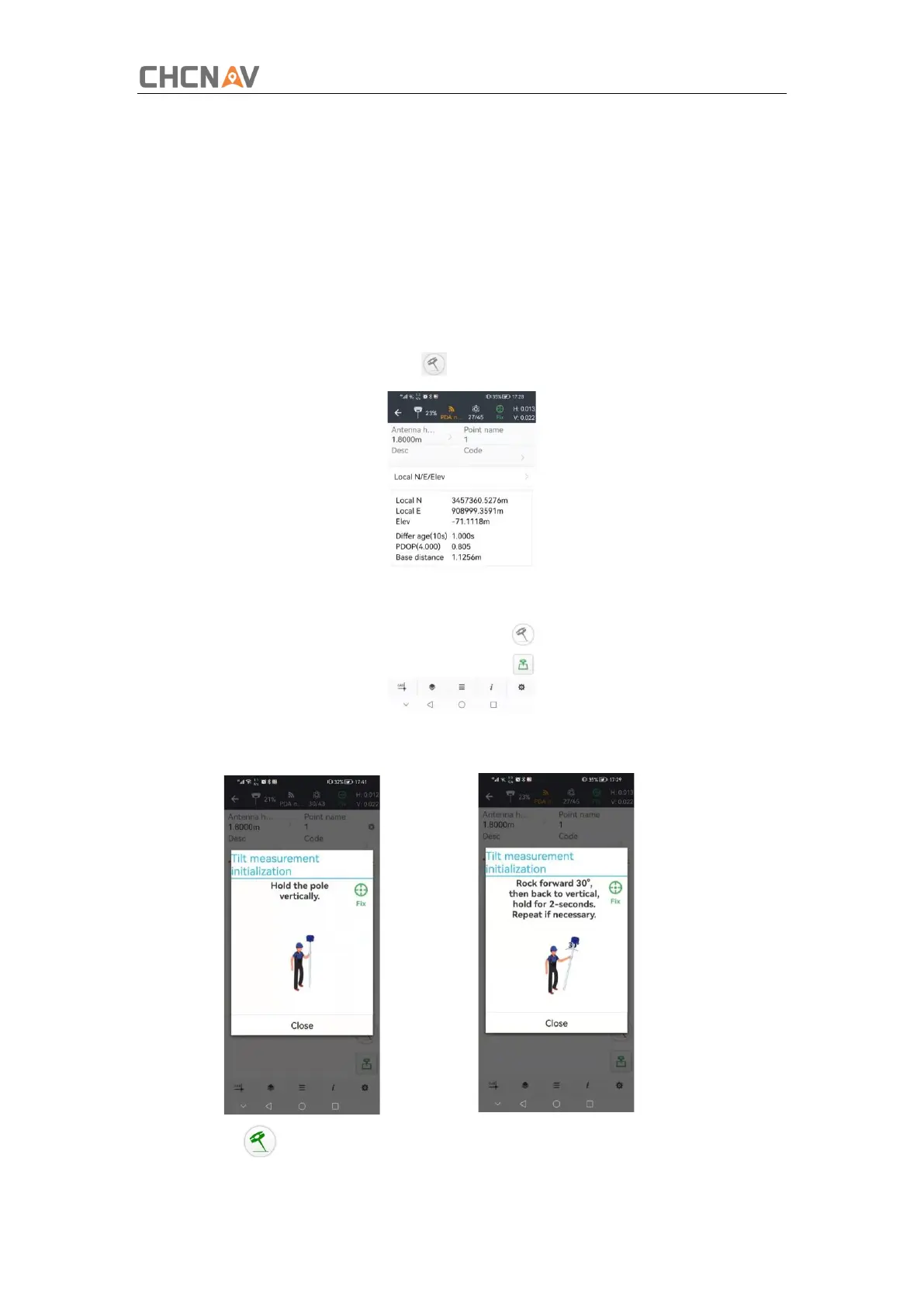
1.Open LandStar-> Tap Survey-> Tap to activate tilt measurement.
2.Hold the pole vertical for a while and shake according to the procedures in the
interface to do initialization.
3.This icon will appear when the initialization is successful.



 To Next Page