Configuring Through a Web Browser
CHCNAV iBase GNSS USER GUIDE | 2023-2 P a g e | 51
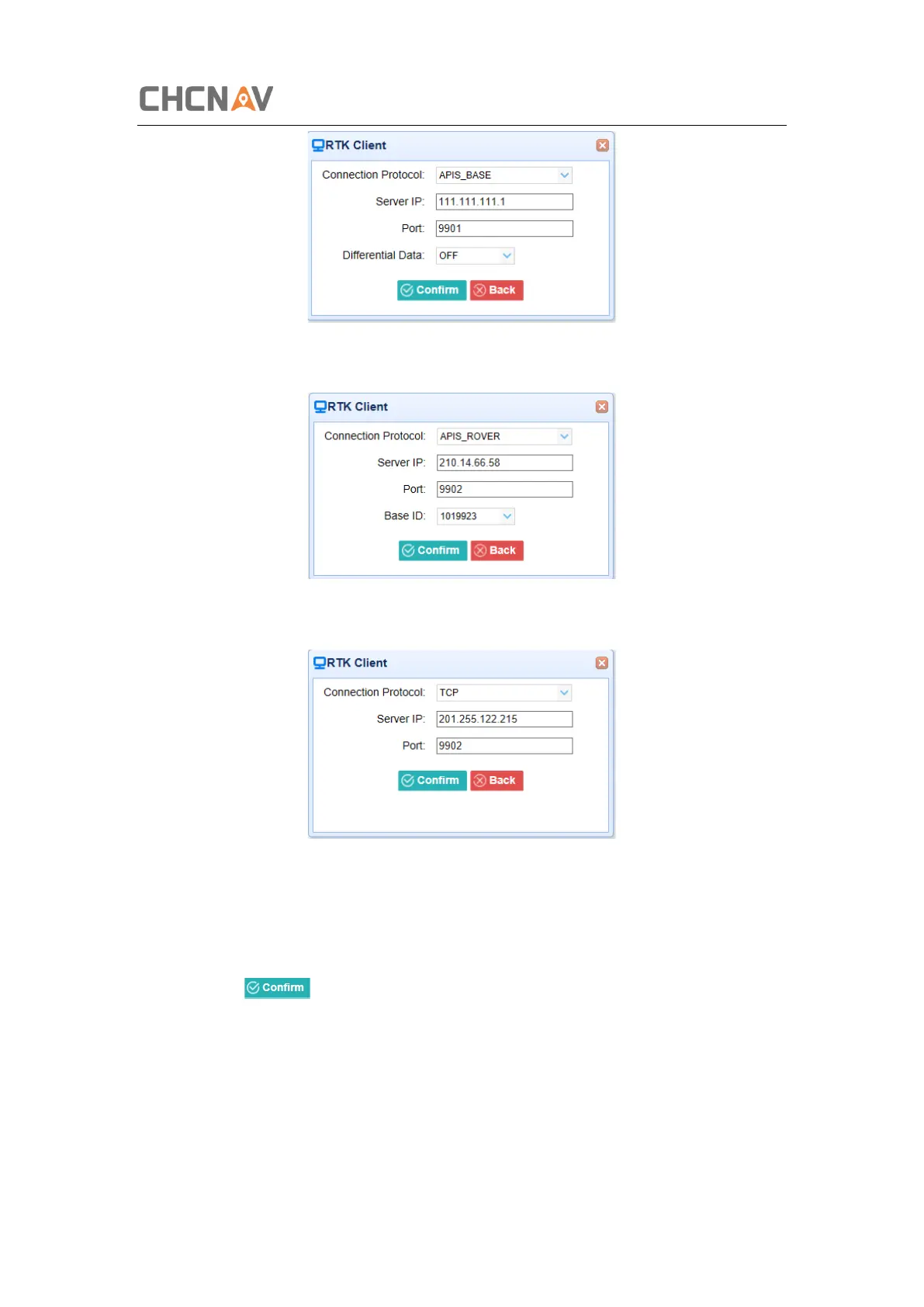
➢ Connection Protocol: APIS_ROVER
➢ Connection Protocol: TCP
2. TCP/UDP_Client/NTRIP Server
Tap the Connect button on the right of required TCP/UDP Client → the IO Settings screen will
appear → select the connection protocol from TCP, UDP,NTRIP1.0 and NTRIP2.0 → enter the
IP and Port of the target server → configure messages that you want to output to the target
server → click to save and complete the connection.
➢ Connection Protocol: TCP



 To Next Page