Important Information
Latest Software
We recommend that you install the most recent software release to stay
up-to-date with the latest functional improvements, stability fixes, security
enhancements and protection against new and evolving attacks.
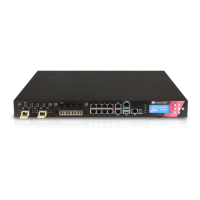
Check Point 5000 Appliances
For more about this release, see the 5000 Appliances home page
http://supportcontent.checkpoint.com/solutions?id=sk110053.
More Information
Visit the Check Point Support Center
http://supportcenter.checkpoint.com.
Latest Version of this Document
Download the latest version of this document
http://supportcontent.checkpoint.com/documentation_download?ID=45741
.
To learn more, visit the Check Point Support Center
http://supportcenter.checkpoint.com.
Feedback
Check Point is engaged in a continuous effort to improve its documentation.
Please help us by sending your comments
cp_techpub_feedback@checkpoint.com?subject=Feedback on Check Point
5000 Appliances Getting Started Guide.
Revision History
Date Description
01 April 2016 First release of this document













 To Next Page