5000 Appliances Hardware
40 | Check Point 5000 Appliances Getting Started Guide
To Press
Go back to previous menu
When Entering an IP Address
To Press
Move to the next digit
Move back to the previous digit
Approve the change
when the cursor is located on the last digit
Cancel the IP change
when the cursor is located on the first digit
Change current digit
or
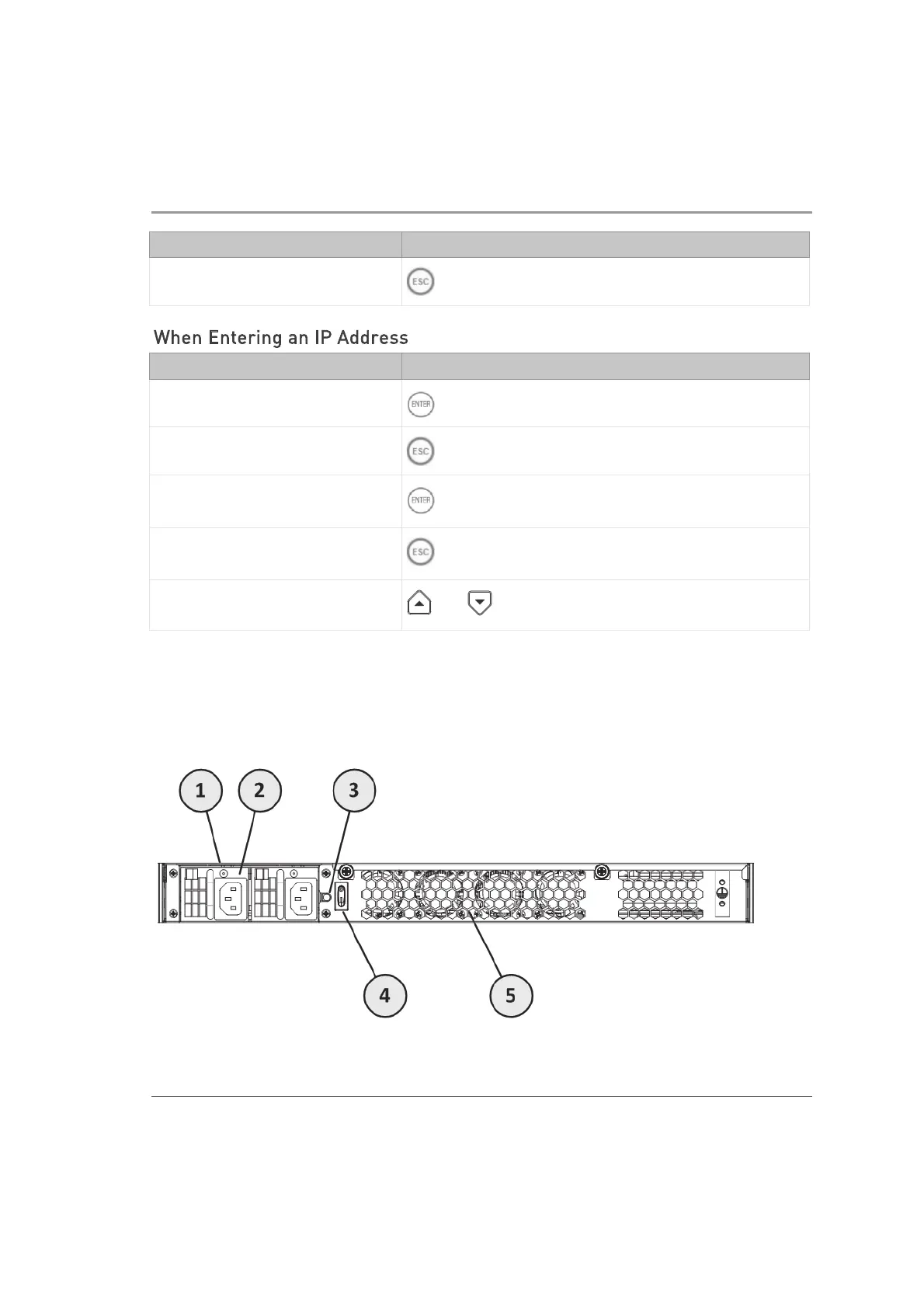
Rear Panel
Below is the 5800 appliance rear panel. Differences in other 5000 appliances are
described in the table.













 To Next Page