5000 Appliances Hardware
Check Point 5000 Appliances Getting Started Guide | 35
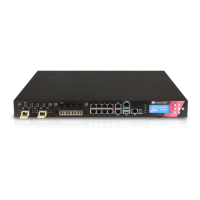
Item Component Description
1 Expansion line
card
Expansion slot.
2 On board LAN
ports
5200 appliance - Five 10/100/1000Base-T RJ-45 ports.
5400, 5600, and 5800 appliances - Eight
10/100/1000Base-T RJ-45 ports.
3 Appliance ports Use these ports to connect to the appliance ("Front Panel
LEDs and Ports
" on page 36).
4 System LEDs System power, hard disk activity, power supply status (in
the 5600 and 5800 appliances only), alert, and location
("
Front Panel System LEDs and LCD Screen" on page 38).
5 Reset Insert a pin for 5 to 8 seconds to perform a hardware reset.
5200, 5400, and 5600 appliances - Insert a pin to restore the
appliance to its factory defaults. 5800 factory defaults can
be restored from the LCD.
6 Identification
service tag
A slide out card that identifies the appliance and shows its
serial number and MAC address.
7 LCD screen Allows system monitoring and configuration ("Front Panel
System LEDs and LCD Screen
" on page 38) (in the 5800
appliance only).
8 Keypad Use the buttons to control the LCD screen ("Using the LCD
Panel
" on page 39) (in the 5800 appliance only).













 To Next Page