Touch-it XELO
Operating Instructions
Copyright / © Christ Electronic Systems GmbH 27 / 47 March 2017, Revision 17
a member of the Christ Company Group Document No.: E461201
3.4 Enhanced Write Filter EWF
Windows XP, Windows 7 or Windows 8 embedded operating systems are delivered by default
with EWF protection from Christ Electronic Systems. This so called Enhanced Write Filter pre-
vents write accesses to a protected drive (SSD/HDD) and therefore unintentional system chang-
es (blue screens, viruses, user errors, etc.).
- The “C” system partition is EWF protected by default
- The “D” data partition is not EWF protected by default
- Advantage: clean, fast system without viruses and blue screens
3.4.1 Enable or Disable the EWF Filter
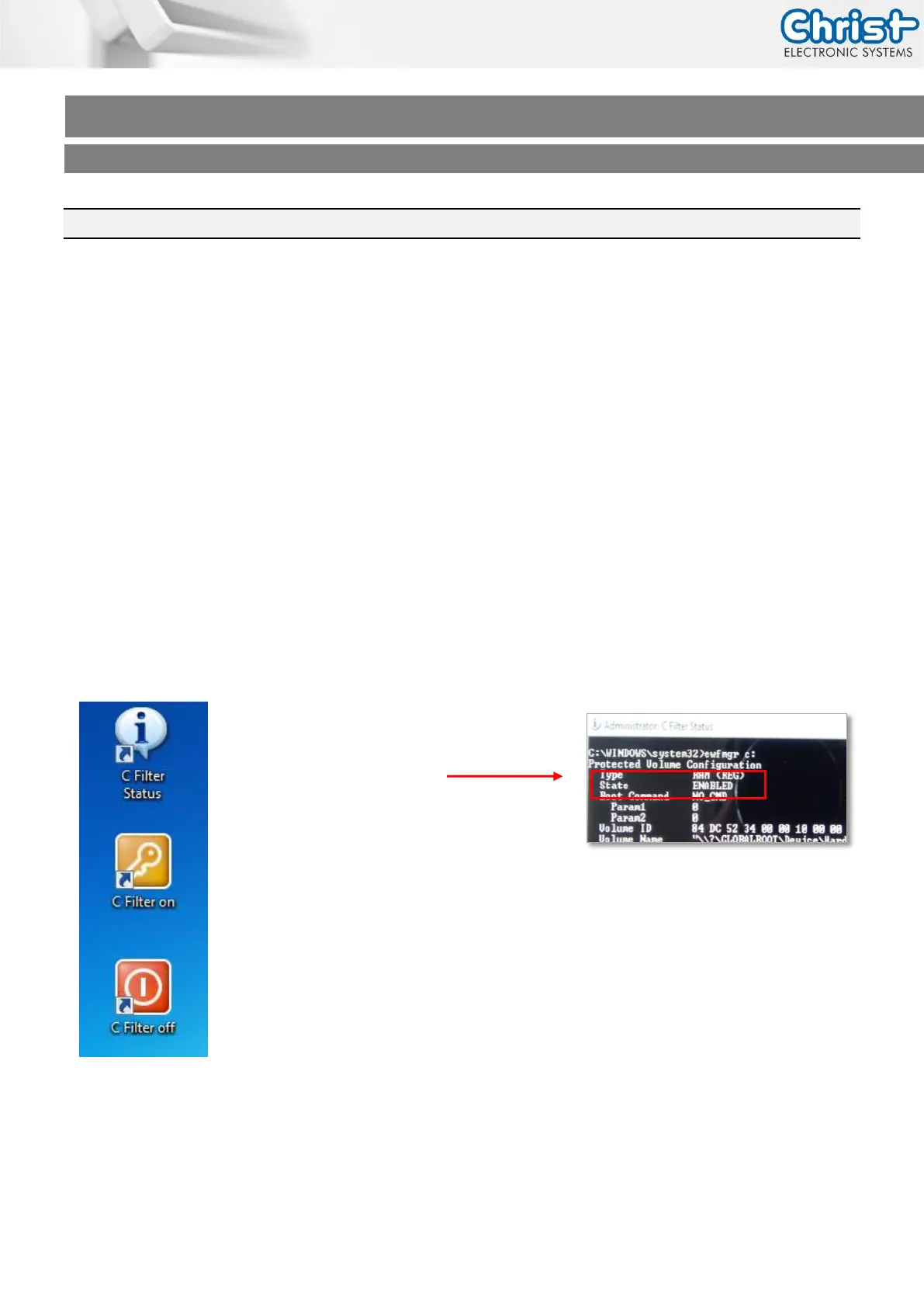
On the desktop of your Touch-it Panel PC you will find three icons for the Enhanced Write Filter
control.
“C Filter Status”:
View information about the EWF drive
Delivery state: Enabled
“C Filter On“:
Write protection for partition C:
Turn on, effective only after restarting the touch panel
“C Filter Off”:
Write protection for partition C:
Turn off, changes are immediately accepted



 To Next Page