Touch-it XELO
Operating Instructions
Copyright / © Christ Electronic Systems GmbH 28 / 47 March 2017, Revision 17
a member of the Christ Company Group Document No.: E461201
3.5 SFTP Server
Christ Electronic Systems ist equipped with a SFTP server.
SFTP is tunneled with the SSH Protocol (Port 22). A special Client is necessary to get access.
Use the WinSCP (http://www.winscp.net) or something similar.
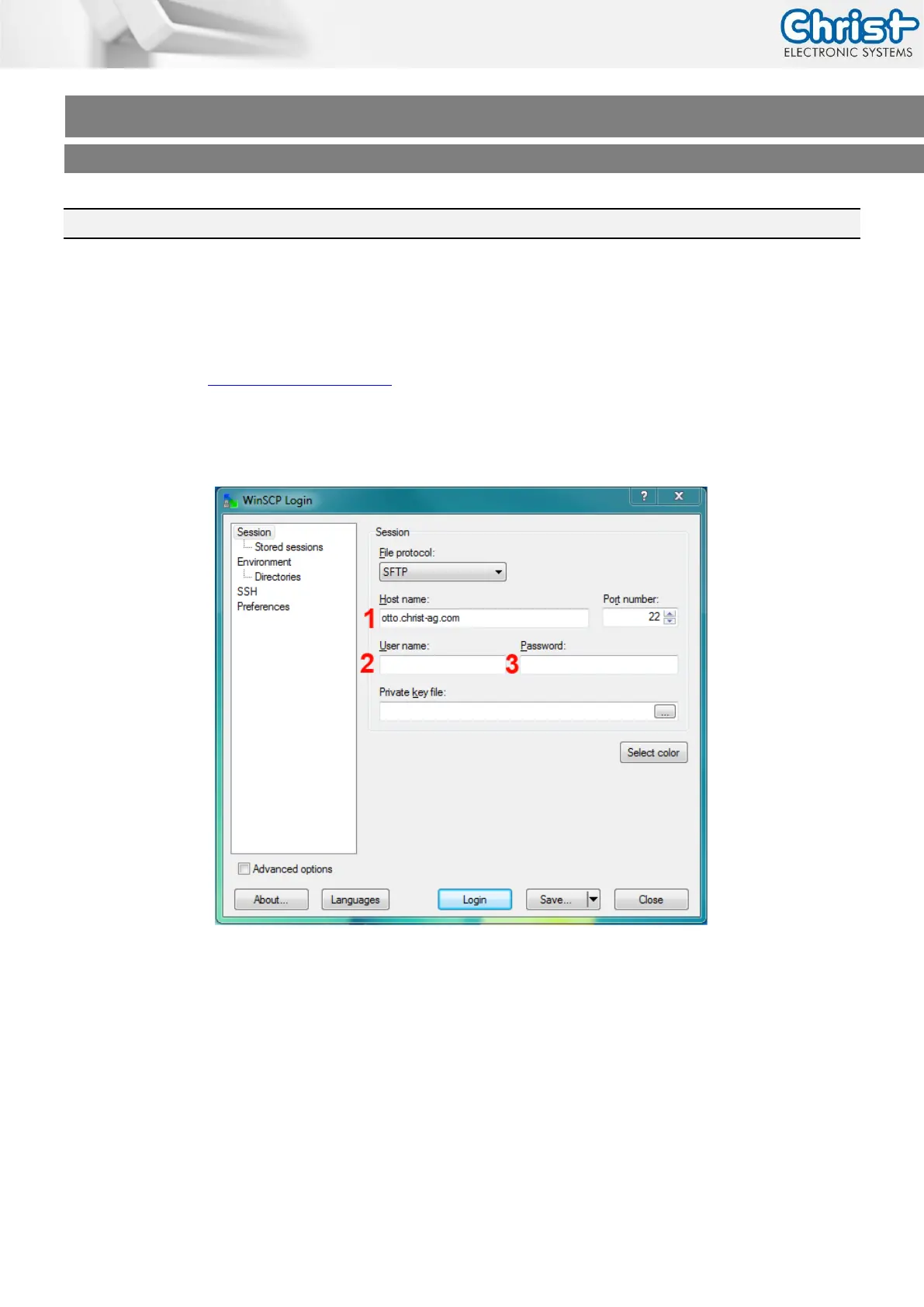
Download, install and start the WinSCP Client.
(1) Servername („otto.christ-ag.com“)
(2) Username (get it from Christ Electronic Systems)
(3) Password (get it from Christ Electronic Systems)
(4) Click on “Login”



 To Next Page