Touch-it XELO
Operating Instructions
Copyright / © Christ Electronic Systems GmbH 34 / 47 March 2017, Revision 17
a member of the Christ Company Group Document No.: E461201
4 Touch Calibration
4.1 Projected Capacitive Touch
There is no need to calibrate the projected capacitive touch.
4.2 Foil-/Glass-Touch analog resistive
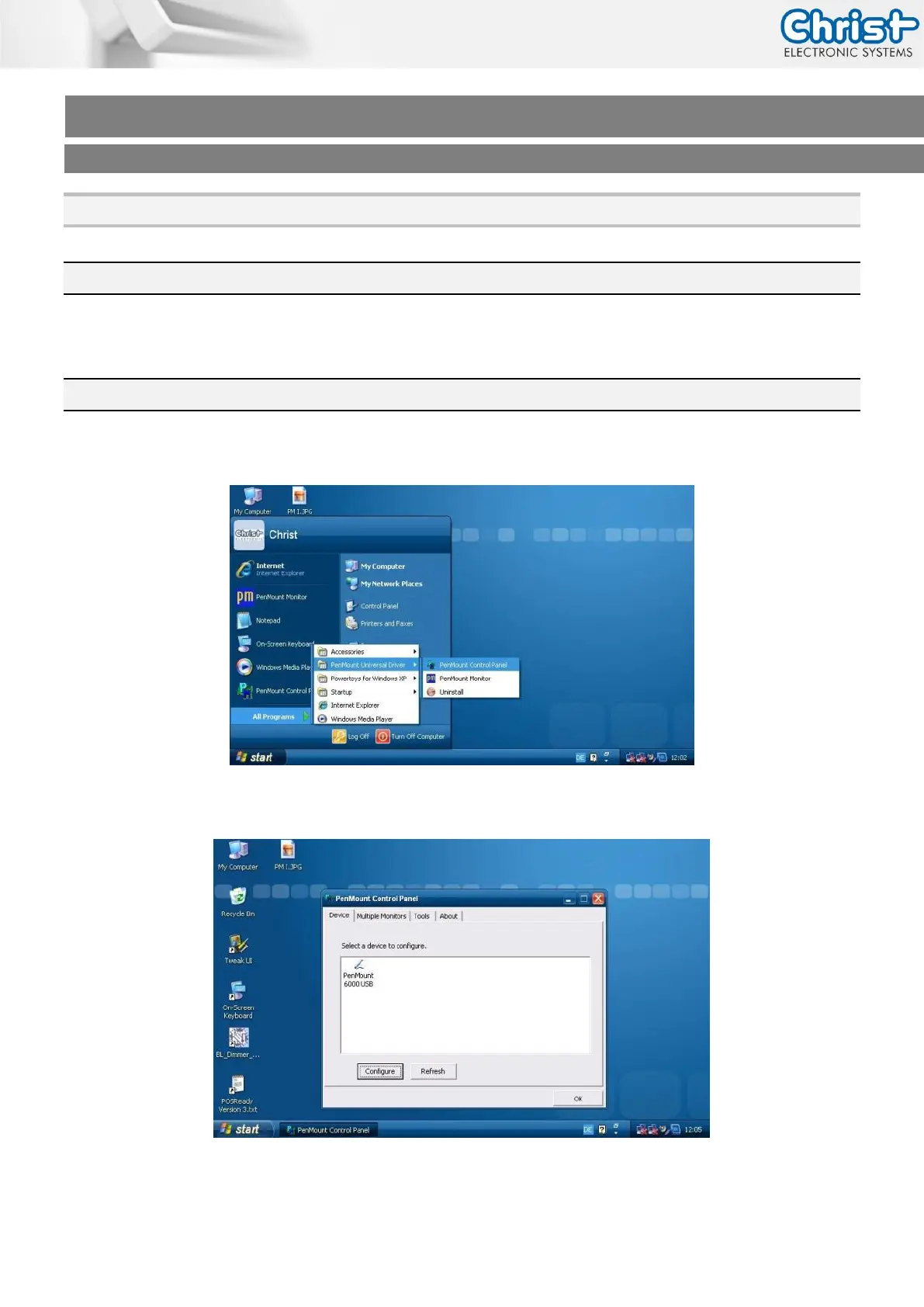
1. Click on [Start] [All Programs] [Pen Mount Universal Driver] [Pen Mount Control Panel]
2. Click on [Pen Mount 6000 USB]



 To Next Page