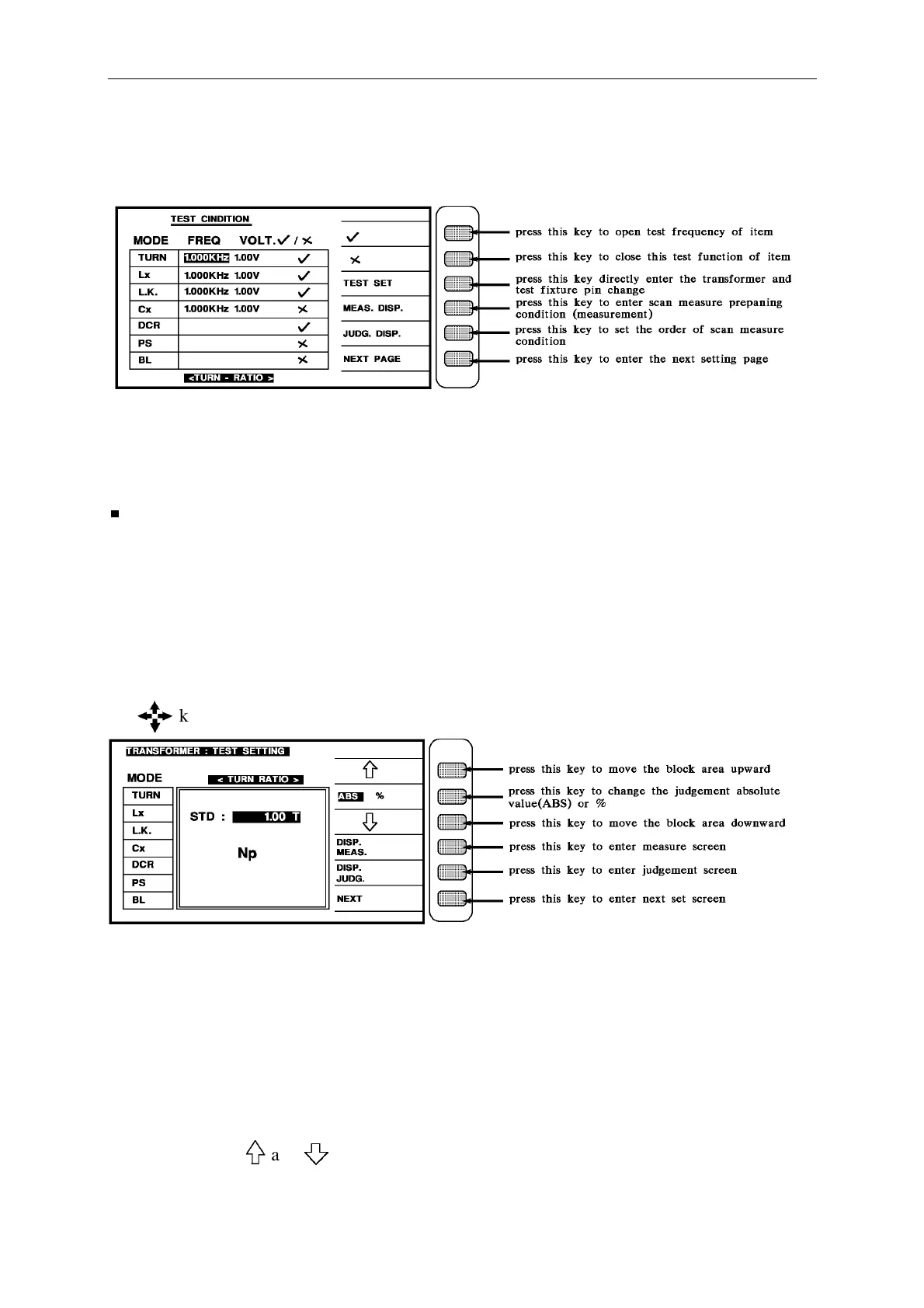
Panel Description
4. When into this screen, press [TEST CONDITION] to enter the test setting screen, set each
parameter are as below:
There are some parameters as following:
TURN : transformer turn ratio and phase test Lx : transformer inductance test
Lk : transformer leakage inductance test DCR : transformer DC resistance
In single transformer testing do not offer BL, PS, Cx functions, just offer in
transformer scan test, the Q value is to refer not for judgment.
Enter this screen is in the parameter setting test, please follow the screen guide with block
area and number to input that parameter then press [Enter] will automatically change to next
setting item, as this method to set the last item then press [Enter] can automatically change to
next parameter setting screen as below.
If the user desire to change the setting on each back-light, the values may change by pressing
the key which under the Cursor.
When enter this screen is in the measurement parameter judgment setting, please follow the
block area on the screen to input number and requirement of parameter testing value then
press [Enter] to automatically change to next setting item.
Beware the judgment is ABS or % when input judgment high/low limit, the method of change
is to press the key beside screen [ABS%], to change the ABS to block area if want to use ABS,
% is the same.
In the block area and keys are to move the block area upward or downward to the
setting value, it meant is to move and modify the value of STD, HIGH, LOW.



 To Next Page