Automatic Transformer Test System 3300/3302 User’s Manual
In show area the [DISP. MEAS.] and [DISP. JUDG.] are fast keys, press these two keys will
directly enter the measurement screen, after modify one of the test can easy enter test screen,
[DISP. MEAS.] is to show measurement screen, [DISP. JUDG.] is to show judgment result
screen.
Example:
Input parameter setting:
There are spec. and unknown parameter of one transformer as following:
Np Ns Lx L.k. DCR
STD.
100.0 T 10.0 T 9.800 mH 120.0 uH
120.0 m
Ω
HIGH
10.2 T
+
5%
150.0 uH
150.0 m
Ω
LOW
9.8 T -5% 0.0 uH
100.0 m
Ω
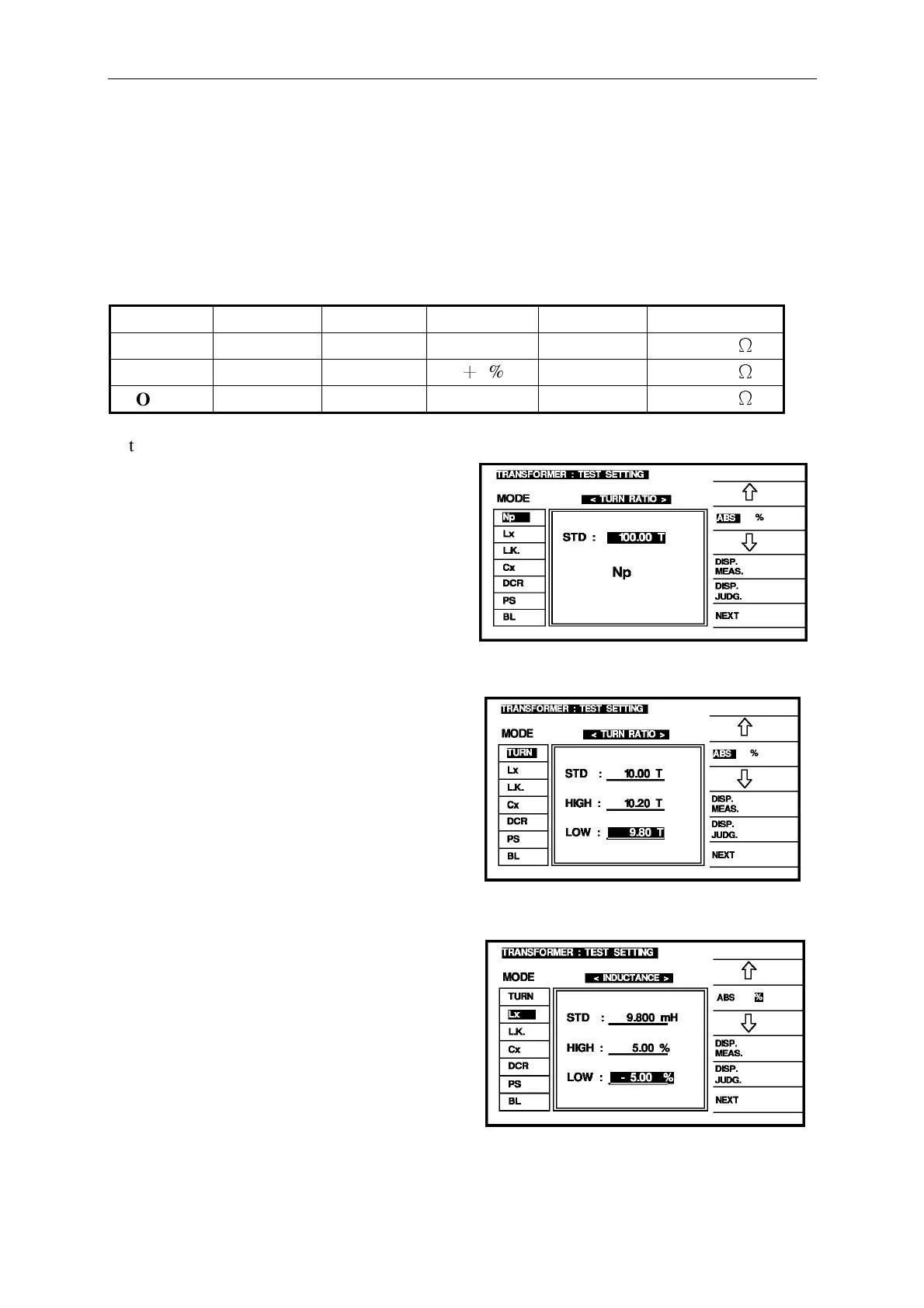
After enter the setting screen of measure judge parameter, the first setting item is Np of
TURN RATIO, the method of input is
[1] [0] [0] [.] [0] [Enter]
The finished screen is as right figure, make
sure all current then press [Enter] to enter
next setting.
This setting item is to set the Ns parameter of TURN-RATIO, the method of input is as below:
STD. : [1] [0] [.] [0] [Enter]
HIGH: [1] [0] [.] [2] [Enter]
LOW : [9] [.] [8] [Enter]
The finished screen is as right figure, make
sure all current then press [Enter] to enter
next setting.
This setting item is to set the Lx parameter of on primary inductance, the method of input is
as below:
[ABS %]
STD. : [9] [.] [8] [mH] [Enter]
HIGH: [5] [Enter]
LOW : [-] [5] [Enter]
The finished screen is as right figure, make
sure all current then press [Enter] to enter
next setting.



 To Next Page