Panel Description
If the user desire to change the setting on each back-light, the values may change by pressing
the key which under Cursor.
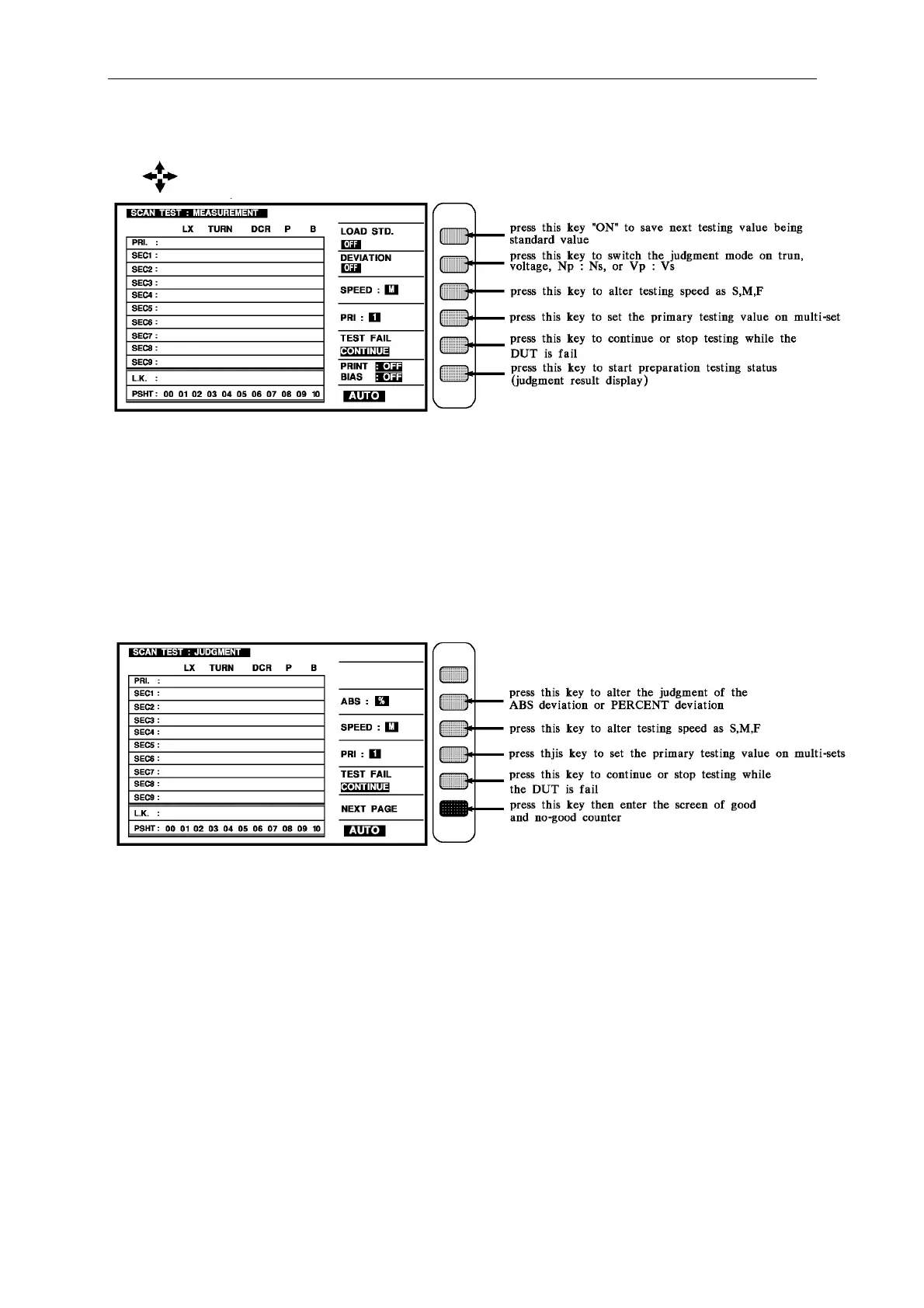
When the display shows this screen which means the unit is under testing. For starting the
testing, just put the DUT on the Fixture and press the [Start] key on the SCAN BOX.
The testing value shows on the display and the value will be back-light if the DUT is no-good.
The testing mode failed may known by the result on the SCAN BOX.
If only want to display the judge result (PASS/FAIL), as above figure, press down direction
key enter to judge result display as follow figure.
When the display shows this screen which means the unit is under testing. For starting the
testing, just put the DUT on the Fixture and press the [Start] key on the SCAN BOX.
The PASS means the DUT is good. The HIGH or LOW indicates the result of DUT and the
value will be back-light. The testing mode failed may known by the result on the SCAN
BOX.



 To Next Page