Application of Interface
The setting of Q value is the same as above.
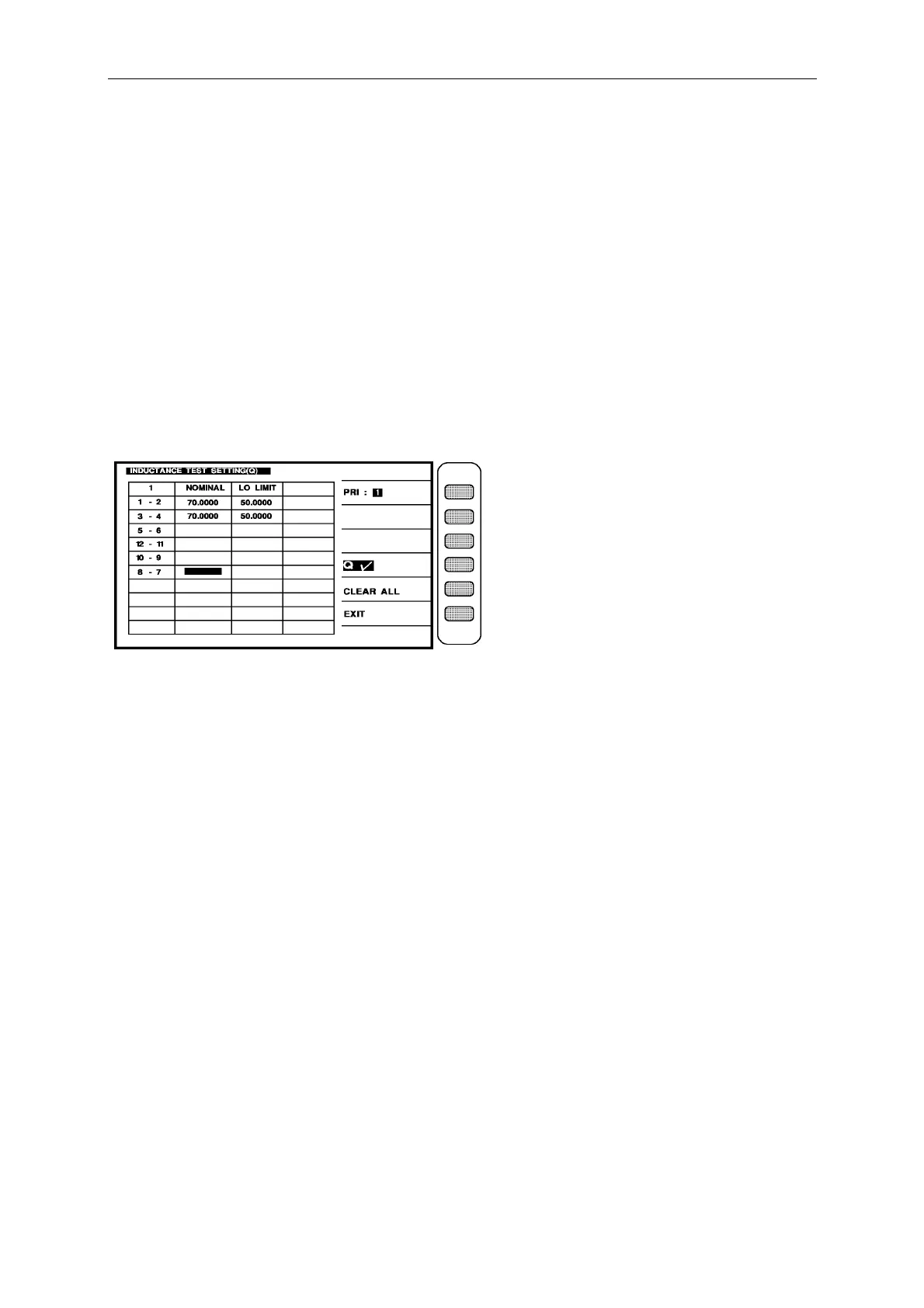
Ex.: the Q value on the each winding of transformer are following:
Np(1 – 2) = 70, Min 50, N1(2 – 3) = 70, Min 50.
the others do not test, then the input is as following:
1 – 2 : [7] [0] [Enter] [5] [0] [Enter]
3 – 4 : [7] [0] [Enter] [5] [0] [Enter]
5 – 6 : [Enter]
12-11 : [Enter]
10- 9 : [Enter]
8 – 7 : [Enter]
After set the every windings and high/low limit, the screen is as below:
Press the [EXIT] key on the above figure then return the setting screen of inductance.
Ex : the inductance value of each winding of transformer is as following:
Np(1 – 2) = 1.750 mH ± 10%, N1(2 – 3) = 1.750 mH ± 10%.
Test loop : series equivalence loop
The other do not test then the input is as following:
press the key [ABS%] beside the screen to make [%] change to back-light.
press the unit key [unit : uH] beside the screen to change the unit to the mH.
press [START] to make the word “series” of the [SERIES/PARALLEL] on the screen change
to back-light.
1 – 2 : [1] [7] [5] [Enter] [1] [0] [Enter] [-] [1] [0] [Enter]
3 – 4 : [1] [7] [5] [Enter] [1] [0] [Enter] [-] [1] [0] [Enter]
5 – 6 : [Enter]
12 – 11 : [Enter]
10- 9 : [Enter]
8 – 7 : [Enter]



 To Next Page