General Information
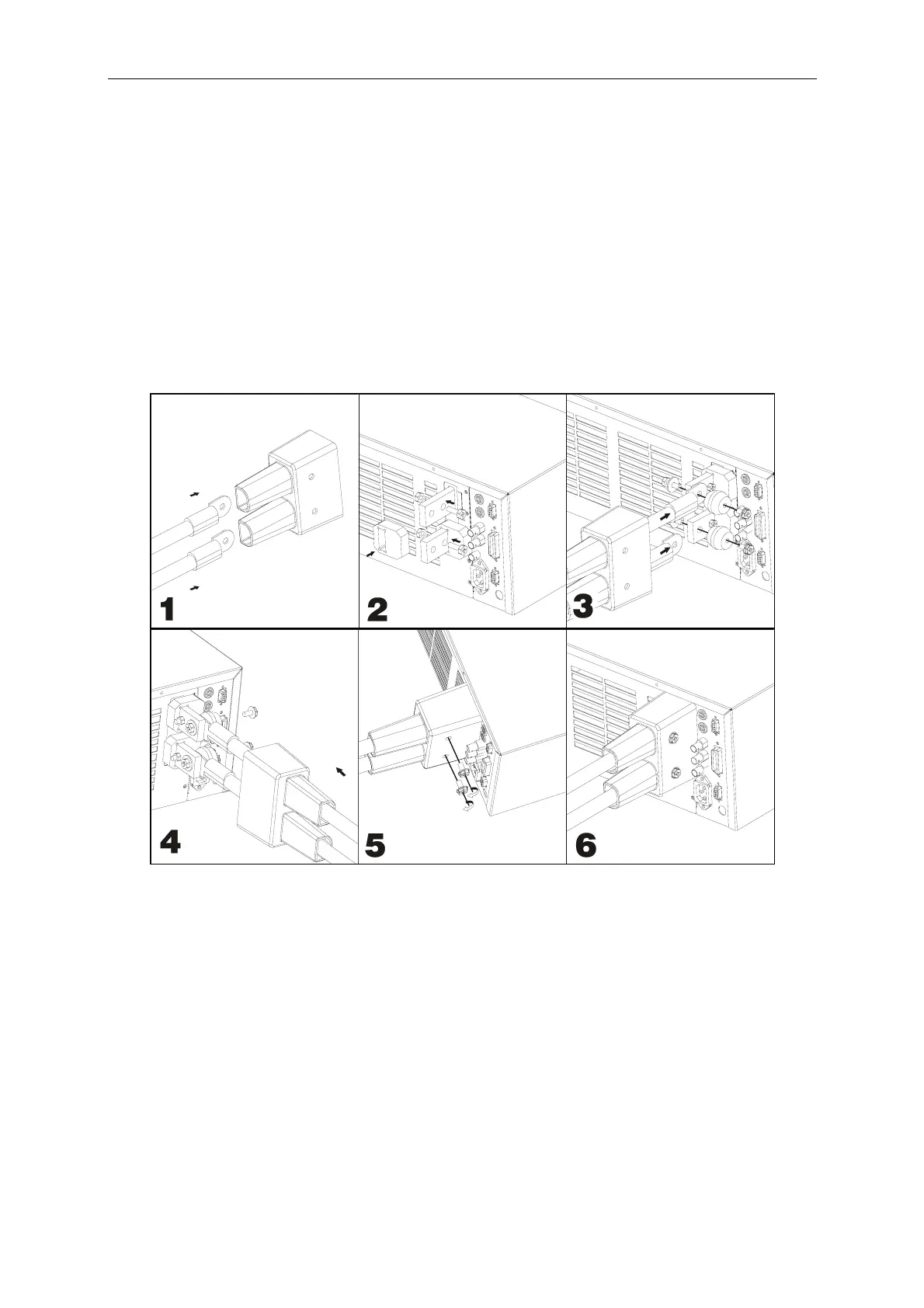
Installing the 63200 Protective Cover:
Step 1: Insert the cable into protective cover.
Step 2: Socket the Bakelite into the positive/negative copper plate until it touches the chassis
and then secure the M6x20L screw and M6 screw nut to block the Bakelite.
Step 3: Place a washer on the M6x20L screw and let it go through the positive/negative
copper plate. Connect the two cables with an insulator to secure the cables on the
positive/negative copper plate.
Step 4: Cover the positive/negative copper plate with protective cover on the rear panel.
Step 5: Use the attached M6x10L screw to secure the protective cover.
Step 6: Complete installation.
1-15



 To Next Page