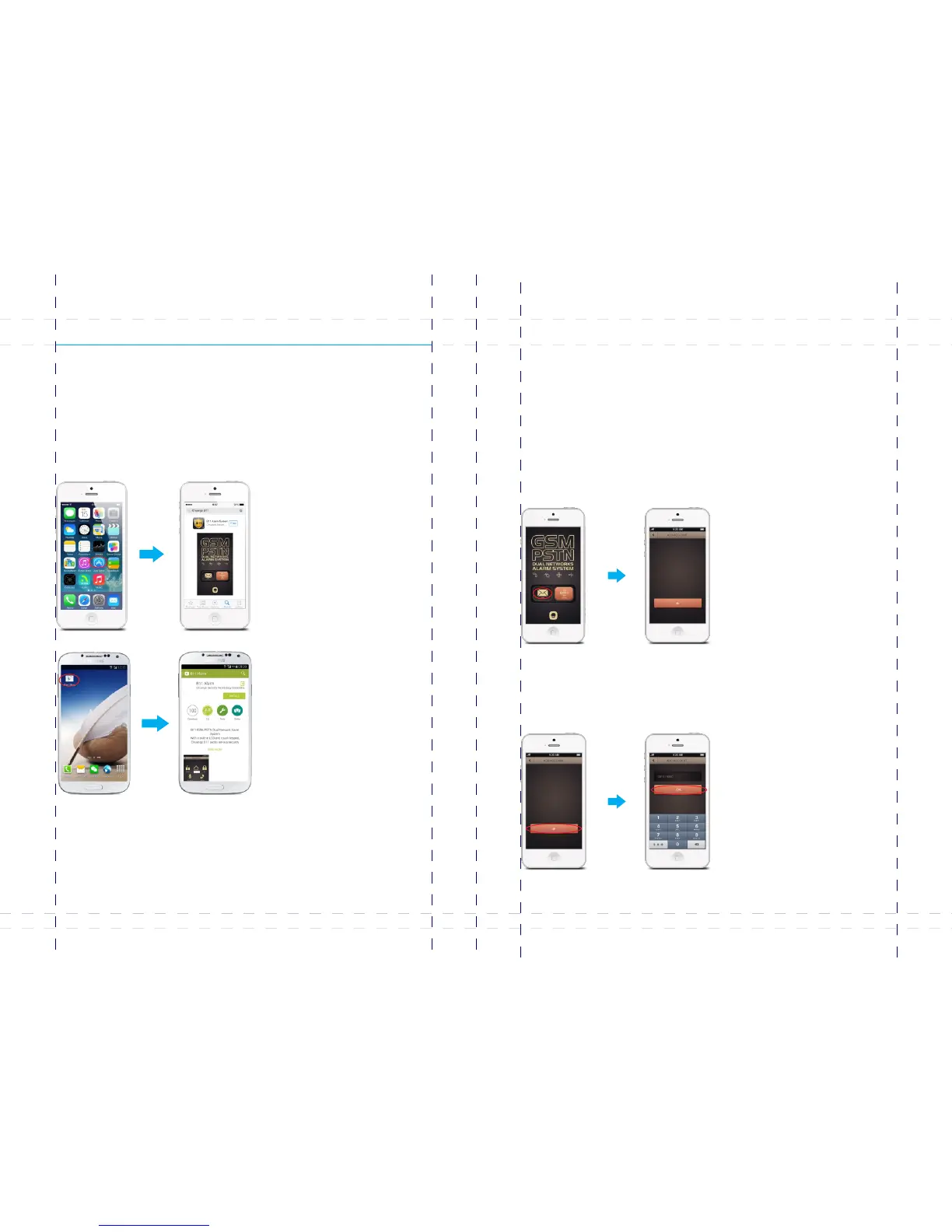
Download and Install APP
App Operation
Search keywords “B11 alarm” in Apple Store or Google Play, downloads it for free.
This system can be controlled through SMS or GPRS interface on APP. If user choose
SMS: for iPhone, the interface of sending SMS will display. For Android smart phones,
SMS will be directly sent to the number of the control panel without interface redirection.
① Enter [Accounts]
Tap B11 APP, choose , and then enters account management interface.[SMS]
Control through SMS
1. Add accounts
Adding accounts enables you to bind the alarm systems to your smart phone. You can
add more accounts to control several B11 alarm systems on one phone.
② Add account
Tap , input the SIM card number of the control panel on , and then [ + ] [Mobile Number]
tap .[OK]
Any phone number can operate the system through APP by default, after you stored
alarm phone numbers on the control panel, system accepts only the commands from
these numbers.
45
46
B11



 To Next Page