2
1
Preparation before Use
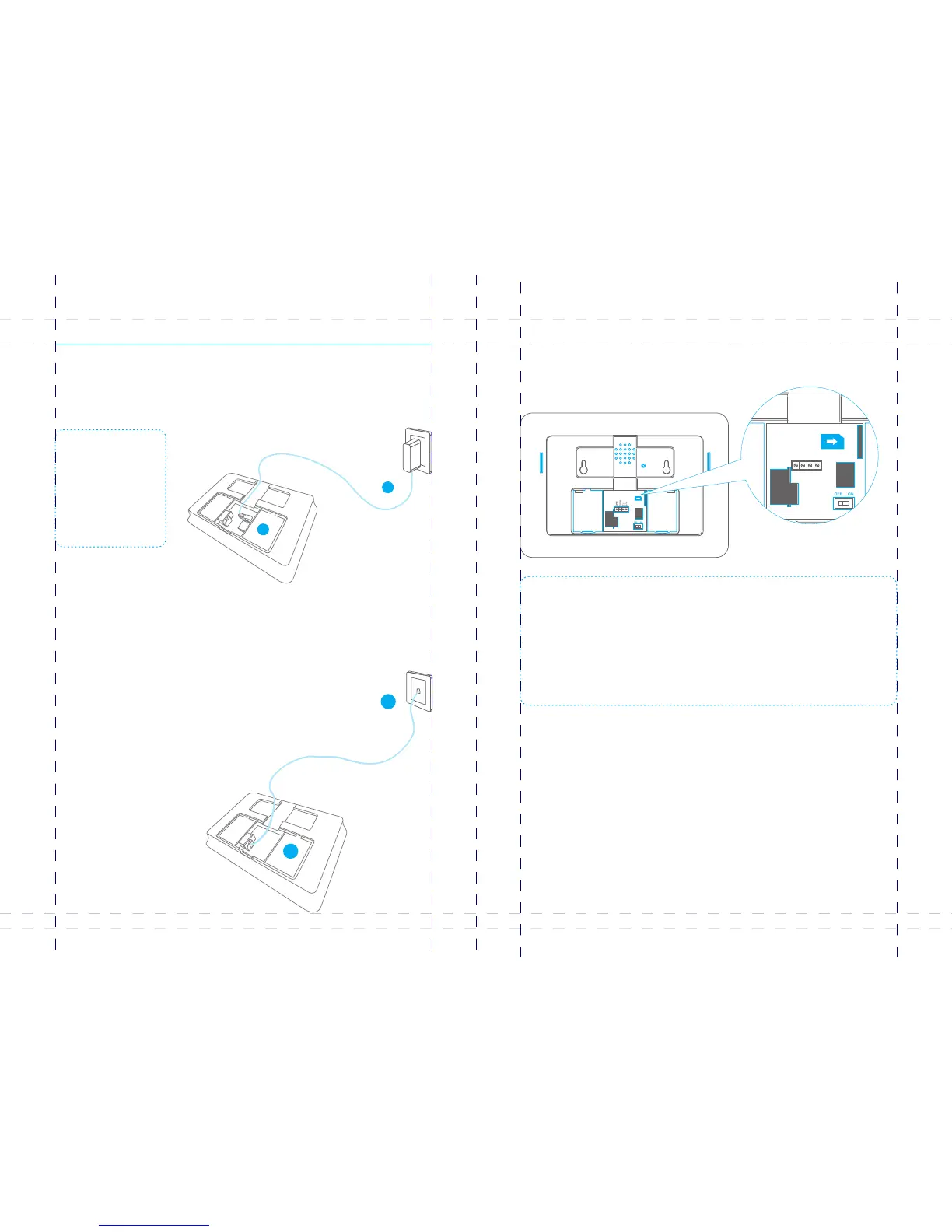
Plug the output connector of AC adapter into the adapter Jack of control panel.
Plug the AC adapter into a wall outlet.
Power on
B11 is a PSTN & GSM dual networks alarm system, If there is an alarm, it will auto dial
pre-stored phone numbers though landline, or dial through GSM network when
landline is unavailable.
Connect the smaller connector of provided telephone cable to the
PSTN land line interface at the back side of the panel.
Connect the other end of the telephone cable to the signal output
provided by PSTN land line operator.
1
2
Connect PSTN Land Line
Note:In daily use, it is
recommended to use
external power supply.
The built-in rechargeable
battery should be used
only in the case of AC
power failure.
Note: A GSM SIM card with normal functions (calling, answering, SMS and caller display) is
required. If use App to control the alarm system through GPRS network, it is recommended
to activate a GPRS plan to save expense.
Insert the SIM card only after the control panel is switched off. Then, switch on the control
panel so as to search signals.
If no SIM card is inserted, the control panel can only send alarm notification by calls through
land line and users cannot remote control the control panel through App. However, other
functions are not affected.
Insert a SIM Card
Insert a SIM card into the card slot according to the mark and lock it.
This step can be ignored if GSM function is not applied.
1.
2.
1.
2.
05 06



 To Next Page