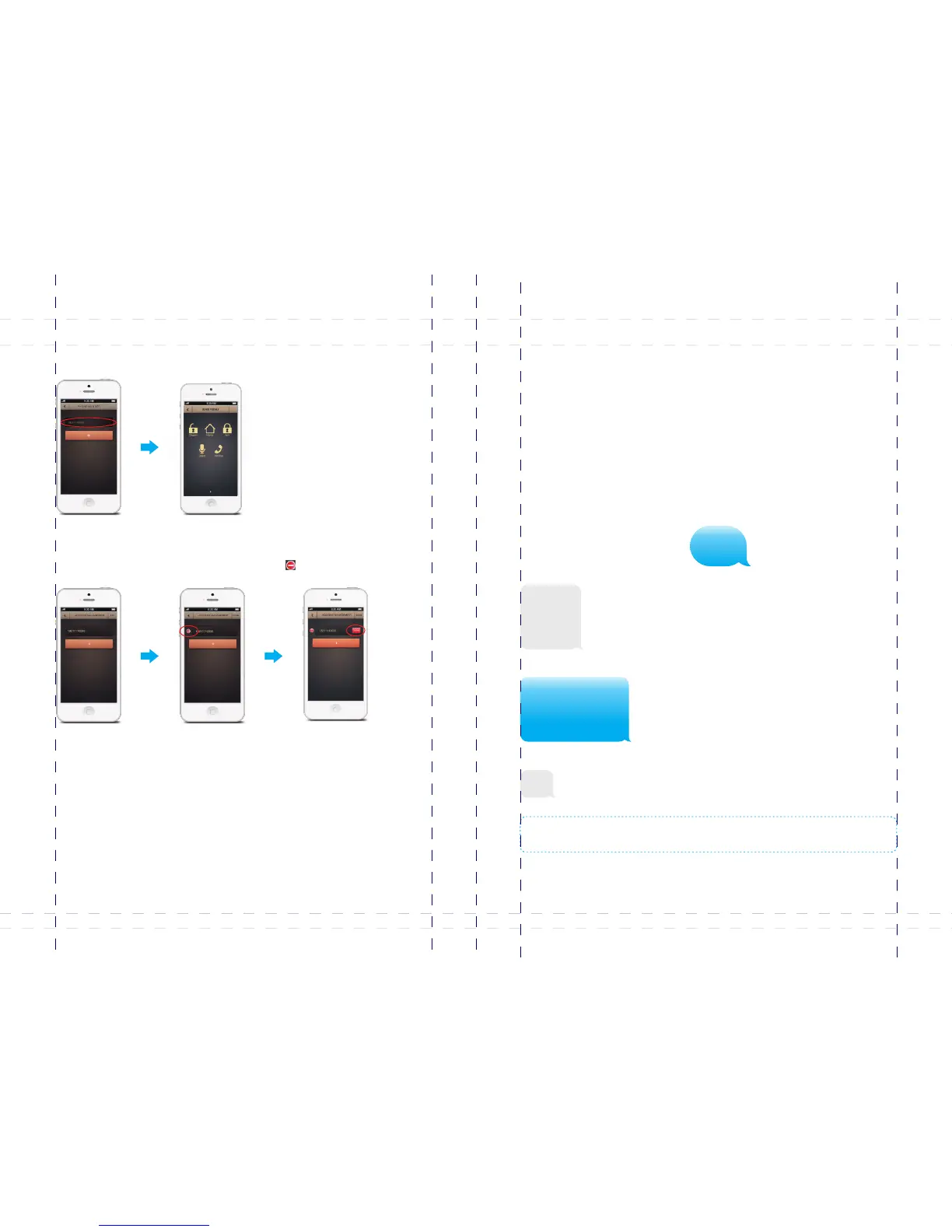
2. Operations on main menu
Tap the SIM card number of the control panel to enter the main menu, user can
perform disarm, arm, home arm, monitor and leave voice memo.
iPhone: [EDIT] [ ]Tap , choose the account number, tag to confirm deletion.
3. Delete accounts
Android phone: [EDIT] Tap , press and hold the account number until the dialog box
appears, tap to confirm deletion.[OK]
Some SIM cards need to set APN to open GPRS function. If the GPRS function of the
SIM card in B11 doesn’t work out. Do as follow:
Send 'APN' to the SIM card in the control panel; you’ll get a message back. Forward
and fill in related APN, username and password,, then send it back. You’ll get a
message 'OK' from the SIM card in the control panel to notify you that the setting is
successful. Turn off the panel and restart, then you can operate the APP via GPRS
freely.
For instance, for SIM card from Vodafone in Netherlands, there is no username and
password, leave it as it is. A message replied ’OK’, means the setup is successful.
Control through GPRS Data
APN Setting
APN
APN:
User name:
Password:
APN:live.vodafone.com
User name:
Password:
OK
Note: The APN setting varies in different countries. Consult the local operator on how to set the
APN correctly.
47
48



 To Next Page