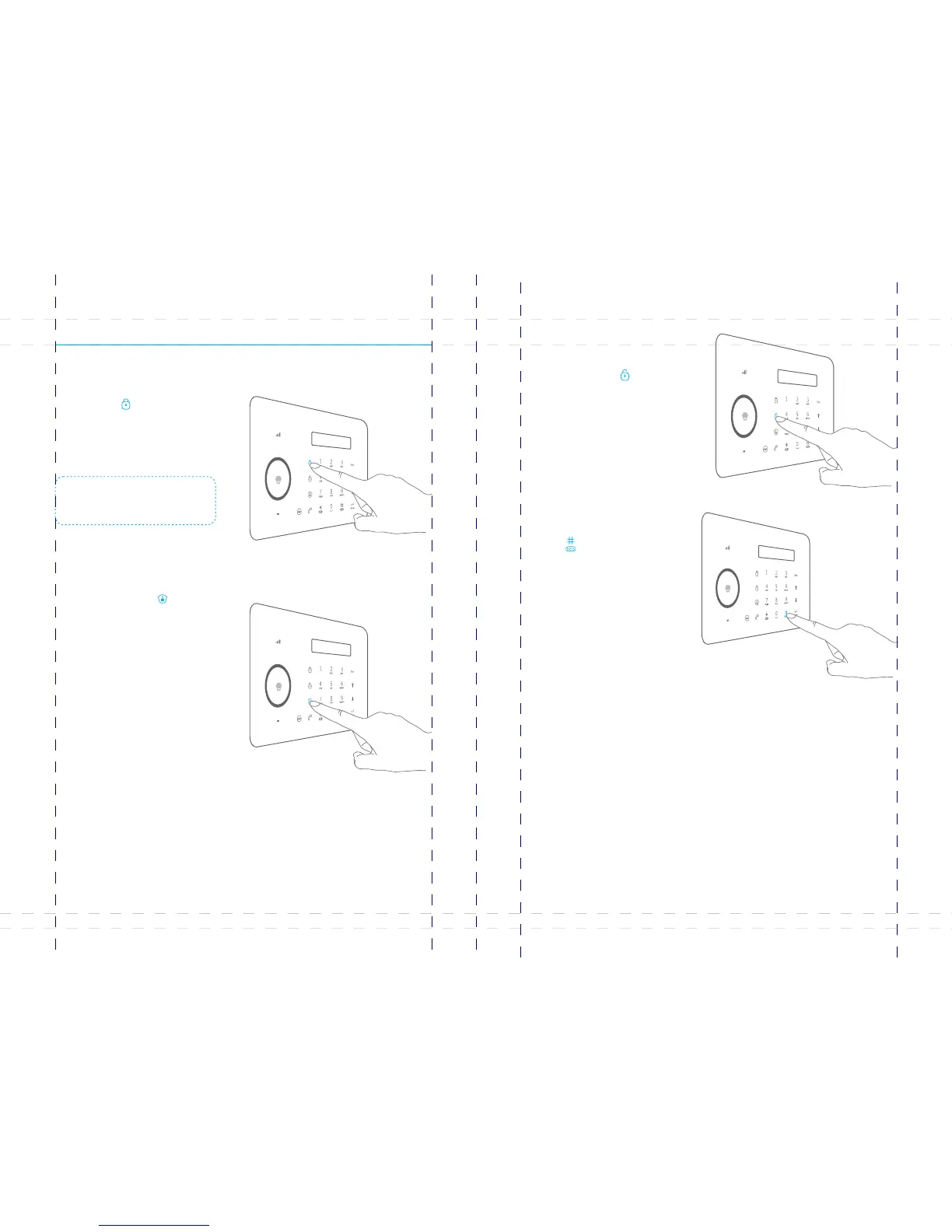
Control Panel Operation
Alarm Control
Arm (Away Arm)
Press the button on the [Arm ]
control panel, the system enters Arm
state when one beep is heard and the
arm LED Indicator lights on.
Emergency Call
When the LCD display is activated,
Hold the button for 3 seconds [ ]
the system goes into emergent
alarming state with siren hooting,
meanwhile the panel will auto dial
pre-stored alarm phone numbers.
Home Mode (Part Arm)
Press the button on [Home Mode ]
the control panel, the system enters
home mode when one beep is heard
and the home mode LED Indicator
lights on. All the normal sensors are
armed except the home mode sensors
which are disarmed, so that users can
move freely at home.
Disarm
Input user code (Default: 1234) or
admin code (Default: 123456) first,
then press the button, [Disarm ]
the system enters disarm state when
one beep is heard and the disarm
LED Indicator lights on.
Note: If Entry/Exit Delay is activated, all
zones except the 24-hour zone will enter
arm state after the set delay time.
07 08



 To Next Page