X1 Series Dental Unit -Operating Manual
Add: Building 6-1,Nansha Industrial Village Jiangli North Rd,Danzao Town, Nanhai District,Foshan ,Guangdong,China
www.cingol.com
Operating light switch
Please open the switch on the operating light before use the button
on the foot control or the key on the control panel.
Operating foot switch
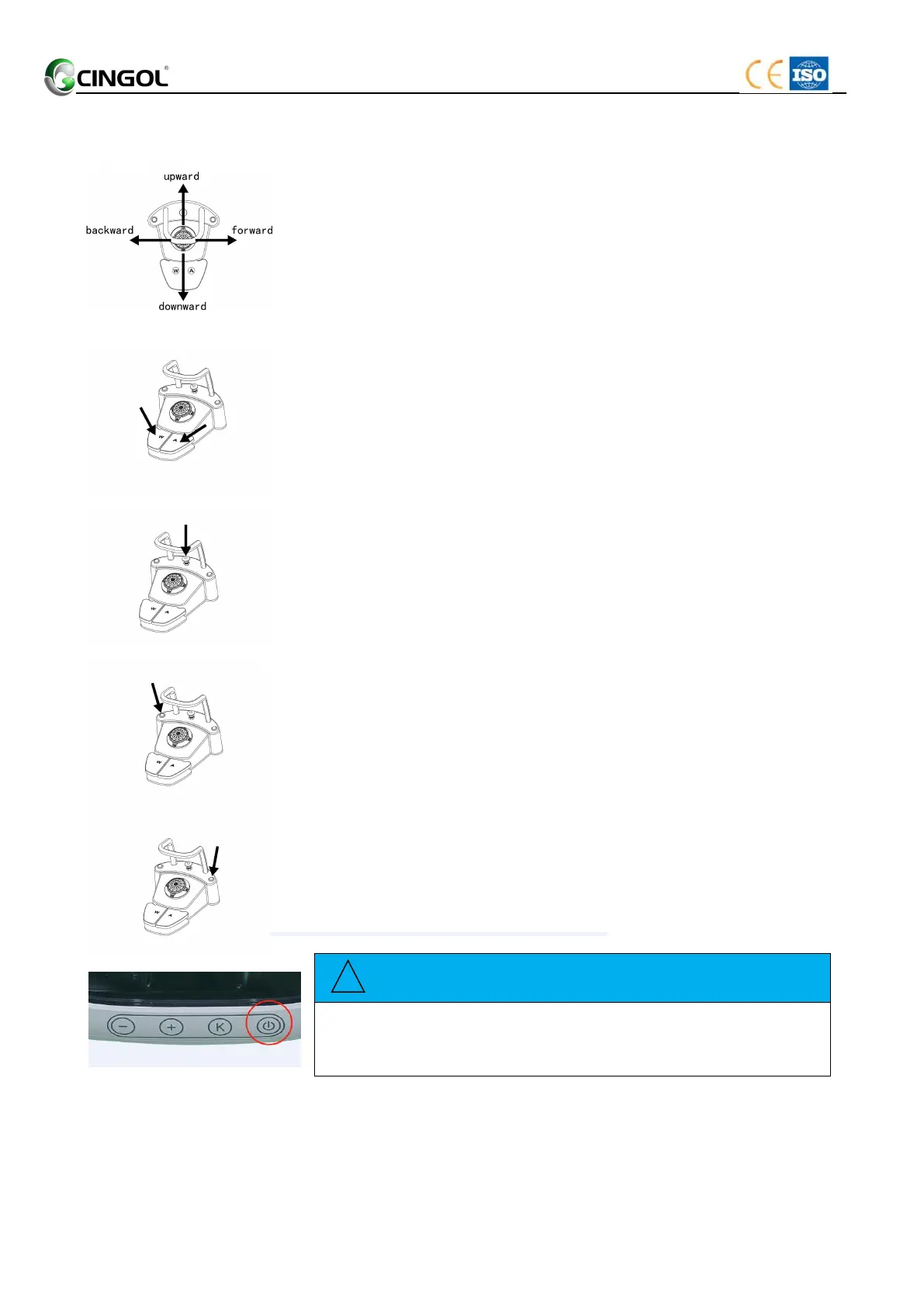
The foot switch use to control movement of the patient chair. Uplifted
or descending the chair couch movement can be controlled by sliding
the foot switch to the up or down. Similarly, backward or forward
backrest movement can be controlled by sliding the foot switch to the
left or right.
Air pedal and Water pedal
The handpiece is removed from its holder on the dentist element.
Step on the air pedal. The handpiece motor rotates, and blowing
chip air flows out the cooling holes on the handpiece.
Step on the water pedal. Cooling water flows out from the cooling
holes on the handpiece.
Step on the air and water pedals simultaneously. The handpiece
motor rotates and spraying the cooling spray.
Chip blower switch
The handpiece is removed from its holder on the dentist element.
Step on the button of the chip blower switch. Air flows out the
cooling holes on the handpiece.
Cuspidor Flush switch
Place the tumbler under the tumbler filler.
Press the switch (Cuspidor Flush). The Cuspidor is flushing with
water for the preset time.
Pressing the switch (Cuspidor Flush) again stops the filling
function immediately.
Operating light switch
Press the switch (Operating light) on the foot control. The
operating light is opened to the weak light.
Press the switch (Operating light) again.The operating light is
shut off.


 To Next Page