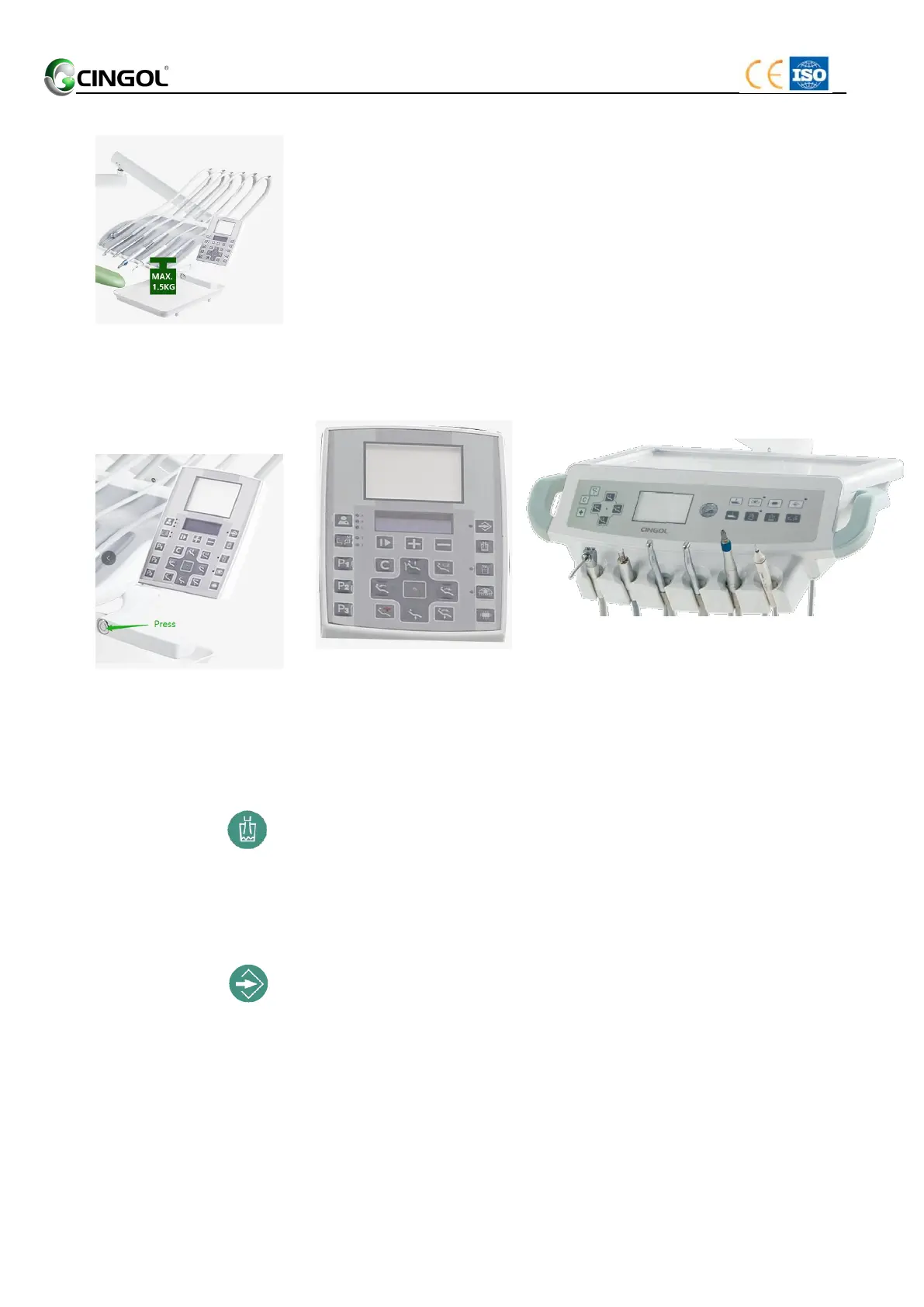
4.4.1 Maximum load capacity
The maximum load of the dentist element is 1.5 kg(same for
hanging type and top-mounted ).
4.4.2 Height adjustment (Apply to X1)
1. Hold the handle and press the locking button by the thumb.
2. Adjust the dentist element to achieve an ergonomic
instrument height.
3. Loosen the thumb; the button automatically resets. The
dentist element is locked on the height adjustment.
4.4.3 The control panel on the dentist element
(Top-Mounted with push button ) (Hanging/Cart Type with push button)
4.4.3.1 Chair movement
The keys in chair movement area control the patient chair movement. See
“4.3.2 Moving the patient chair ”.
4.4.3.2 Tumbler filling
1. Place the tumbler under the tumbler filler.
2. Press the key (Tumbler Filling). The tumbler is filled with
water for the preset time.
Pressing the key (Tumbler Filling) again stops the filling function
immediately.
Setting the filling time
1. Pressing the key (Set) (about 2second) until the buzzer
in the water unit call. The LED above the key lights up.
2. Pressing the key (Tumbler Filling) until the filling water
rise to the desired position.
3. Press the key (Set) again finishes the setting the filling
time. The LED above the key lights out


 To Next Page