X1 Series Dental Unit -Operating Manual
Add: Building 6-1,Nansha Industrial Village Jiangli North Rd,Danzao Town, Nanhai District,Foshan ,Guangdong,China
www.cingol.com
Bluetooth connection: Press the Pause button few seconds,It
will enter blue-tooth mode when power-on with the “hello CINGOL ”
voice. Or when play the music list from flash drive, long press MODE
changing button to switch to blue-tooth mode, a “ding” sound will be
heard at the same time. Cell phone must allow applications to discover
and pair blue-tooth devices. When discovering “ CINGOL ” , enter
password “6666” for pair, so can play music with a blue-tooth player.
4.4
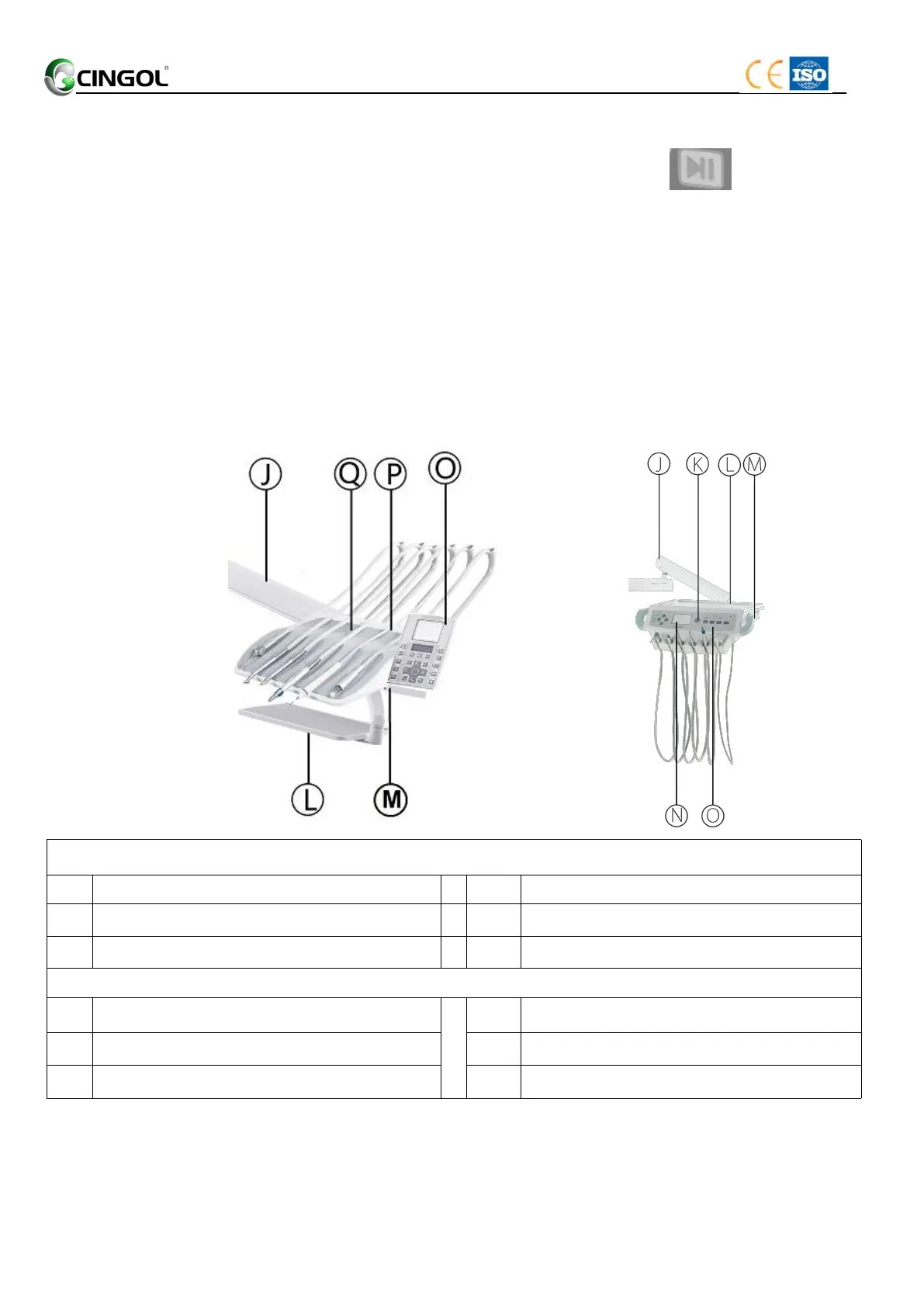
Dentist element
The dentist element comprises the following main components:
X1-Top-mounted X1-Hanging Type
(touch screen) (push button)
X1-Top-mounted (touch screen)
X1-Hanging Type/Cart Type (push button)
Instrument tray plastic cover


 To Next Page