2-8
Cisco Video Surveillance 5010/5011 Indoor Fixed HD IP Dome Camera User Guide
OL-22669-01
Chapter 2 Installation
Dome Liner and Lower Dome Installation
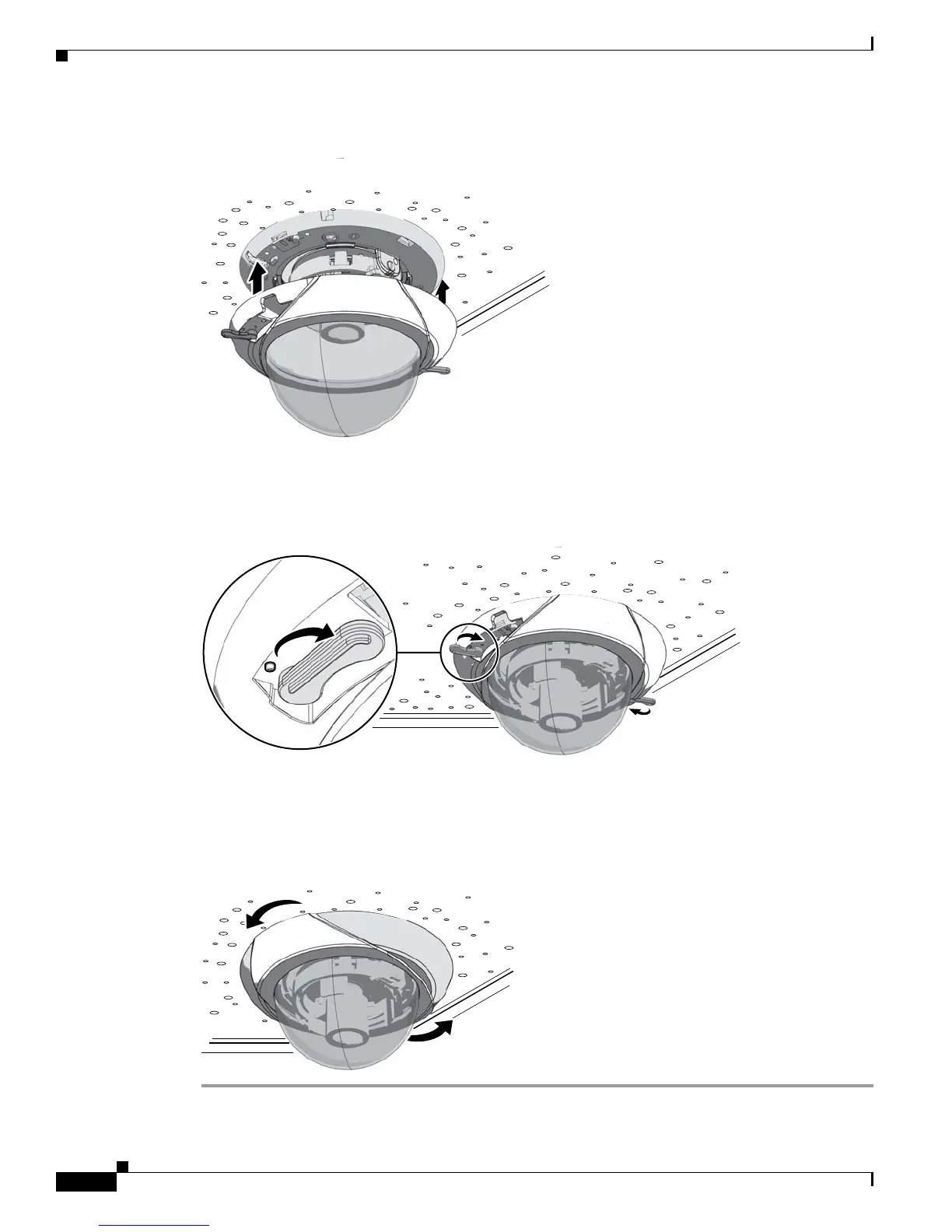
Figure 2-9 Aligning the Lower Dome with Camera
279052
Step 4 Move the lower dome latches toward the bubble until you hear a click.
Figure 2-10 Locking the Dome
279053
Step 5 Turn the top cover of the lower dome 90-degrees to conceal the camera latches, LED, and service jack.
Figure 2-11 Positioning the Top Cover of the Lower Dome
279054













 To Next Page