3-20
Cisco Video Surveillance 5010/5011 Indoor Fixed HD IP Dome Camera User Guide
OL-22669-01
Chapter 3 Operation
Imaging Tab
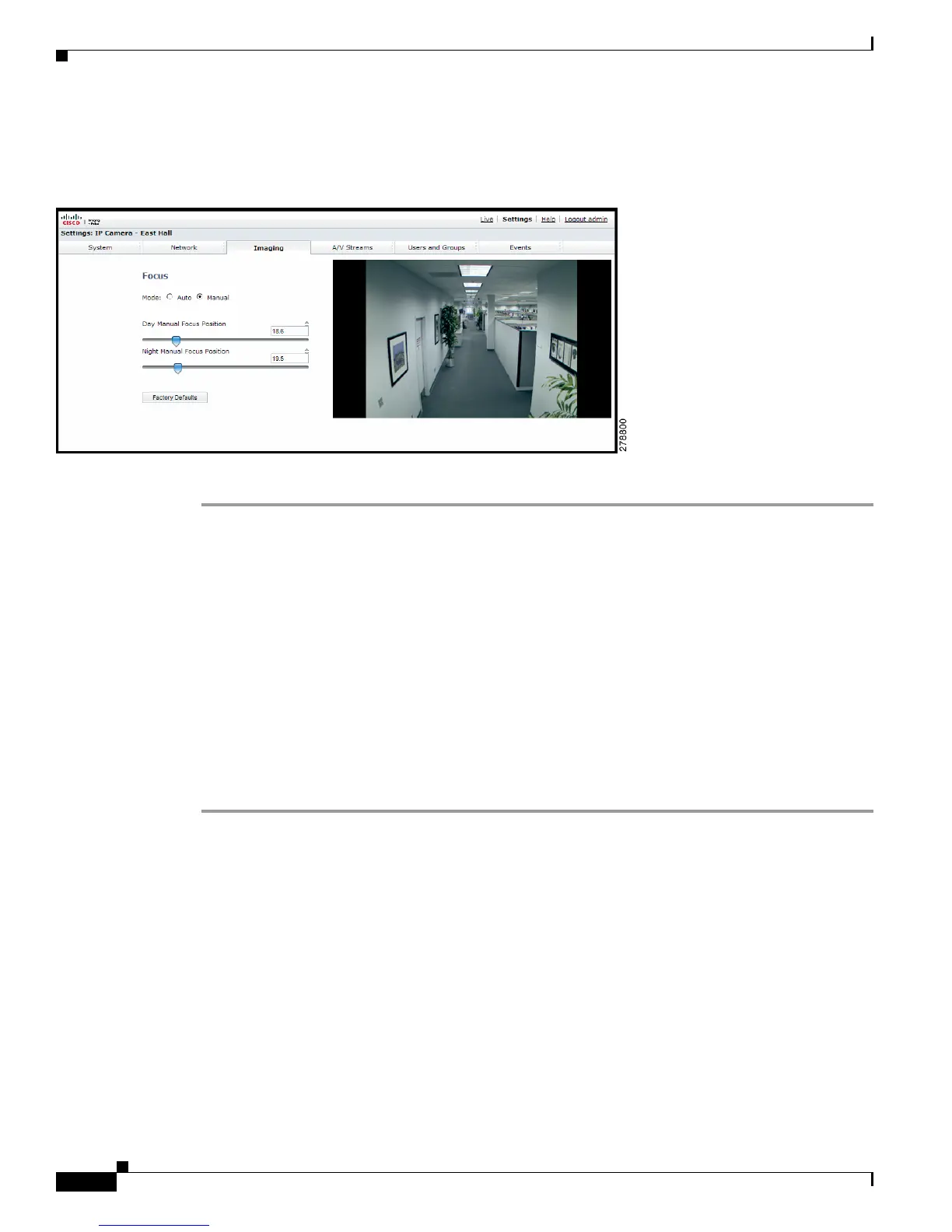
Configuring Manual Focus Settings
Figure 3-7 Manual Focus Page
Step 1 Place your mouse pointer over the Imaging tab.
Step 2 Select Focus from the drop-down menu.
Step 3 Select the Manual mode.
Step 4 Set one of the following settings:
• Day Manual Focus Position: This is the position of the focus mechanism when the IR cut filter is
applied. The day mode focus position range is 0 to 100.
• Night Manual Focus Position: This is the position of the focus mechanism when the IR cut filter
is removed. The night mode focus position range is 0 to 100.
• Manual Focus Position: This is the manual setting of the focus mechanism. The focus range is
0
to 100.
Step 5 Set the Manual Focus Position. The focus range is 0 to 100.
Step 6 If required, click the Factory Defaults button to reset the focus to the factory default setting.













 To Next Page