2-7
Cisco Video Surveillance 5010/5011 Indoor Fixed HD IP Dome Camera User Guide
OL-22669-01
Chapter 2 Installation
Dome Liner and Lower Dome Installation
Dome Liner and Lower Dome Installation
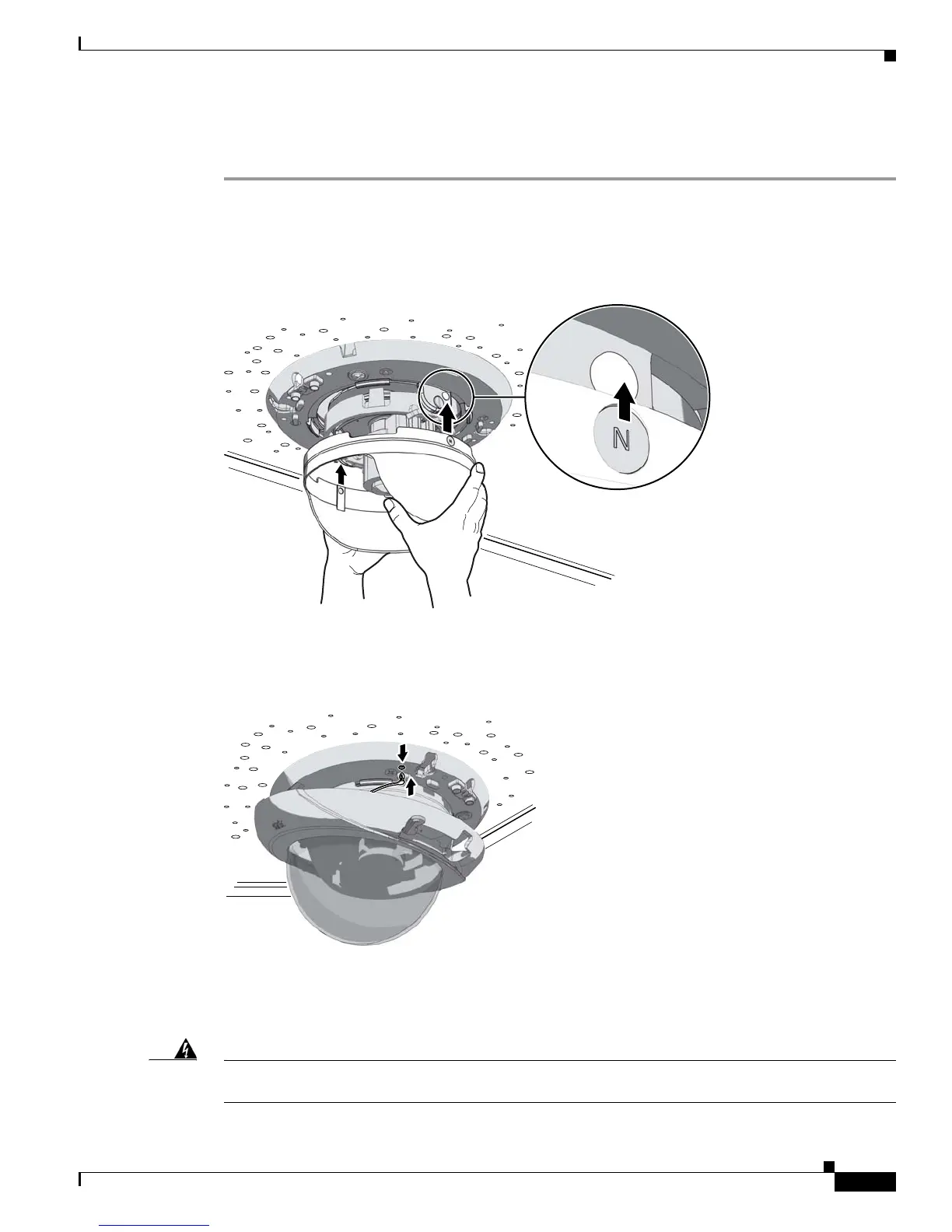
Step 1 Align the magnets on the dome liner with the magnets located on the camera module.
Figure 2-7 Installing the Dome Liner
279051
Step 2 Attach the leash of the lower dome to the back box.
Figure 2-8 Attaching the Leash
279056
Step 3 Move the lower dome latches away from the bubble until you hear a click indicating the latches are open.
Align the lower dome latches with the slots located on the camera module (refer to
Figure 2-9 on
page 2-8).
Warning
The lower dome latches must be in the open position. Never force the lower dome latches into the
slots of the camera module.













 To Next Page