3-36
Cisco Video Surveillance 5010/5011 Indoor Fixed HD IP Dome Camera User Guide
OL-22669-01
Chapter 3 Operation
Events Tab
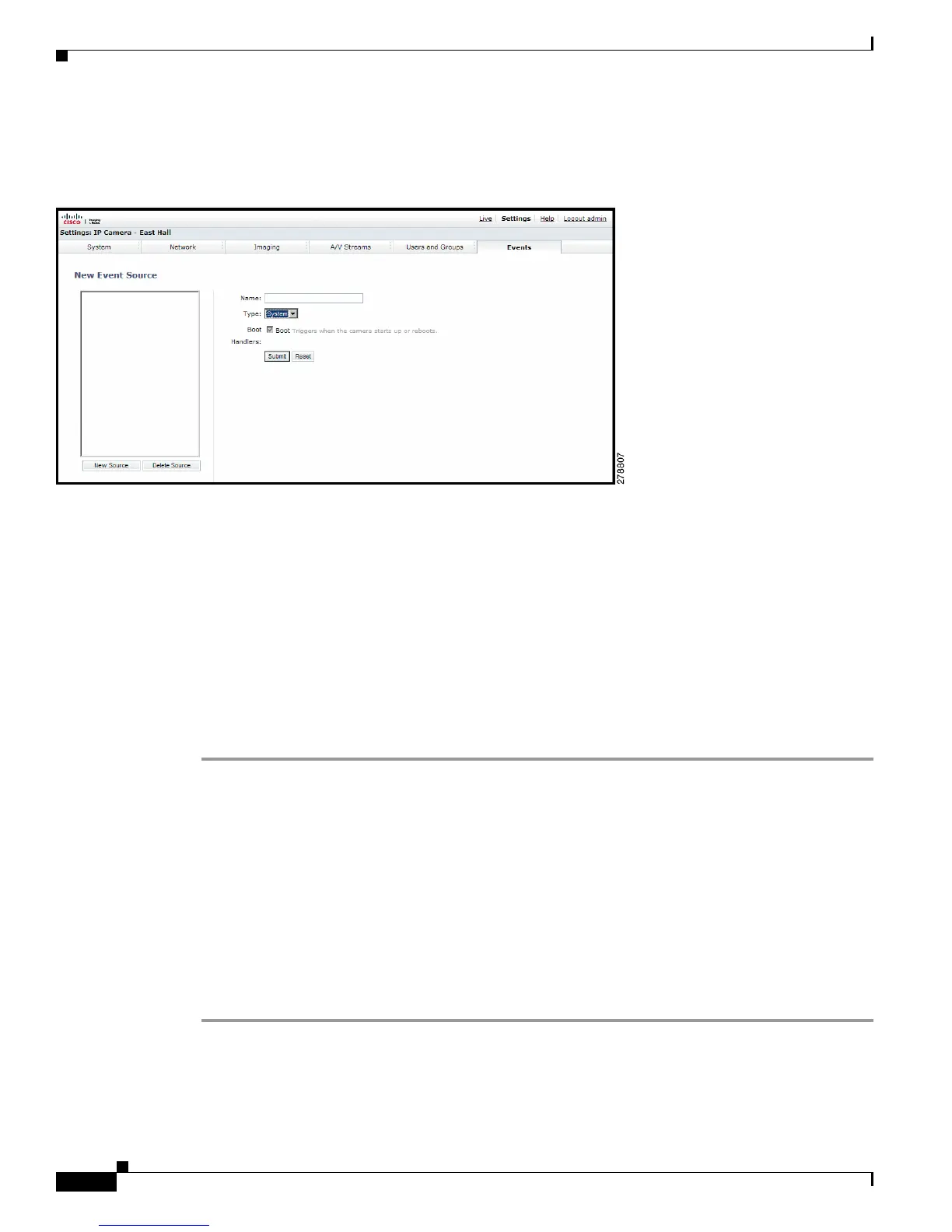
Sources
Figure 3-17 New Event Source Page
An event is a preprogrammed camera function that is automatically activated by an event source. The
camera supports the following types of event sources:
• Alarm Source: The camera supports one alarm source. The sources are the camera inputs for
external signaling devices, such as door contacts or motion detectors.
• System Source: A system source is activated when the camera restarts.
• Timer Source: A timer source is a user-defined event. The user can program the timer to activate
an event after a specified amount of time. For
example, the timer can be activated every 60 seconds
to save an image to an SD card.
Creating an Alarm Event Source
Step 1 Place your mouse pointer over the Events tab.
Step 2 Select Sources from the drop-down menu.
Step 3 Click in the Name box and type a user-friendly name (2 to 23 alphanumeric characters).
Step 4 Select Alarm from the Type drop-down menu.
Step 5 Move the Dwell Time slider to set the amount of time in seconds that the alarm is active. The dwell time
range is 0.1 to 200 seconds; the default setting is 0.1.
Step 6 Select either normal or reversed from the Polarity drop-down menu.
Step 7 Select either true or false from the Supervised drop-down menu.
Step 8 Click the Submit button to save the settings, or click the Reset button to clear all of the information you
entered without saving it.













 To Next Page