29
Cisco TelePresence System Codec C60/C40 and Profiles using C60/C40 Administrator guide
D14636.06 Profile C60-C40 and Codec C60-C40 Administrator Guide TC4.2, July 2011.
Copyright © 2010-2011 Cisco Systems, Inc. All rights reserved.
www.cisco.com
User administration
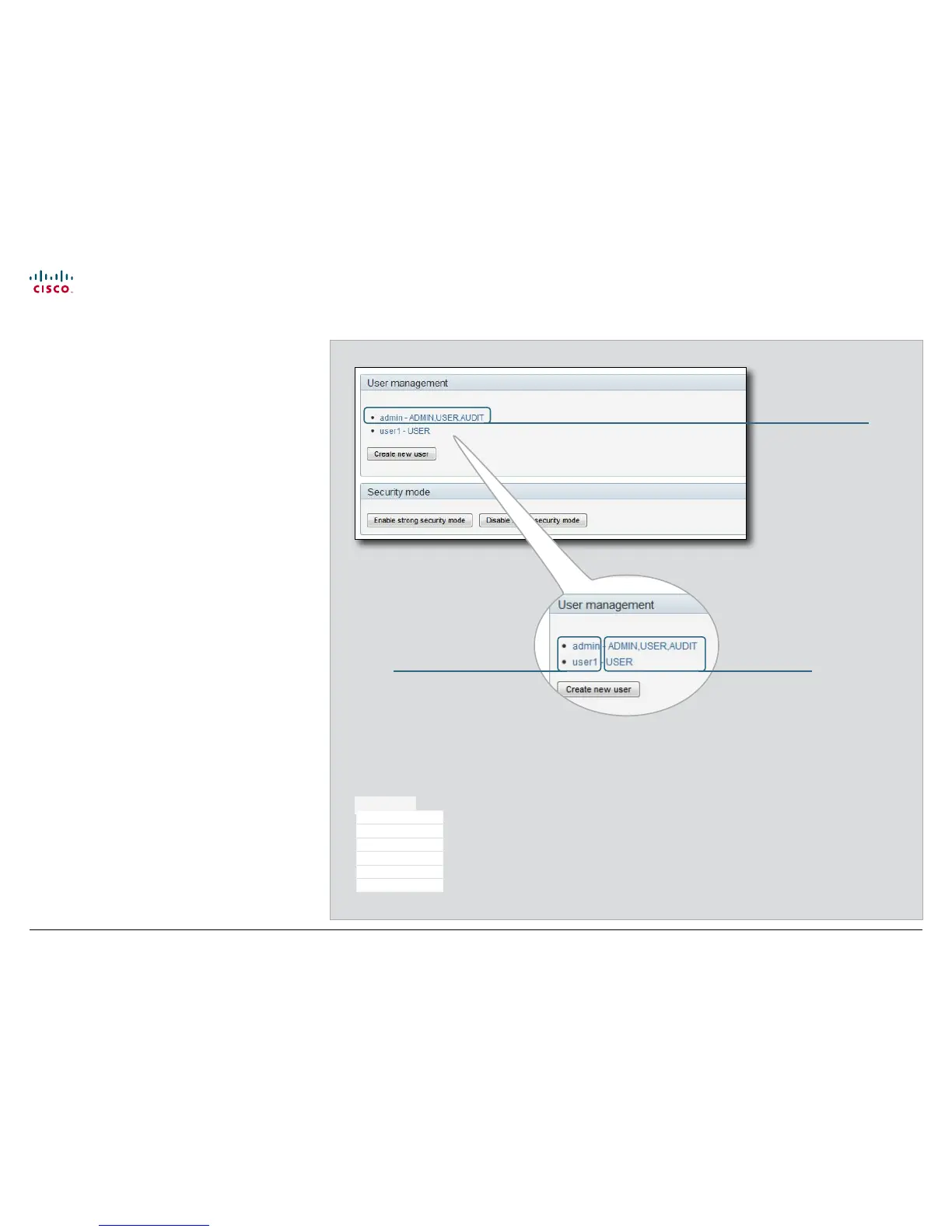
From this page you can manage the user accounts of your
video conference system. You can create a new user, edit the
details of an existing user, and delete a user.
The default user account
The system comes with a default administrator user account
with username admin and no password set. The admin user
has full access rights, and it is highly recommended to set a
password for this user.
Read more about passwords in the Password protection
chapter.
About user roles
A user account must possess one or a combination of several
user roles. Three user roles exist, representing different rights:
• ADMIN: A user with admin rights can create new users and
change all settings, except the security audit settings. This
user cannot upload audit certificates.
• USER: A user with user rights can make calls and search
the phonebook.
• AUDIT: A user with audit rights can change the security
audit configurations and upload audit certificates.
It is important to note that these roles have non-overlapping
rights.
An administrator user account with full access rights, like the
default admin user, must possess all the three roles.
Security mode
You can enable/disable the strong security mode from
this page. Strong security mode sets very strict password
requirements, and requires all users to change their password
on next sign in.
You can create as many
user accounts as you
like on your system.
Each user must have
one or more roles.
User name User role(s)
The system comes with
admin as default user
account. This user has
full access rights.
Default user account
Maintenance
Upgrade Software
Certificate Management
Audit Certificate
User Administration
Change Password
Restart











 To Next Page