31
Cisco TelePresence System Codec C60/C40 and Profiles using C60/C40 Administrator guide
D14636.06 Profile C60-C40 and Codec C60-C40 Administrator Guide TC4.2, July 2011.
Copyright © 2010-2011 Cisco Systems, Inc. All rights reserved.
www.cisco.com
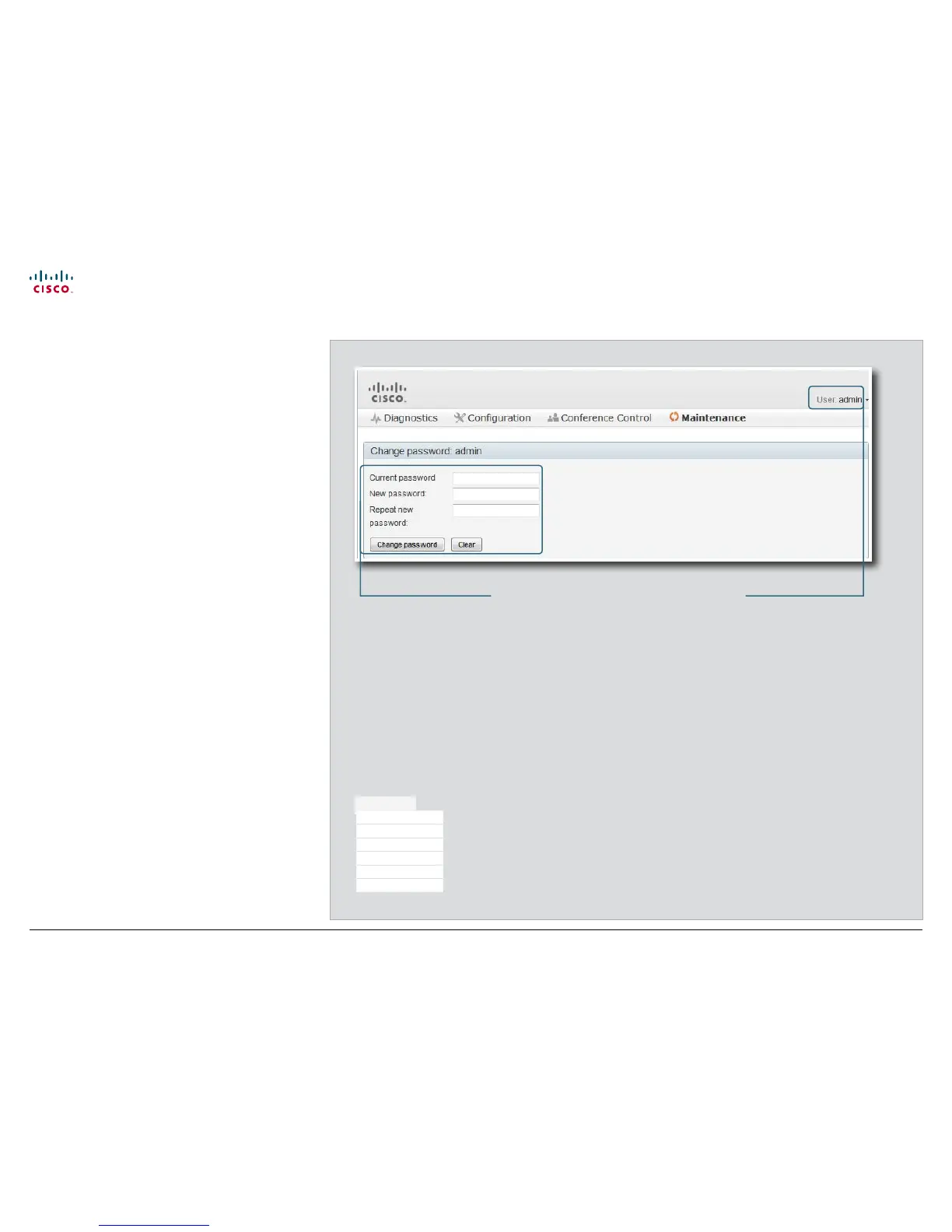
Changing your password
When you are signed in, you can change your password. In
the example to the right, the admin user is signed in.
Remember, it is highly recommended to set a password for all
users holding ADMIN rights.
The password is a string with 0–64 characters.
Changing your password
1. Enter your current password, your new password, and
repeat the new password in the input fields.
If no password is set, leave the current password input field
empty.
If you want to remove a password, leave the new password
input fields empty (not recommended for users with
ADMIN rights).
2. Click Change password to change the password.
The signed in userChanging your password
The signed in user can
change his own password.
Maintenance
Upgrade Software
Certificate Management
Audit Certificate
User Administration
Change Password
Restart











 To Next Page