B-53
Cisco IE 3000 Switch Hardware Installation Guide
Appendix B Installation In a Hazardous Environment
Connecting the Switch to the Power Converter
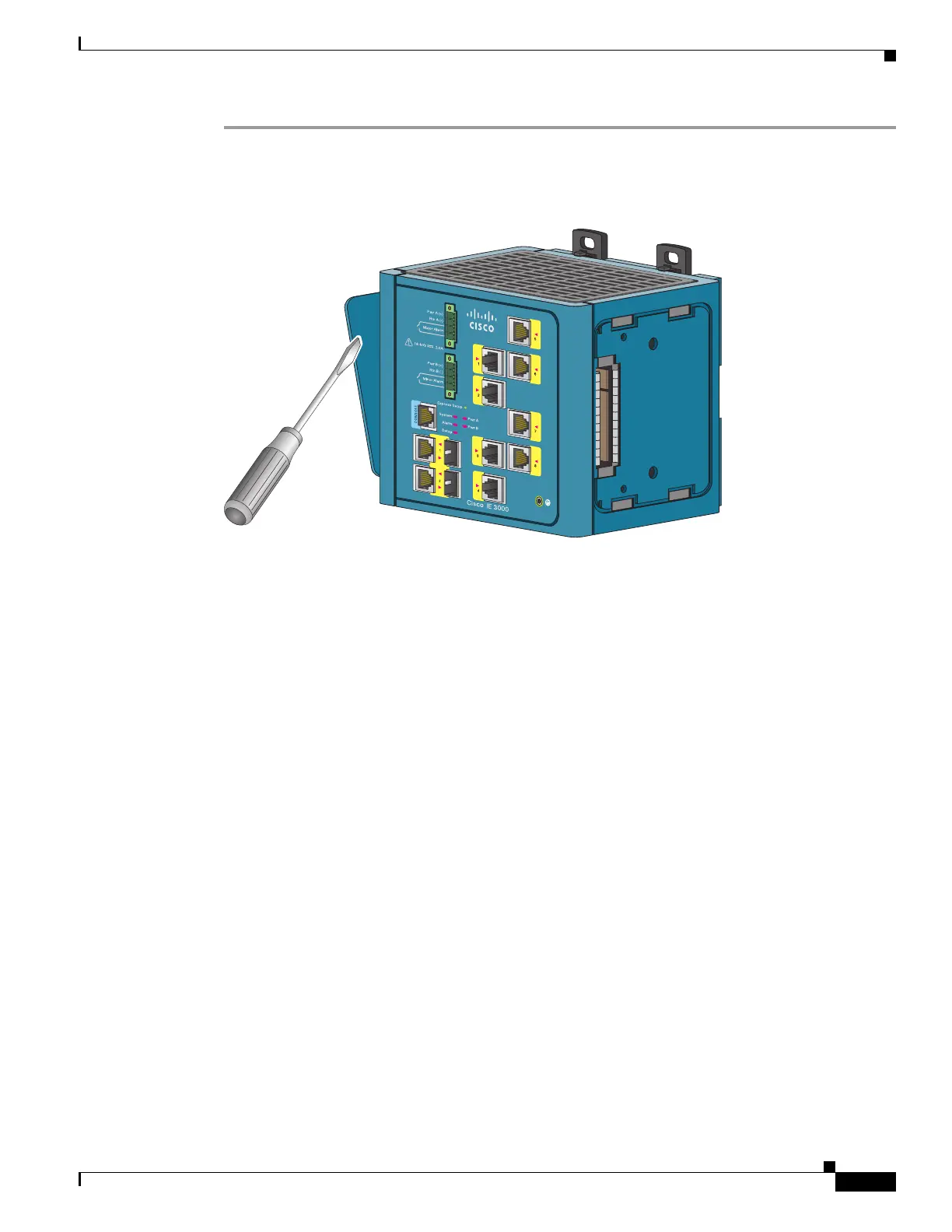
Step 1 Remove the left side panel of the switch by firmly grasping both sides of it in the middle and pulling it
outward. If necessary, use a screwdriver to open the side panel. See Figure B-38.
Figure B-38 Opening the Left Side Panel of the Switch
202295






 To Next Page