Clarius Scanner HD3 Voice Controls
revision 9 27
Voice Controls
The Voice Controls feature shall be used in a reasonably quiet clinic or medical office setting.
Users can be masked or unmasked and should speak the Voice Commands clearly. Excessive
noise will affect the device's ability to hear the commands correctly.
Start Voice Controls
Set your mobile device (phone or tablet) on a surface that is from 1-3 feet/ less than 1 meter
away from you. If you typically have your phone or tablet further away, it is recommended to
use an earbud with a mic or external microphone.
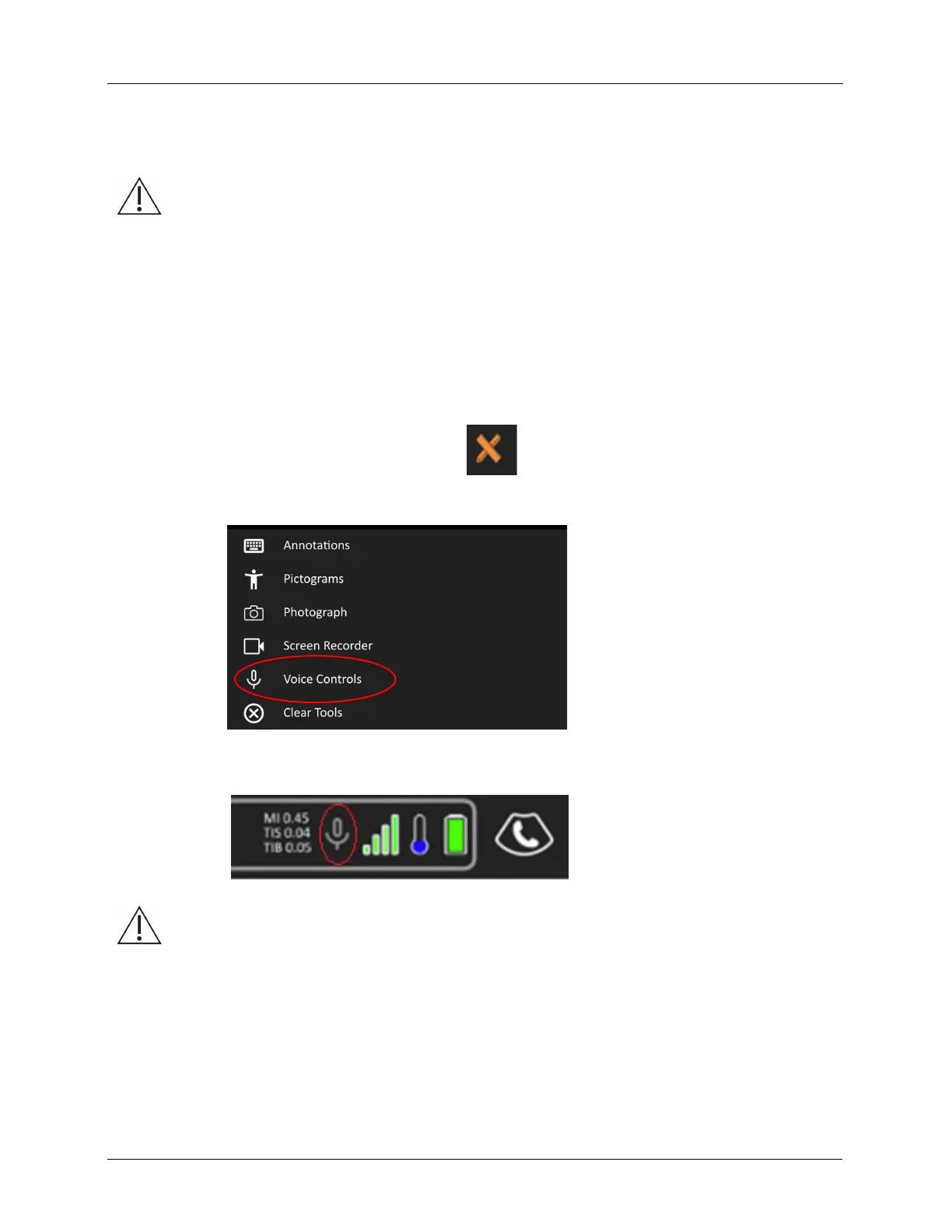
1. Click the Tool & Measurements icon:
2. Click the Voice Controls option.
3. Confirm that you see a flashing microphone icon at the top of the screen.
All Voice Controls commands shall be verified by the user. Manual commands can always be
used.



 To Next Page