EasyManua.ls Logo

ClearSounds A1600BT - User Manual

ClearSounds A1600BT
186 pages
Print Icon
To Next Page IconTo Next Page
Loading...
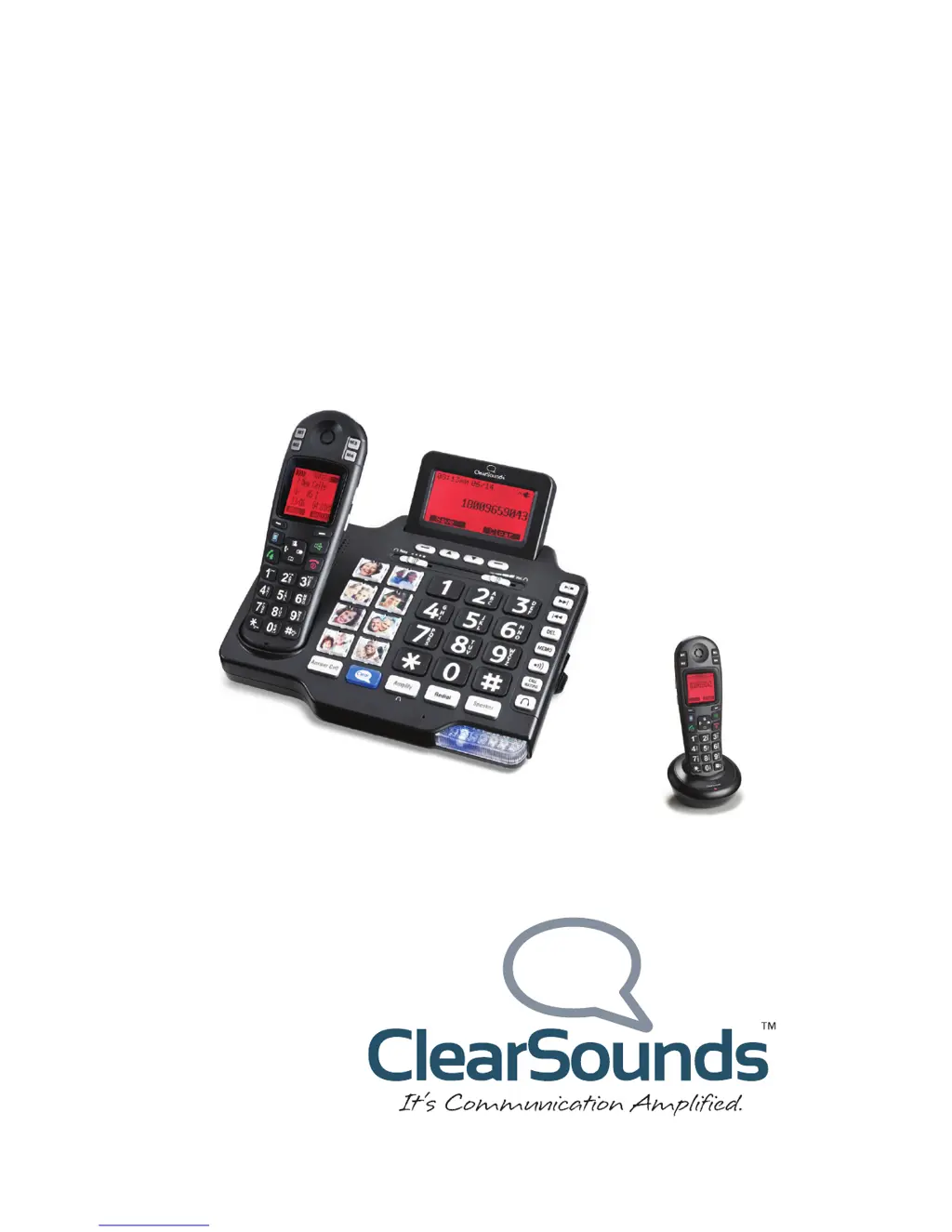
A1600BT DECT 6.0
Amplified Cordless Phone with
Bluetooth
®
User’s Guide
*
*Instructions are included for
optional additional handsets.

Table of Contents

Questions and Answers

Summary

Welcome and Contact Information

Contact Information

Provides essential contact details for ClearSounds customer support and inquiries.

Safety Precautions

Warnings

Mandatory safety instructions to prevent bodily injury and equipment damage.

Cautions

Practices that could harm the phone or other objects, requiring careful handling.

Initial Setup and Configuration

Unpack Your Phone

Check contents of the packing box to ensure all parts are included.

Remove Protective Films

Remove protective films from handset and base displays for clarity.

Phone Placement Guidelines

Locate the phone away from interference sources for optimal performance.

Install Handset Batteries

Follow warnings for safe installation of rechargeable AAA NiMH batteries.

Install Base Batteries (Optional)

Instructions for installing optional batteries in the phone base for power outages.

Connect Cords and Charge Batteries

Connect phone line and power cords; charge batteries for 24 hours before first use.

Install Handset Carrying Clip

Attach the carrying clip to the handset for hands-free use.

Important Concepts and Features

Personalize Your Phone Features

Learn how to customize available features for a personalized phone experience.

Understand Handset and Base Separation

Recognize that handset and base components have unique settings and keys.

Choose Answering Machine or Voicemail

Decide on the primary message retrieval method: built-in answering machine or voicemail.

Register Additional Handsets

Instructions for registering additional A1600EBT handsets to the base unit.

Getting Started with Calls

Place a Call

Step-by-step guide to initiating calls using the handset or base.

Answer a Call

Instructions on how to answer incoming calls using the handset or base.

Handset Overview and Functions

Handset Overview and Components

Identification of key parts and components of the telephone handset.

Backlighting and Home Screen

Details on handset display illumination and the primary screen interface.

Handset Icons Explained

Explanation of various icons displayed on the handset screen for status.

Navigating Handset Menus

Steps to practice basic navigation through the phone's menu system.

Handset Key Functions Overview

Detailed description of the functions assigned to each key on the handset.

Base Unit Overview and Functions

A1600 BT Base Overview

Identification of key parts and components of the telephone base unit.

Base Key Functions

Explanation of the functions for each key located on the phone base unit.

Area Settings

Language Settings

Instructions to change the displayed language on the handset and base.

Display Settings

Base Screen Backlighting

How to adjust the base screen's backlight for continuous illumination.

Adjust Handset Screen Contrast

Steps to optimize visibility by adjusting the contrast on the handset screen.

Adjust Base Screen Contrast

Steps to optimize visibility by adjusting the contrast on the base screen.

Set Handset Time and Date Format

Configure the 12-hour or 24-hour format and date format for the handset.

Set Base Time and Date Format

Configure the 12-hour or 24-hour format and date format for the base.

Adjust Base Digit Size

Enable or disable the Dim:X setting to control digit display size on the base.

Audio Settings

Adjust Handset Volume and Tone

Control sound levels and tone adjustments for the handset during calls.

Adjust Base Volume and Tone

Control sound levels and tone adjustments for the base speaker and headset jack.

Consistent Amplification

Manage Handset Amplification

Turn on/off consistent amplification for handset and headset/neckloop connections.

Keypad Tones

Control Handset Keypad Tones

Enable or disable audible tones when pressing keys on the handset.

Control Base Keypad Tones

Enable or disable audible tones when pressing keys on the base.

Talk Features

Talking Keypad Feature

Activate or deactivate the feature where the phone speaks numbers as keys are pressed.

Record Personal Identifiers

Record names or nicknames to identify callers in phonebook entries or call lists.

Talking Caller ID Feature

Enable or disable the feature that announces caller information during incoming calls.

Talking Review Feature

Activate or deactivate the feature that speaks numbers in call lists and phonebook.

Paging and Alarms

Page a Lost Handset

Locate a misplaced handset by making it beep from the base.

Set Handset Alarm Clock

Configure the handset as an alarm clock with snooze functionality.

Out-of-Range Alarm Management

Manage the audible alert when a handset is out of communication range.

Assistive Listening Devices

T-Coil Compatibility

Use the phone with T-coil equipped hearing aids for amplified sound.

Using Audio Neckloops

Connect audio-only neckloops for amplified sound via the headset jack.

Using Neckloops with Microphones

Connect neckloops with built-in microphones for hands-free communication.

Call Notification Options

Ringtone Selection

Choose ringtones for external calls, internal calls, and base unit.

Ringer Volume Control

Adjust or turn off the ringer volume for the handset and base separately.

Handset Lights and Vibration

Enable or disable the flashing light and vibration indicators for incoming calls on the handset.

Base Strobe Light Control

Turn on or off the bright, flashing strobe light indicator on the base unit.

Call Waiting Notification

Enable or disable notifications for incoming calls when already on a call.

Vibrating Pad Notification

Enable vibration notification for incoming calls using the optional vibrating pad.

One-Touch Number Features

One-Touch Keys Overview

Store frequently called numbers on dedicated keys for quick dialing.

Prepare Photo Keys for Base

Cut photos and insert them into the base's one-touch photo key slots.

Store Base One-Touch Number

Save telephone numbers to the base's one-touch photo keys.

Store Handset Memory Key or SOS Number

Save numbers to handset memory keys or the SOS emergency key.

Edit One-Touch Entries

Modify stored numbers, names, or ringtones for one-touch dialing.

Delete One-Touch Entries

Remove stored numbers or entries from one-touch dialing.

Keypad Tips

Using Keypads for Input

Learn how to enter letters, numbers, and special characters using the phone keypads.

Insert a Pause

Understanding Pause Functionality

Learn how pauses are used for automated service dialing and menu navigation.

Inserting Pauses While Storing Numbers

Steps to insert pauses when programming numbers for automated services.

Phonebook Management

Manually Store Phonebook Entries

Add new contacts to the phonebook by typing their names and numbers.

Store Phonebook Entries from Call Lists

Quickly add numbers from dialed or inbound call lists to the phonebook.

Edit Phonebook Entries

Modify existing contact details in the phonebook.

Delete Phonebook Entries

Remove single or all entries from the phonebook.

View Handset Phonebook Status

Check the current number of entries stored in the handset phonebook.

Memos

Record a Memo

Record short voice messages from the base or handset.

Retrieve a Memo

Access recorded memos from the base or handset.

Retrieve Memos via Base Speakerphone

Listen to memos using the base speakerphone, with optional playback controls.

Retrieve Memos via Handset

Listen to memos discreetly using the handset speakerphone.

Cellphone Sharing

Cellphone Sharing Capabilities

Understand how to use your cellphone's features through the ClearSounds phone.

Cellphone Sharing Advantages

Discover benefits of using the ClearSounds phone for cellphone calls.

Required Conditions for Cellphone Sharing

Check prerequisites like Bluetooth, charge, and proximity for cellphone pairing.

Pair and Connect a Cellphone

Step-by-step guide to pairing your cellphone with the ClearSounds phone via Bluetooth.

Place or Answer a Cellphone Call

Instructions for making and receiving cellphone calls using the ClearSounds phone.

Switch Cellphone Calls Between Phones

Seamlessly transfer active cellphone calls between your cellphone and the ClearSounds phone.

Simultaneous Cellphone and Landline Calls

Manage both landline and cellphone calls concurrently for multitasking.

Disconnect a Cellphone

Procedure to disconnect a paired cellphone from the ClearSounds phone.

Unpair a Cellphone

Remove a cellphone from the ClearSounds phone's paired device list.

Call Management

Auto Answering Setup

Configure the phone to automatically answer incoming calls.

Place, Answer, or End a Call

Basic procedures for handling phone calls using the handset, headset, or base.

Call Other Handsets in Your Home

Make internal calls between registered handsets on the same base.

Place a One-Touch Call

Dial stored numbers quickly using one-touch memory keys.

Call from Phonebook

Initiate calls by selecting contacts from the phonebook.

Redial a Number

Redial the last dialed number or select from recent call history.

Call from Inbound Calls List

Dial numbers directly from the list of received and missed calls.

Place an SOS Emergency Call

Dial an emergency number using the dedicated SOS key for quick access.

During Calls

Speakerphone Usage

Use the speakerphone feature for hands-free conversations on the base or handset.

Screen a Call

Intercept a caller leaving a message to speak with them directly.

Use a Headset

Connect and use a headset for private, hands-free communication.

Mute Microphone

Temporarily silence your microphone during a call.

Put a Call on Hold

Temporarily pause a call using the base speakerphone.

Answer a Second Call (Call Waiting)

Manage incoming calls when already engaged in a conversation.

Transfer a Call

Move an external call between registered handsets.

Set Up a Conference Call

Create a three-party call involving an external caller and another handset.

Answering Machine

Answering Machine vs. Voicemail

Compare features and benefits of the built-in answering machine and voicemail service.

Answering Machine with Call Waiting

Configure the answering machine to work with call waiting for alerted incoming calls.

Turn Answering Machine On;Off

Activate or deactivate the telephone answering machine (TAM) feature.

Record a Personalized Message

Replace the default outgoing message with a custom recording.

Listen to Recorded Message

Playback recorded messages from the answering machine on the base or handset.

Restore Default Message

Revert the outgoing message to the phone's original default recording.

Revise Message Length Limits

Set the maximum duration for caller messages or allow unlimited recording.

Personalize Remote Access PIN

Create or change the PIN used for remote access to the answering machine.

Slow Message Playback Speed

Enable a feature to slow down the playback speed of incoming messages.

Change Rings Before Pickup

Set the number of rings before the answering machine answers calls.

Voicemail & Calls

Visual Indicators of Calls and Messages

Understand visual cues on the handset and base for calls and messages.

Base Call and Message Indicators

Interpret indicators on the base unit related to unheard messages and calls.

Handset Call and Message Indicators

Interpret indicators on the handset related to unheard messages and calls.

View Inbound Calls

Review lists of received, missed, and voicemail calls on the base.

Listen to Voicemail Messages

Access and listen to voicemail messages via your telephone service provider.

Machine Messages

Visual Indicators of Messages

Understand indicators for unheard messages on the base and handset.

Listen to Answering Machine Messages

Playback messages stored on the answering machine via base or handset.

Access Answering Machine Remotely

Retrieve messages, manage settings, or turn the answering machine on/off remotely.

Delete Answering Machine Messages

Remove individual or all messages from the answering machine to free up memory.

List Maintenance

Delete Dialed Calls List Entries

Remove specific or all entries from the list of dialed numbers.

Delete Inbound Calls List Entries

Remove specific or all entries from the list of inbound calls.

Security

Handset Keypad Locking

Prevent accidental dialing by locking the handset keypad.

Restore Defaults

Restore Handset Default Settings

Reset handset settings to factory defaults, requiring the PIN.

Additional Handsets

Register Additional Handsets

Add extra handsets to the ClearSounds A1600BT base unit.

Name a Handset

Assign a personalized name to a specific handset for identification.

Delete Handset Registration

Remove a handset's registration from the base unit.

Troubleshooting

General Operation Troubleshooting

Solutions for common issues like non-operational phone, no line, or battery life.

Voicemail and Call Waiting Troubleshooting

Diagnose and resolve issues with voicemail and call waiting services.

Call Notification Troubleshooting

Address problems with audible ringers, visual indicators, and strobe lights.

Dialing Troubleshooting

Resolve issues related to redialing, memory buttons, and area codes.

Cellphone Sharing Troubleshooting

Solutions for problems encountered during cellphone pairing, calls, or disconnection.

Product Specifications

Compliance Information

Hearing Aid Compatibility (HAC)

Information on the phone's compliance with FCC standards for hearing aid compatibility.

FCC Information

Details on FCC rules, product identifiers, and network connection requirements.

Industry Canada CS03 Statement

Compliance statement regarding Industry Canada technical specifications and equipment approval.

Warranty Information

Available Accessories

Service and Support

Service in US and Canada

Contact details for ClearSounds Communications for service and repair.

Customer Service Contact

How to contact customer service for assistance with the phone.

ClearSounds A1600BT Specifications

General IconGeneral
BrandClearSounds
ModelA1600BT
CategoryCordless Telephone
LanguageEnglish