31
Tranquility
®
Digital (DXM2)—Troubleshooting Guide
Rev.: 10 March, 2015
www.climatemaster.com
Checking Pump Power Cord
A-O
First, remove the power to the unit and
allow 5-10 minutes for the capacitor to
discharge.
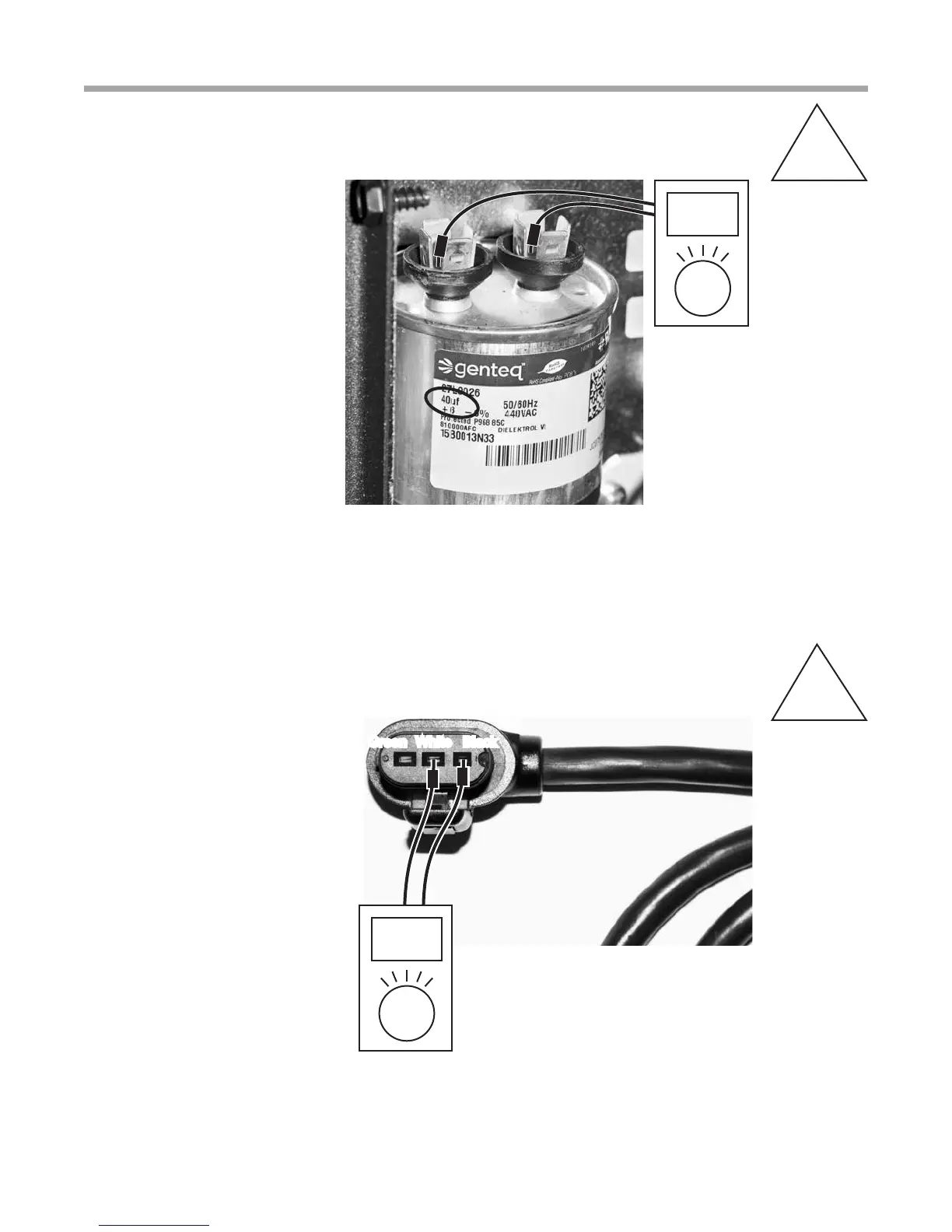
After discharge, remove two wires
from capacity. Read UF on side and
verify with volt meter that can read UF.
It will also show ± range for reading.
Note: Rating will change with
different size units.
Verifying Capacitor
A-N
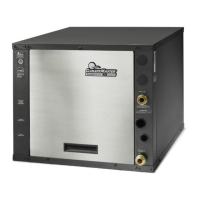
Verify 197-254V on pump power cord.
Note: Before removing cord from
pump, verify that power is turned off
on unit or pump will be damaged!
Note: Thermostat/service tool display
may still show watts even if one leg
of power to the pump (110V) is not
functioning. This can result in LT1
faults in heating and high pressure
faults in cooling.
Note: Do not force probes into plug.
May need to use a piece of 18 guage
wire into plug then check voltage.
Green White Black
Check 197-254v here



 To Next Page